

Mike Lehman
10 Claude Prompts For Better E-commerce Product Images

You’ve probably typed out a detailed prompt with terms like “ultra-realistic," "high-quality," or "photographic" and gotten outputs that look nothing like the product photo. The reason boils down to how the tools were trained.
Most image generators, including powerful ones like Midjourney and DALL-E, aren't optimised specifically for commercial product photography workflows. Photorealistic AI product photography, the kind that looks like it came off a professional shoot, requires a different kind of prompt.Using Gen-AI to generate high-quality images that are easily mistaken for traditional photos requires prompting the tools with specificity. This is why we’ll be sharing our top 10 best Claude prompts you can use to create better product images for your e-commerce brand campaigns. We’ll also show you how they apply and how to scale your product creatives’ generation with them.However, before we dive in, make sure you have these three things ready:
- Pro or Max Claude subscription plan for manual generations or a full ad creative pipeline with Claude code
- Your brand file containing your branding guidelines, customer personas, conversations, comments, and reviews.
- An AI-product photography tool specifically built for e-commerce, where you can input the prompts to get near-perfect images.
Get these three elements ready before implementing any of the prompts below. They’ll significantly improve your outputs and get you better results than generic AI slop.
1. Role-Audience-Goal-Tone-Format Prompt
Instead of a vague prompt like "Generate a product image for my skincare brand."
Use the Role-Audience-Goal-Tone-Format formula to get studio-standard creatives. That way, you act as the creative director, and Claude (paired with Pikes AI) executes your command.Here’s an example:"You are a visual art director specialising in premium ecommerce photography. Create a premium editorial studio photograph of the product placed on a glossy silver reflective surface against a pale light blue seamless studio background, targeting women aged 25–40 who prioritise clean, science-backed skincare. The goal is to convey luxury and efficacy to drive purchases on a Shopify product page. Tone: Clean minimal composition with no extra props, subtle reflections, gentle shadows, crisp focus, refined negative space, high-end beauty campaign aesthetic, photorealistic, slightly grainy editorial finish. Format: close-up hero shot, soft directional studio lighting"
Here’s the result with pikes.ai :
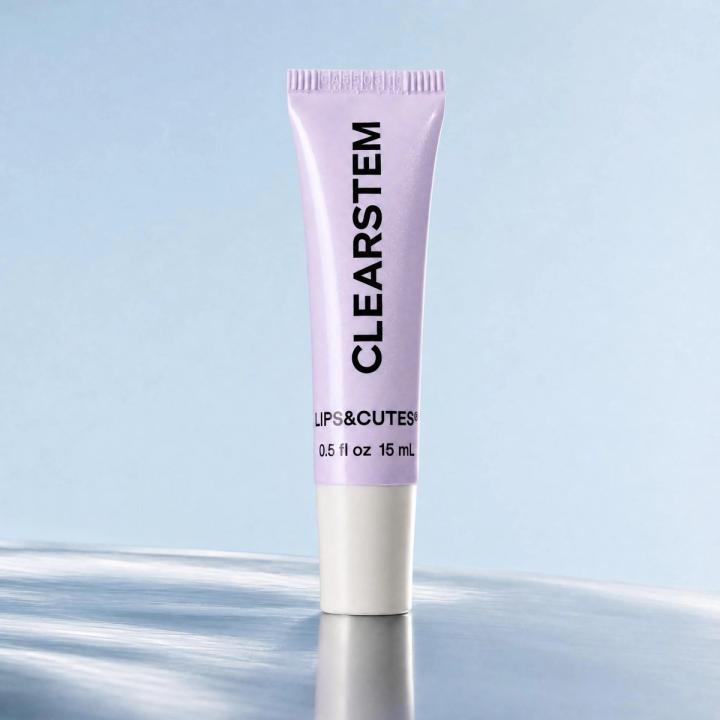
These are what you should note in this prompt:
- Name the mood directly: Gen-AI tools respond to "editorial, diffused natural light, linen texture background" better than generic commands like "make it look nice."
- Specify the platform: Different platforms use different resolution sizes and pixels. Specifying the platform (like in this case, Shopify) helps the tool tailor the ad to the specific platform.
- Include your brand identity upfront: Tell Claude your visual DNA: "Our brand palette is sage green and off-white, with a handcrafted, organic feel."
- Ask for variations: Tell Claude to give you 3 versions (lifestyle/in-use shot, flat lay, and close-up detail shot) so you can A/B test or select the ones that resonate more.
2. Reverse-Engineer Prompt
This one is easy. Instead of starting from scratch, reverse-engineer ads that perform well. Claude extracts the exact layout, composition, and lighting and converts it into a reusable template for your product campaigns. This way, you’re not just creating ads that match the standard version but working with what has been proven to yield results.
How to promptYou’ll pick your best-performing ad creative (or one that really caught your attention and you like), upload it to Claude, and ask it to create a modified prompt based on the reference ad. Then copy and paste the prompt into a suitable Gen-AI tool (Pikes works better) and upload your product image. If the input doesn’t sit well with you, take a screenshot and upload it to Claude. Then ask it to tell you how to fix it.
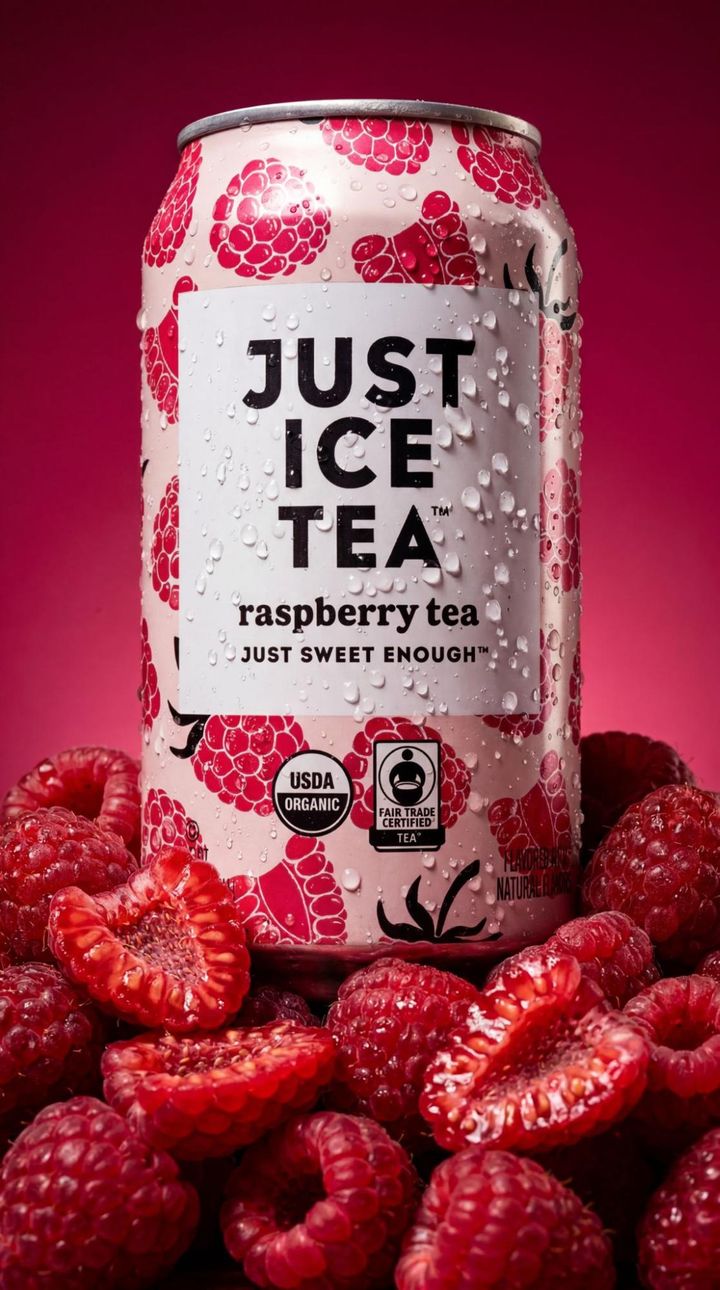
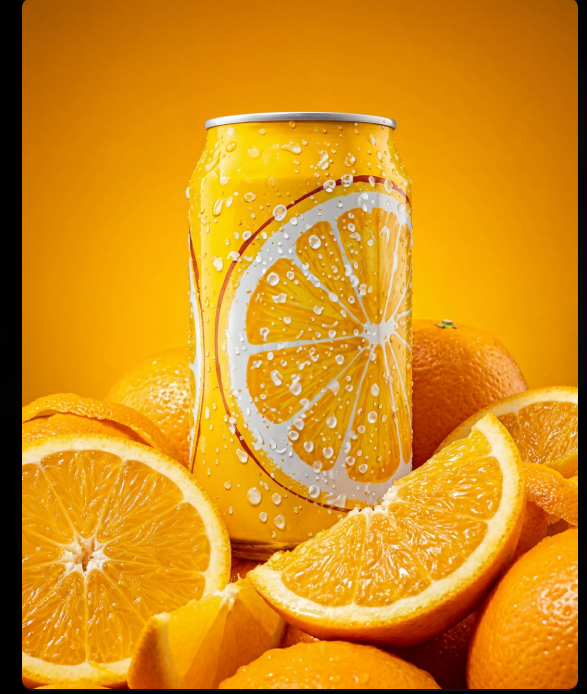
Top: Reference image. Bottom: Generated image of a product on pikesTake the suggestions back to the Gen-AI tool to get the result. Repeat this process until you’re satisfied with the results.
3. Iterate Existing Creatives Prompt
If you like a product image’s concept, you can make multiple perspectives of the same shoot by asking AI to change the dimensions, mood, background, or style. Here’s a prompt template:“Recreate this image but replace the background with a seamless light blue background."
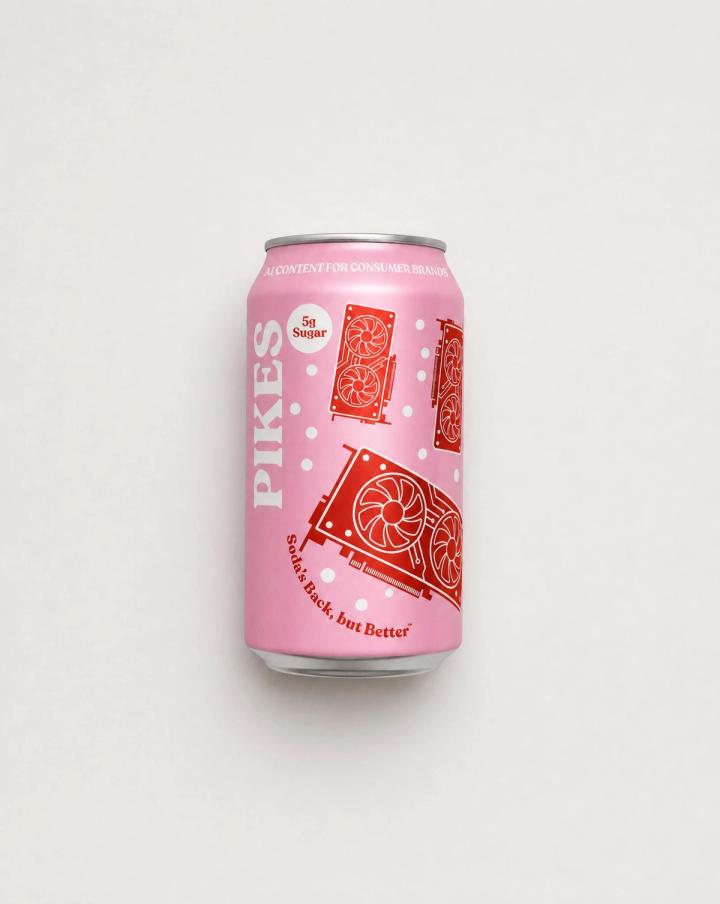
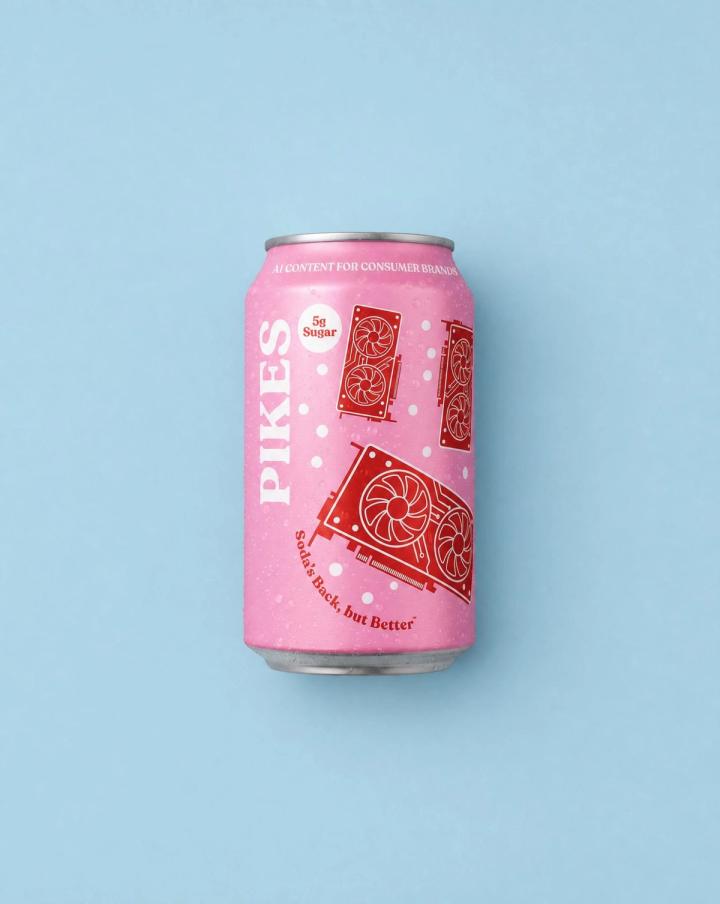
Another example is:
“Using the product image in the first photo, create a close-up shot of this product in the bathroom, in the style and light of the bathroom shot.”
4. The Scene Anchor Prompt
Some products are bought based on urgency or seasonality (e.g. umbrellas). Some are bought to fulfil a psychological need, desire, or feeling (luxury gifts or stress-relief products). To create a creative campaign for such products, you need to anchor the product to a specific moment, environment, or emotion.
The scene-anchor prompt style helps you generate similar outputs by building a full scene around a product, instead of describing it in isolation. You only need to define the setting, the lighting mood, the time of day, and the human context (even if no person appears in the image).
Here’s an example:"GENRE: Documentary party photography, 35mm on-camera flash
SURFACE/ENV: A dim party, guests blurred behind; warm dim room
PRODUCT: two [YOUR PRODUCT] being clinked together mid-drink by two friends in relaxed natural grips, laughing. Keep every product EXACTLY as the reference — same shape, label, typography and colors; do not alter, recolor or re-letter
PROPS: two friends laughing, partial cropped faces, blurred guests
COMPOSITION: products in sharp focus, clinking center; effortless natural nightlife; products sharp
LIGHTING: direct hard on-camera flash, warm dim ambient behind
PALETTE: warm dim party tones, flash-lit, neutral product
MOOD: effortless, fun, candid nightlife
FILM: 35mm on-camera flash grade — hard flash, grain throughout
NEGATIVE + FORMAT: no text overlays, watermarks, waxy AI texture, extra logos. Vertical 4:5"
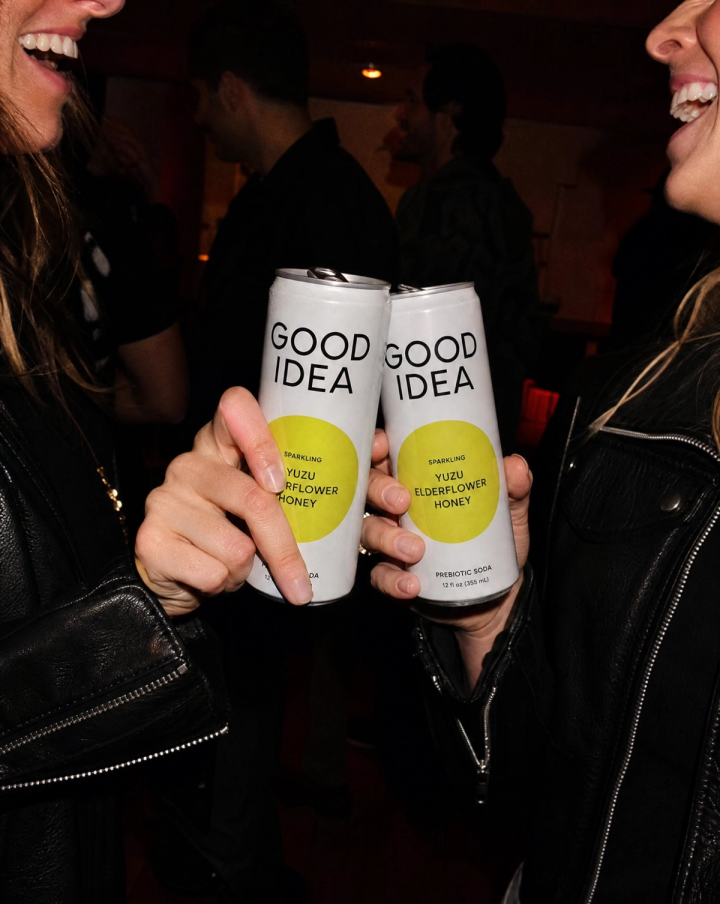
To scale this process, create a scene library consisting of a bank of 8–10 anchor settings that match your brand's seasons or campaign themes. Swap the product in and out across scenes to produce a full content calendar batch in one sitting.
5. The Contrast Stack Prompt
You can generate two or three visual variations of the same product image by deliberately contrasting one variable background, lighting, colour grade, or styling while keeping everything else fixed. It's built for A/B testing creatives without starting from scratch each time.
An example that food brands can copy is:
"Create three versions of a product shot for [product]. Keep the product angle and composition identical across all three. Vary only the background:
Version one is its own ingredients arranged loosely and naturally around it — fresh red chili peppers (several whole, one halved showing seeds), peeled garlic cloves and a garlic bulb, a couple of lemon halves and slices, a few green stems; ingredients touch the bottle and bleed off some frame edges; a small bowl of the creamy aioli with a tiny spoon nearby. COMPOSITION: perfectly top-down, balanced but not symmetrical. LIGHTING: bright soft daylight, gentle realistic shadows. COLOR: warm red surface, chili red, garlic cream, lemon yellow, coral-orange + periwinkle label. MOOD: fresh, appetizing, ingredient-forward.
Version two is crispy golden fried chicken in red-and-white checkered paper baskets, a small dish of creamy aioli for dipping, scattered fresh red chilis, sauce droplets on the surface, a cloth napkin; items touch the bottle and bleed off the frame edges, layered, zero empty background. COMPOSITION: 90° flat lay straight down, full-frame. LIGHTING: bright clean daylight, crisp natural shadows. COLOR: teal, fried-gold, checkered red, chili red, cream, coral-orange label. MOOD: nostalgic diner, abundant, appetizing
Version three is a dense overflowing bed of fresh glossy red chili peppers filling the entire frame edge to edge. PRODUCT lies nestled and half-buried in the chili bed, label facing camera, fully legible — keep PRODUCT's label, typography, colors, cap and proportions EXACTLY as the reference, do not alter, re-letter or restyle, do not stretch. PROPS: the chilis themselves (whole, with green stems), touching and overlapping the bottle, layered front to back, zero empty background. COMPOSITION: slight top-down angle, product embedded in the texture bed. LIGHTING: bright directional daylight raking across the chilis so the waxy skin reads tactile; bottle evenly lit. COLOR: chili red, green stems, cream aioli, coral-orange + periwinkle label. MOOD: bold, fresh, appetizing, graphic.
See the final results:
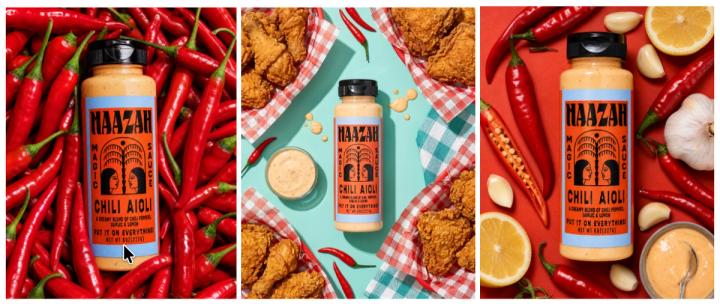
Run contrast stacks at the start of every campaign. You immediately have test-ready assets without a separate shoot for each variation. Over time, your winning variables become a creative playbook.
6. The Persona Lens Prompt
This is similar to lifestyle photography. You feed Claude a detailed description of your ideal customer, including their lifestyle, values, and aesthetic taste (all of which should be included in your brand file). Then instruct it to generate an image that the person would stop scrolling for. The prompt shifts the creative lens from "what does this product look like" to "what does this product mean to this person."
See a template below:
“My ideal customer is [brief lifestyle description, e.g. a 34-year-old woman who shops at Cos, drinks matcha, and values quiet aesthetics]. Generate a product image of [product] that would feel native to her world. No hard sell. The image should feel like something she'd save, not skip."
To scale this, build 3–4 distinct persona profiles for your brand and generate a dedicated image set for each. This lets you run highly targeted ad creatives across audience segments without the cost of multiple shoots.
7. The Negative Space Prompt
Unlike most product image prompts that tell Claude what to include, this one tells it what to remove. By stripping the scene down to the product and intentional white or negative space, you generate clean, editorial-grade images that perform well in premium placements.
To achieve this, replicate the example below:
"Generate a product image of [product] with editorial product photography and a high-contrast film look. single [product] centred or slightly off-centre in a clean, minimal studio composition. camera straight-on or slightly low angle, 50–85mm lens, tight framing with controlled negative space. lighting is low-key and directional, with a strong key light creating deep, sculpted shadows and intentional contrast across the product. blacks are heavily crushed with near-clipped shadow areas, highlights remain soft with smooth roll-off and no harsh clipping. Overall colour grading is monochromatic and unified, leaning deep navy or charcoal with subtle tonal variation. Fine film grain is visible across the entire image, adding texture and a printed magazine feel. The image feels dense, moody, and premium, like a high-end fashion editorial spread. No props, no lifestyle elements, no shadows unless they add dimension. The product should take up no more than 40% of the frame. Leave room for text overlay on the [left/right/top].
Here’s the result below:
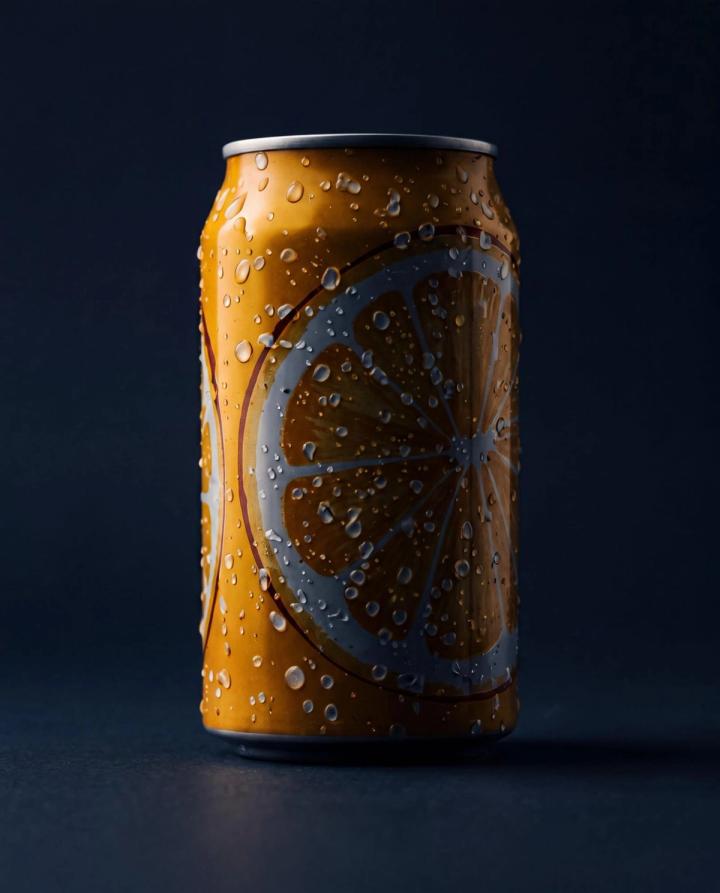
To scale production of multiple product images with this prompt, use negative space images as your master creative layer. Then, drop headlines, offers, or UGC quotes directly onto the image in your design tool. One prompt produces an infinite number of ad variants.
8. The Material Close-Up Prompt
Close-up product images build trust faster than over-the-top photographs. They’re a good way to draw emphasis on certain product features that matter to the audience, like the lustre, finish, material detail and texture. It's particularly powerful for fashion, skincare, food, and home goods, where the feel of a product drives purchase intent. The profit implication of this style of photography makes it a must-use angle for every one of your product units.To get this exact output with Claude, you need a prompt that conceptually zooms the camera on the product's surface, making it the hero of the shot.
Here’s an example:
"Generate a macro product image of [product] high-saturation studio product photography. subject presented as a bold commercial packshot, tightly framed and visually dominant. Extreme close-up macro framing, camera positioned very near the subject, almost touching. tight crop with parts of the subject extending beyond the frame edges. shot at a slight angle to avoid flatness. Use a macro lens (60–100mm) with a high aperture to maintain sharpness across visible surfaces. Background is a seamless, ultra-smooth gradient with no visible horizon line or texture. Background colours are vibrant and complementary to the subject. Lighting is hard, directional studio lighting with strong specular highlights and crisp reflections. surface details such as gloss, texture, or condensation droplets are rendered with high clarity and sharp definition. Composition emphasizes materiality and tactile detail over full object visibility. Color palette is bold, highly saturated, and candy-like. Modern gen z CPG advertising aesthetic. No full product reveal necessary."See the final result:
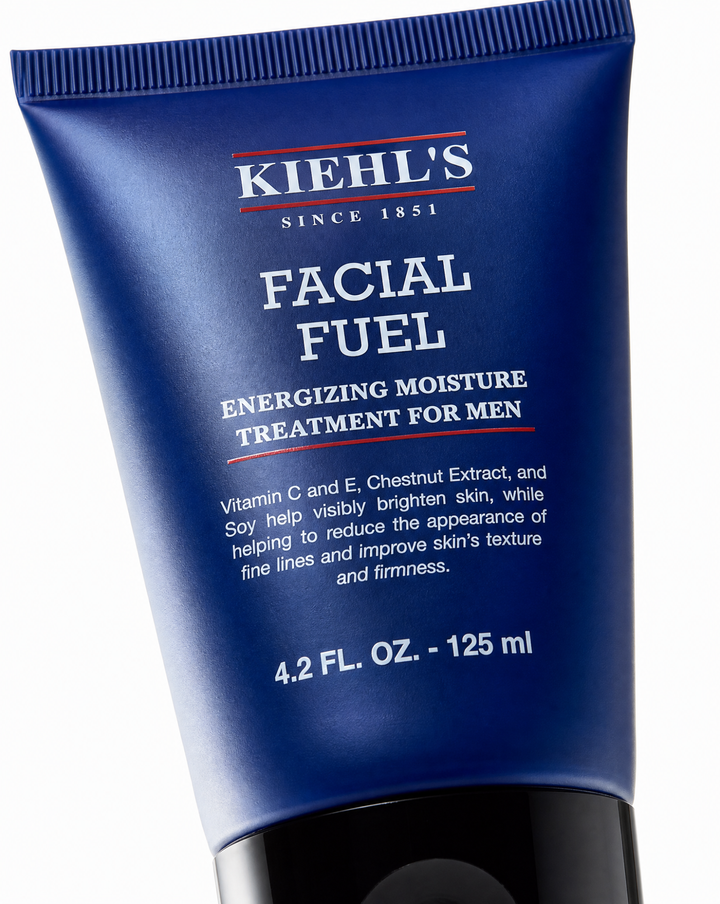
Material close-ups work especially well as carousel slides, two or three, after a hero shot grabs attention. The close-up closes the sensory gap between scrolling and buying. Batch-generate these alongside every hero image shoot.
9. The Seasonal Re-skin Prompt
This prompt is especially good if you have a product that serves across seasons, but you still want to tailor each campaign to each season.
You define a base composition, then instruct Claude to re-skin the surrounding environment for Q4 gifting, summer, back-to-school, or a cultural moment relevant to your audience. This framework takes one core product image concept and re-generates it across seasonal or cultural contexts, without changing the product.
See an example below:
"Take this product image concept: soft canvas cloth background, soft lighting, premium product photography, minimalism. Now re-generate it for the Christmas season. Place the product atop a soft layer of fresh snow or white faux fur, surrounded by delicate pine needles, miniature ornaments, and warm golden fairy lights. The background glows softly with blurred Christmas tree bokeh, featuring hints of red, gold, and evergreen tones. A gentle snowfall or floating snowflakes add subtle motion and depth, while the lighting feels warm and cinematic—like firelight reflecting off polished surfaces. The textures should feel rich and tactile: crisp snow, soft fabric, glimmering glass, and brushed metal. The mood is elegant, timeless, and magical—perfect for a premium holiday campaign.
The result is below:
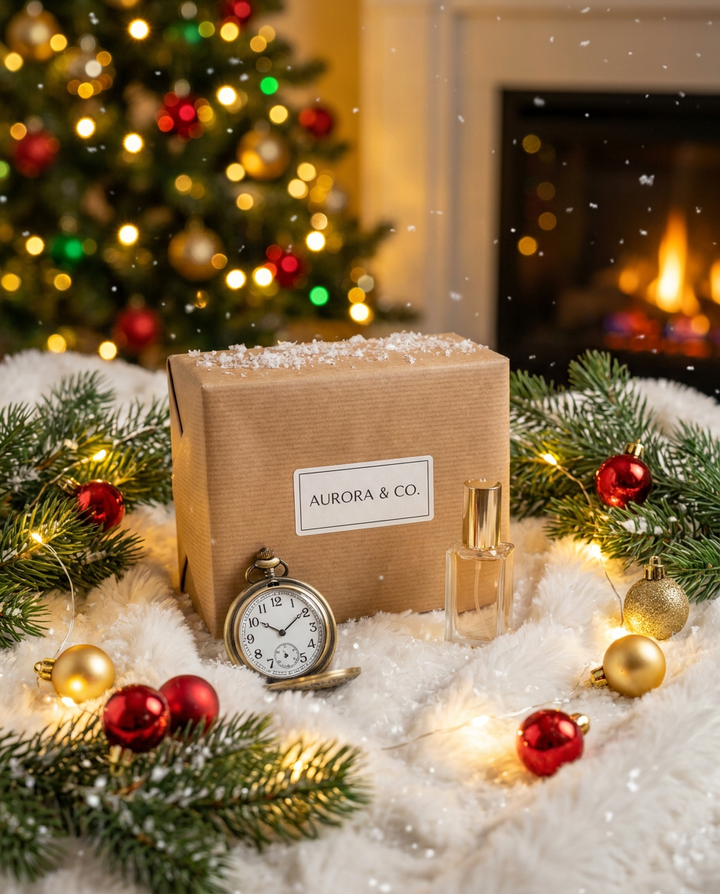
Scale this process by mapping your product catalogue to your content calendar at the start of the year. Then run these re-skins quarterly, so your creative always feels current without rebuilding from scratch. A single hero product can produce 4–6 campaign-ready images annually from one base concept.
10. The Story Frame Prompt
This prompt is good for storytelling campaigns. Rather than generating a single product image, you prompt Claude to generate a sequence of three images that tell a micro-story: before, during, and after the product is used. Think of it as a static format of high-performing video ads. It is ideal for carousel ads, email sequences, and organic social storytelling.Use this template to get this result:
"Generate three connected product images that tell a short visual story. Image one: [the problem state or the moment before, e.g. a cluttered desk, an empty glass, a tired face]. Image two: [the product introduced into the scene]. Image three: [the result state: the transformed environment, the refreshed look, the clean space]. Keep the visual style and colour palette consistent across all three."
Story Frames are your highest-leverage format for carousel ads. Brief Claude on your brand's core before/after narrative once, save it as a reusable prompt template, and generate new story frame sets for each product line or campaign.
Conclusion
To generate studio-level product images with AI tools, you need to treat it like a creative director rather than typing in a set of qualities and hoping for the best. AI product image generators like Pikes work well to the degree to which your prompts are crafted. Additionally, Pikes now has a Claude extension that allows you to connect the platform to your Claude account. This connection allows you to seamlessly craft and generate outputs that you can use to generate top-level creatives for your paid campaigns. Try it out today for free.
<Try Pikes AI For Free>
FAQ
Do I need professional photography or design skills to get good results?
You can get professional, studio-quality product images without any photography or design skills. These frameworks are written so that the prompt itself carries the creative direction while you simply brief Claude the way you'd brief a photographer or art director. The more specific your language around mood, lighting, and context, the better the output.
How many iterations should I expect before getting a usable image?
For most frameworks, expect two to four iterations. You’ll review your first output, then give an adjustment note or feedback to improve it to your taste.
Can Claude generate product images directly?
Claude, paired with an AI product photography tool, can generate product images directly. Independently, Claude is not built for image generation. However, it can serve as a thinking partner for AI image generation tools.

Written by
Mike Lehman
Mike Lehman is a senior content strategist at Pikes. Before joining Pikes, Mike spent nearly a decade working with Glossier, Haus, and Athletic Brewing, leading campaigns that blended storytelling and data.