

Mike Lehman
Amazon Product Images in 2026: Requirements, Specs, and Best Practices

Amazon has become more competitive than it was a few years back. And if you’re going to get the chance to win a shopper’s attention in 2026, you’ve got to double up with your product images. While a clear, well-lit, professionally styled image can improve conversions dramatically, a weak photo can send customers straight to a competitor.
Amazon understands this, and that’s the reason their image requirements keep getting more specific, and sellers who keep up see the biggest payoff.
In this guide, we will break down everything you need to know – from Amazon image specs 2026 to follow to the compliance rules and dimensions for every shot. And for brands looking to create high-quality visuals without photographers, studios, or long turnaround times, we’ll also show how Pikes, an AI product photography tool, can simplify everything and help you generate quality Amazon product images quickly and affordably.
Amazon Product Image Requirements for 2026
Amazon has always had one simple goal. And that is to show shoppers exactly what they want to buy. We can see that evidently, in their 2026 image requirements as they focus heavily on clarity, accuracy, and consistency. If your images don’t meet the rules, Amazon can suppress your listing, which means lost traffic and lost sales. So, let’s show you all that you need to know.
Amazon Main Image Requirements
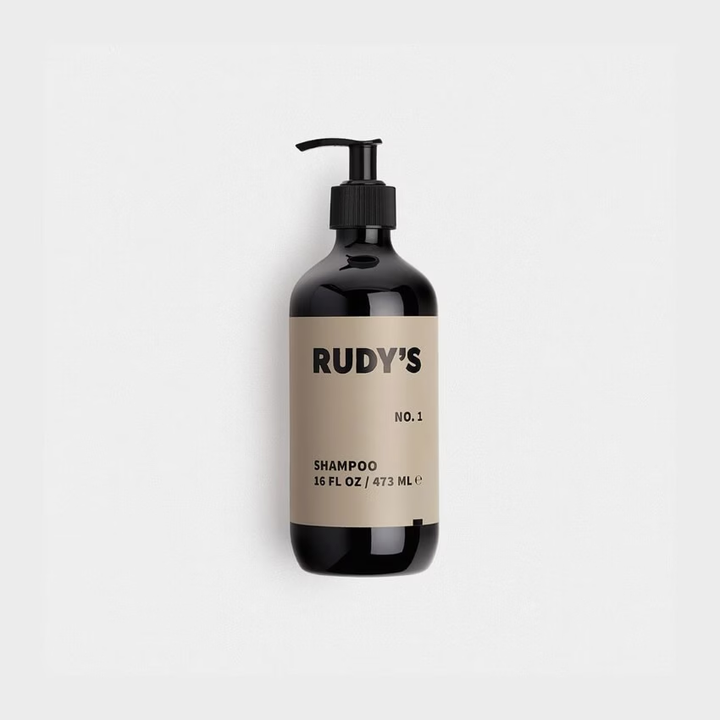
The main image is the most important visual on your listing. It appears in search results, ads, and the product page carousel. Because of that, Amazon is taking special priority on how it should look.
- The product must be 100% visible and photographed clearly.
- Background must be pure white (RGB 255,255,255).
- No text, watermarks, badges, borders, logos, or props.
- No packaging unless the packaging is the product (example: boxed items).
- Clothing should be photographed on a mannequin or flat lay, and not on a live model.
- Supplements and beauty products must show the actual item, not digital mock-ups.
Every day, Amazon rejects thousands of listings because of minor issues like a faint shadow or off-white background. So, for your images, precision should be at the forefront.
Amazon Product Image Size Requirements
For clean rendering and zoom capability, Amazon requires:
- Minimum: 1000px on the longest side (enables zoom)
- Recommended: 2000-3000px for sharper detail
- Aspect ratio: 1:1 (square) for best display
- DPI: 72dpi or higher
Bigger is better, as long as the file stays sharp and properly lit.
A high-resolution image not only improves the shopper experience but also impacts Amazon’s internal ranking signals. Listings with crisp zoomable images convert noticeably better.
Amazon Image Specs for Sellers
Before you upload your images, be sure they follow these technical rules:
- Formats: JPEG (preferred), TIFF, PNG
- Color profile: sRGB
- File names: Use product SKU or identifiers (no special characters)
- Edges: No clipping; the product must be fully in frame
- Focus: Sharp, clean, no motion blur
- Shadows: Natural shadows are allowed, but nothing dramatic or distracting
What Happens If Your Images Don’t Meet Amazon’s Requirements?
One thing most Amazon sellers don’t know is that the platform doesn’t just warn sellers about image violations; it actively suppresses or removes listings that don’t follow the rules.
If your photos fail to meet the image requirements, your product may lose Buy Box visibility, drop in search ranking, or stop showing up in search results entirely. In many cases, Amazon will block the upload until you fix the issue, delaying your listing and costing you sales.
Also, when you have poor-quality or non-compliant images, they can lead to higher return rates and negative reviews because customers feel misled. And that is not good for you at all. So, in whatever you do, make sure you’re following Amazon’s guidelines.
How Many Images Does Amazon Allow Per Listing?
This is a common question among Amazon sellers, and the answer is simple. You can upload up to 9 images per listing, just that most categories show 1 main image and 6-7 supporting images.
So, it’s advisable that you use all available slots. Amazon prefers listings with more visual information because they are likely to convert shoppers better.
A strong lineup usually includes:
- Main white-background image
- Side angle
- Back and detail view
- Close-up of features or ingredients
- Lifestyle image
- Infographic (benefits or dimensions)
- Comparison or scale image
The thing is, the more questions your images answer, the fewer objections shoppers will have.
Different Amazon Image Types & Their Purpose (2026)
Amazon listings use several types of images, and each image plays a different role in convincing shoppers to buy. To design a well-rounded listing that educates, informs, and sells, it’s important you understand the purpose of each of these image types.
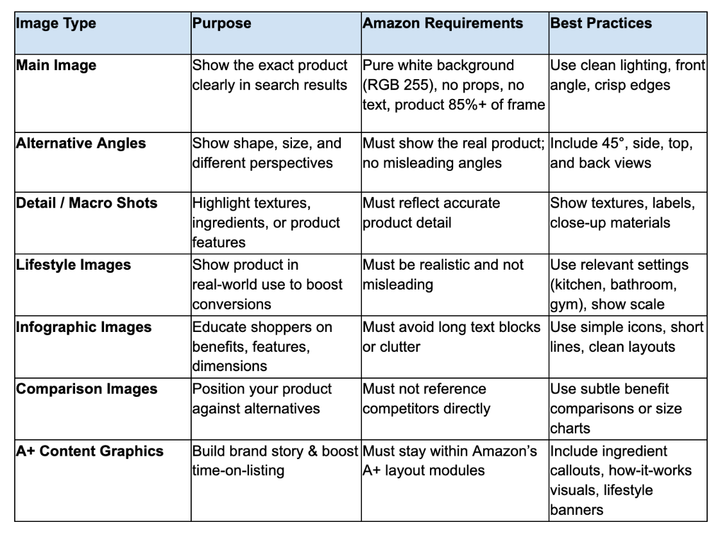
Amazon Product Photography Best Practices
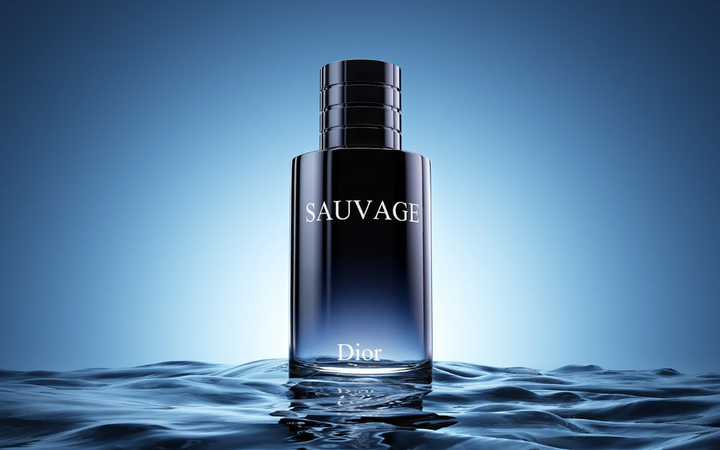
Meeting Amazon’s requirements is the baseline. If you’re looking to achieve significant success on Amazon, your product images need to do more than just follow the rules. They need to convince shoppers.
Things like great lighting, clear feature shots, and more can play a key role in improving click-through rates and converting choppers. So, let’s consider some best practices for Amazon product photography in 2026.
1. Nail Your Lighting for Crystal-Clear, High-Trust Images
Lighting is the biggest factor in making your product look premium, especially for categories like beauty, supplements, home goods, and electronics. To ensure your product comes out its best, you will have to consider using:
- Soft diffused lighting to avoid harsh shadows.
- Front or 45° lighting for clean, “store-ready” shots.
- Controlled reflections for glossy items like serums, bottles, and jars.
- Even illumination to make labels crisp and readable.
Avoid messy shadows, dark corners, mixed lighting temperatures, or overexposed highlights. When Amazon shoppers see bad lighting, they immediately equate it with low-quality products, even if the product is great.
2. Use Angles That Build Confidence
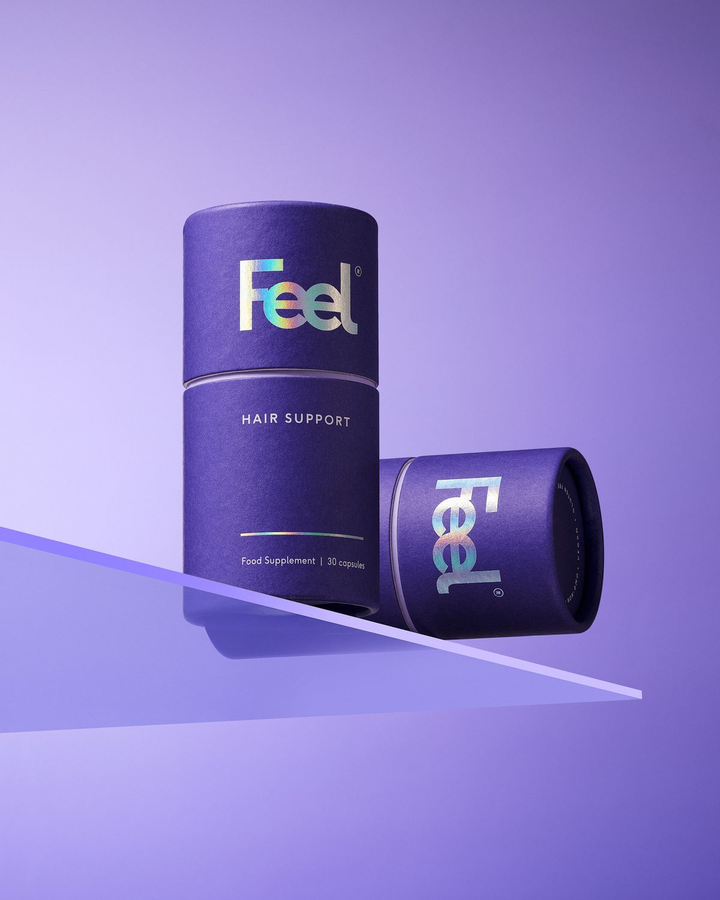
Your angles should help the shopper understand shape, size, and construction clearly. Effective Amazon-friendly angles include:
- Straight-on hero angle for the main image.
- 45° angle to add depth and realism.
- Side or bottom angles for electronics or tools.
- Macro close-ups for textures, ingredients, and to build quality.
- Back-of-pack shots for supplements, beauty products, and food items.
Shoppers want proof, and angles give them the clarity they need to click "Add to Cart."
3. Follow Amazon White Background Rules (No Exceptions)
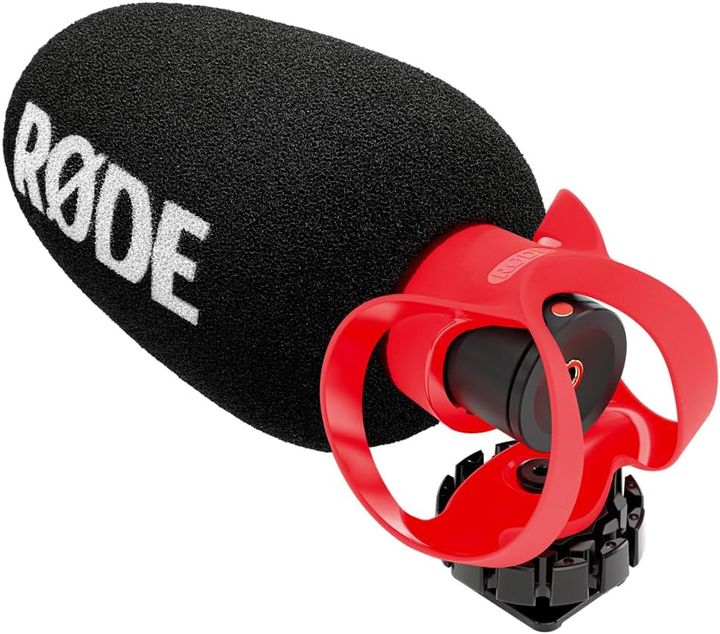
Amazon’s main image rule is strict: the background must be pure white (RGB 255). Not close to white, not off-white, but pure white.
Following this basic rule will ensure your listing looks consistent alongside your competitors while keeping the focus on the product. Many sellers get flagged because their “white” background contains grey or warm tones, which is usually the result of poor lighting or incorrect editing.
AI tools like Pikes can generate pure-white backgrounds instantly to help you avoid this common rejection. We will show you more about this tool later in this post, so you can see how helpful it can be in helping you have those perfect Amazon product images quickly and affordably.
4. Add Lifestyle Images to Show Real-World Use
This is where conversions start to climb. Amazon lifestyle photos help shoppers imagine the product in their homes or daily routines. Examples by category include:
- Supplements: Shown on a kitchen counter next to a smoothie.
- Beauty products: On a bathroom vanity with soft towels.
- Home decor: Styled in a real room.
- Electronics: In a workspace setup.
Lifestyle images answer emotional questions like “Is this product for someone like me?” or “Does it look as premium as it claims?” When done right, they can raise conversions by 15-30%.
5. Use Infographics Wisely

Infographics are Amazon gold, especially when they’re clean, readable, and helpful. To make your product stand out from the crowd, you need to master how to do it right. Important things to include in your infographics are the key benefits of the product, its dimensions, ingredients (if it’s a supplement), certifications, instructions or dosage, and comparison charts.
Avoid including hard-to-read icons, long paragraphs, crowded layouts, and distracting colors. You want your infographic to be easy to glance through and not a wall of text.
6. Consistency Across Every Product Variant
Your images should look like they come from the same brand, even across multiple SKUs. Consistency makes your storefront look more professional and, hence, makes shoppers trust you more. On the other hand, disjointed images make your brand appear unreliable or inconsistent.
You should be consistent with your:
- Lighting style
- Angles
- Shadows
- Color temperature
- Prop style
- Background tone
7. Don’t Over-edit the Product
Too much smoothing, contrast, or saturation can make your product look fake. Amazon shoppers expect accuracy. If your bottle looks overly glossy or your supplements look unnaturally vibrant, customers may assume the listing is misleading, resulting in returns or low ratings.
8. Use A+ Content Graphics to Increase Trust and Conversions
A+ graphics are undoubtedly a major driver on Amazon. These graphics appear below your main images and give shoppers a more complete visual story. This is not something you can always achieve with standard listing images.
Instead of relying solely on the top image carousel, A+ visuals let you give more details about your product, leading to a noticeable increase in conversion rates and lower return rates.
Strong A+ graphics usually include:
- Ingredient callouts or formulation highlights
- “How it works” diagrams
- Size and scale comparisons
- Before/after visuals
- Lifestyle banners that add context
- Brand story or value-based graphics
Product Photography with AI – The Fastest Way to Create Amazon-Compliant Images
Traditional Amazon product photography takes time, money, and coordination. You need a photographer, a studio setup, props, lighting, and retouching. On top of these, you still have to fix issues Amazon rejects, like off-white backgrounds or glare on reflective packaging. For many sellers, it’s a stressful cycle of reshoots and revisions.
AI has completely changed the narrative.
Modern AI product photography tools now make it possible to create clean, Amazon-compliant images in minutes. Instead of shipping products to a studio or paying for multiple lighting setups, sellers can simply upload a single product shot and generate everything they need instantly.
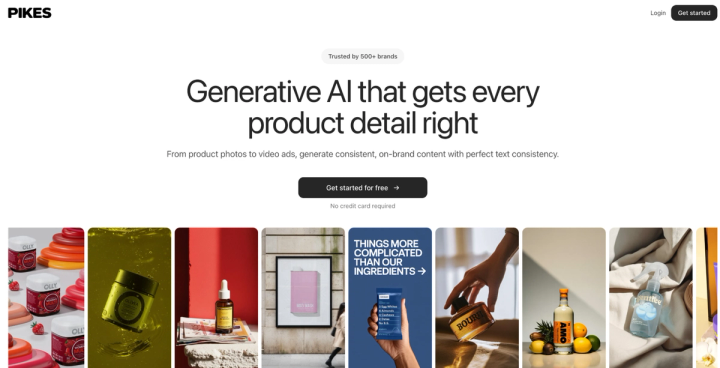
Leading in the forefront among these tools is Pikes. This is a tool built specifically for eCommerce brands that need high-quality visuals without the slow and expensive setup of traditional photography. Pikes is trusted by 500+ consumer brands, including fast-growing CPG, beauty, wellness, and home-product sellers who rely on clean, consistent Amazon creatives to stay competitive.
Instead of booking a photographer, renting a studio, and waiting days for edits, Pikes lets you generate Amazon-ready images in minutes, and every image comes out clean, sharp, and compliant.
With Pikes, you can:
- Create pure-white backgrounds that meet Amazon’s RGB standards
- Generate multiple angles without reshooting
- Produce consistent images for all variants (sizes, flavors, colors)
- Remove glare, reflections, and shadows instantly
- Create lifestyle and in-use images without expensive props or locations
- Keep lighting identical across your entire product catalog
- Design A+ content graphics effortlessly
This doesn’t just save money, but it also gives sellers full control over their creative process. For Amazon brands trying to scale fast, Pikes, through AI photography, offers the speed and flexibility traditional shoots simply can’t match.
Final Thought
Even though many sellers see Amazon’s 2026 image requirements as a bit strict, they are there to help shoppers have the best experience when they buy on the platform. Top-performing listings on Amazon are often the ones with clear, compliant, high-quality images.
With the right lighting, angles, infographics, and lifestyle scenes, you can instantly make your product stand out from the crowd. And with a tool like Pikes, you can create all that in minutes without hiring a professional photographer or spending on expensive studio setups.
Pikes already helps hundreds of consumer brands create studio-quality Amazon images in minutes, giving sellers a faster, more affordable way to stay compliant and stand out.
FAQs
What are Amazon’s product image requirements for 2026?
Amazon requires high-resolution images with a pure white background (RGB 255), a minimum of 1000px on the longest side, and clear and accurate product representation with no text, watermarks, borders, or props on the main image.
What size should Amazon product photos be?
Amazon recommends 2000-3000px on the longest side for best zoom performance, with 1000px minimum to enable the zoom feature. A square 1:1 aspect ratio works best across most categories.
Do lifestyle images improve Amazon conversions?
Yes. Lifestyle images help buyers imagine your product in real use, which is a key psychological factor in increasing trust and reducing hesitation. For many categories, lifestyle visuals can boost conversions by 15-30% because they show size, context, and benefits at a glance.
Can you use AI for Amazon product photography?
Absolutely. Amazon doesn’t prohibit AI-generated or AI-edited images as long as the images are accurate, realistic, and compliant with their rules. AI helps sellers eliminate reshoots, save money, and maintain consistent quality across all SKUs.
How do I take Amazon-compliant product photos at home?
Use diffused daylight or softbox lighting, shoot against a plain background, avoid shadows, and keep the product centered with plenty of resolution.
But if you want cleaner edges, perfect white backgrounds, and multiple angles without building a home studio, Pikes can transform even a simple smartphone photo into a full set of Amazon-ready images in minutes.

Written by
Mike Lehman
Mike Lehman is a senior content strategist at Pikes. Before joining Pikes, Mike spent nearly a decade working with Glossier, Haus, and Athletic Brewing, leading campaigns that blended storytelling and data.