

Mike Lehman
Best Pebblely Alternatives for E-commerce Brands (2026)
If you're running an e-commerce brand, you know how tough, expensive, and energy-consuming product photography can be.
That’s why tools like Pebblely became popular. With Gen AI tools now available in the market, it has taken product photos, videos, and overall visualization of your products to a whole new level. The AI-driven product images, with no photoshoot needed, that Pebbley offers, unlocked a new direction for product visualization.
But with the ever-evolving marketing landscape, the need to be constantly creative with ideas is never-ending. This need to do more with Pebblely over time has led users to discover its flaws. From inconsistent results, limited free usage, buggy background removal, and weak support for complex products, the list is endless. These limitations have led to the search for the best Pebblely alternatives for e-commerce in 2026.
In this guide, we’ll dig into these limitations, but most importantly, explore the best Pebbly alternatives for product photography. So if you’re looking to up your marketing game with the most recent tools, want quality for your money, and a tool that allows you creative freedom with your products, then keep reading
Pebblely Overview
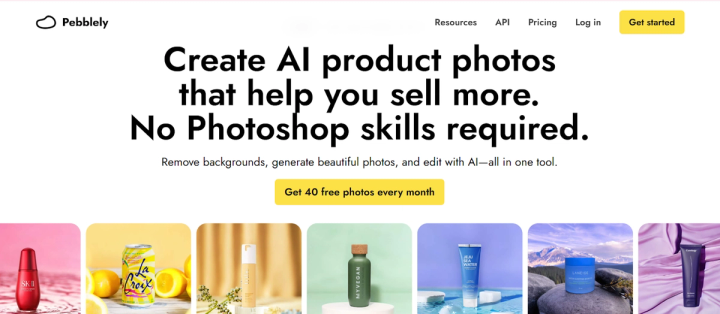
Many early users loved Pebblely for its promise to upload a simple flat product photo, choose a background or template, and get a ready-to-use product image in minutes. With Pebbley, you can use AI to remove backgrounds faster, more simply, and more cheaply than Photoshop. It also allows you to generate AI backgrounds for your products and carry out other basic design tasks.
Pros
- It is easy to use and can carry out basic design functions like removing and changing backgrounds, and also removing objects in photos.
- It allows for bulk product photos to be generated with similar backgrounds
Cons
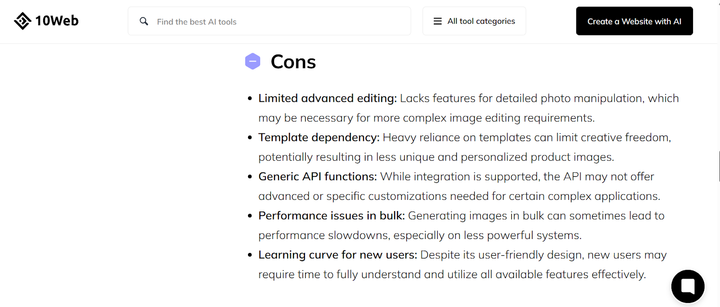
- Limited creative freedom available on the app, with features limited to basic design functions like background change.
- Not suitable for complex images like jewelry with sharp edges, and distorts images of products.
- Color and lighting inconsistency across campaigns on the same product and the same brand.
- Photo results can seem generic and repeated when using the bulk production option.
Limitations of Pebbley - Why are eCommerce brands looking for Alternatives?
Visiting the Pebblely website will have you thinking all is fine and good, especially after seeing all its promises. But not for long, after trying to use it for complex tasks and failing do you begin to understand why users are seeking alternatives. Some of these expectations that have been dashed away include limitations like;
Output Inconsistency
Imagine the disappointment after using a tool that promises bulk generation of images, only to find out that the images created cannot be used. Some generated backgrounds or lighting don’t match the product, or recolored backgrounds + original product shadows don’t integrate properly.
Additionally, the background removal and AI-generated scenes often distort products or fail completely. This is especially common for items like jewelry, transparent items, or loosely shaped products. Researching Pebblely alternatives for Shopify brands is also common, as there are complaints from Shopify users as well.
Buggy Performance of App
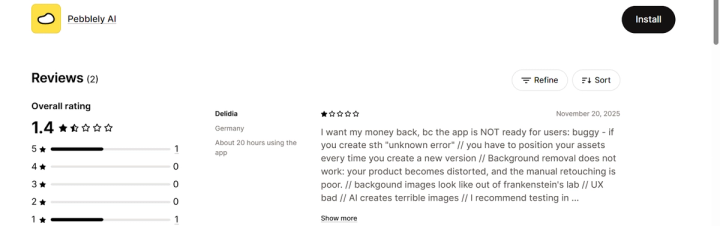
The Pebblely app giving up on you mid-creation is another scare users have. They have reported the app to be “buggy” during use, and a user said it is “NOT ready for users”. From producing unclear images when generating many images in bulk, the performance slows down, making the tool less reliable.
These bugs sometimes pop up “unknown error” messages during use, bad UX, and background-removal failures. The AI has also been reported to sometimes work and sometimes fail dramatically. This makes it unreliable for critical product publication workflows.
Credit/Cost Constraints
Yes, we all agree on putting your money where your mouth is, but not when the available plans are unrealistic. On the free plan, the credit limit is low, and many reported that 40 images/month is insufficient for ongoing catalog work, and higher-resolution or high-volume usage quickly becomes costly. The app needs multiple attempts before getting your desired outcome, so you quickly exhaust your allocated images per month.
This implies that for consistent, high-quality output (large size, multiple angles, background variety), upgrading to paid plans is necessary. So if you’re a small business or on a tight budget, Pebblely may not be for you, as costs may accumulate fast if many products require multiple re-do’s.
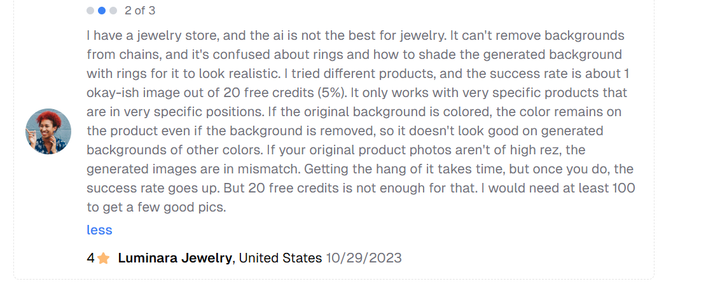
Heavy Reliance on Perfect Source Photos
Pebblely works best when the input photo is high-resolution, well-lit, with a simple/ monotone background. So if your source image is poorly lit, low-resolution, or has a patterned background, the AI often fails or produces mismatches.
For a tool that’s supposed to help cut out generic product photography, it defeats the convenience that Pebblely promises. You might not save much time or money, as you still need good-quality product photography up front.
Lack of Creative Flexibility

The last thing your marketing team needs is a tool that doesn’t allow them to bring their creativity to life. Pebblely often depends on a limited set of templates and background themes, leaving generated images looking similar or generic.
So if your brand needs a unique or consistent aesthetic, e.g., its own background style, creative scene, color-matched environment, this limitation reduces branding flexibility and distinctiveness. This means you may outgrow Pebblely fast, or have to do some extra work to manually edit the images. Also, Pebbley does not roll out updates as frequently as it used to. In this fast-paced digital world, you need a tool that keeps evolving with the demands of the market, and Pebbley doesn’t seem to offer that.
How to find the Best Pebbley Alternatives
With numerous AI product photography tools available now, it’s important to choose right. While most tools may promise to deliver on wildest creative ideas, it is important to look beyond promises and choose one that actually gets the work done. Now, while you may not be able to tell which e-commerce product photography tools are best right away, there are a few criteria you can look out for.
Some of these criteria include:
1. Product Detail Realism and Consistency
Whichever virtual product photography platforms you choose to use, they should be able to preserve your product's label text, fine details, shapes, reflections, or shadows correctly. Especially for products with printed labels, small text, transparent materials, or complex shapes. You can know this by looking for prior user reviews for words like “warped label text,” “blurry edges,” or “weird artifacts”.Additionally, you can try uploading a “difficult” SKU like a bottle, transparent jar, or multi-part item as a test to see if the result stays realistic. It should be able to deliver consistent lighting, background style, cropping, and shadow/reflection treatment across all images.
2. Flexibility & Editing Controls
You want a tool that lets you edit even after generation. You should be able to change background, lighting, shadows, colors, remove or add objects, fix minor artifacts etc. This flexibility is very important, especially if the automatic generation isn’t perfect, which is common with complex items. It’s a plus if it allows you to upload reference images or style templates so outputs match your brand’s aesthetic.
3. Multi-channel / Multi-format Export
You want a tool that allows you to export images in multiple sizes/aspect ratios, suitable for each channel, without having to resize manually. E-commerce brands often sell on Amazon, Shopify, Walmart, and also run social ads on Meta, TikTok, etc., so you need images that can fit any or all of these sites. Choosing a tool that supports lifestyle images, ad-ready visuals, and even product animations or videos will take your creation game to a whole new level.
4. Speed & Scalability
No brand is looking to create only a single product image. So you need a tool that offers bulk export or multi-SKU processing. This will help you save time and reduce manual workload. Speed is also very important because if output is slow, it delays listing products or launching ads, which will hurt your business growth. The more you scale as a brand, you will need fast turnaround for large batches of SKUs.
5. Cost vs. Value Clarity
While choosing product photography alternatives to Pebblely, ensure you understand its pricing structure very clearly. This should be clear per-image, per-SKU, subscription tiers, volume discounts, etc. There are cheap tools or free tiers that can be tempting to dive headfirst, but ensure you understand what they’re offering first, as it may limit resolution, watermarking, or the number of exports.
Best 5 Alternatives to Pebblely For Brands
If you’re looking for AI product photography alternatives to Pebblely, then you’re in the right place. With the numerous limitations of Pebblely, it’s important to know other available options.
Here are the best 5 alternatives to Pebblely.
1. Pikes AI
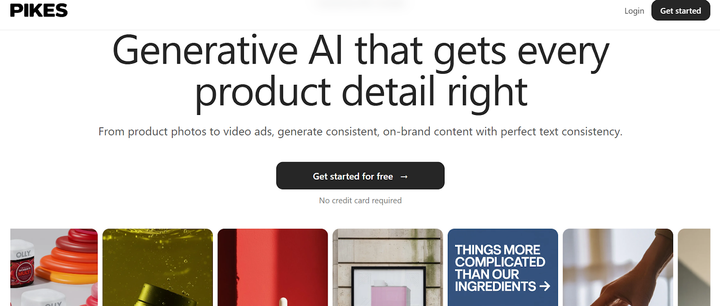
Pikes AI is the best generative AI platform that specifically serves fast-growing consumer brands. It uses a best-in-class model for all content generation tasks, such as editing images, animating product images, text-to-image, a custom-trained style model, etc. It generates product images with perfect product detail consistency with no alien text on your product label.
With Pikes AI, you can create product videos, animate a product image, and train custom style models. It provides you ad insights that allow you to look at the ads that your competitors are running for inspiration. Additionally, you can create multiple dimensions of images so you can use them in all channels across Amazon, Walmart, TikTok, and Meta.
Pikes AI is the best Pebblely alternative for e-commerce brands for key use cases such as replacing photoshoots altogether by placing your product in different contexts, and animating product images to make them more engaging. It is ideal for AI Photoshop, easily modifying an image (add object, remove object, change color, resize image, etc.) Creating lifestyle photos for your brand and product images for Amazon and other retailer sites are all some of its key use cases.
Pros
- Great for e-commerce brands replacing photoshoots completely.
- Edit photos and generate animated videos seamlessly for your brand.
- Provides images in multiple dimensions for various use cases.
- Consistent detail on product images without distortion.
Cons
- Slightly more expensive than some other alternatives.
- Takes some time to learn the tool
2. ZMO AI
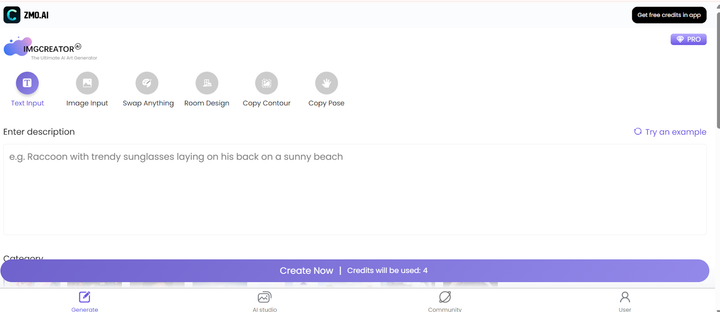
ZMO AI is a product photography tool using AI for batch image generation. You use this by inputting the prompt of the image you want to generate, the quantity of images to be generated, the canvas size, and the output resolution. It goes ahead to provide you with an image. It also provides e-commerce templates you can choose from, and adds automatic shadows & lighting to generated images.
Pros
- It is an affordable tool to use.
- It has good batch productivity.
Cons
- Struggles with fine text and only works well for simple SKUs
- Can distort certain product types
- Scene realism isn’t consistent across images produced.
3. VistaCreate

This is a helpful product photography alternative to Pebblely for everyday creative tasks, especially organic posts. This is very similar to Canva graphic design tool with numerous templates for ads, flyers, social content, etc. You can use the numerous templates to insert your product images or use its AI generators to create custom images.
Pros
- It is simple to use and has a vast asset library
- Great for beginners without any design background.
Cons
- Not ideal for complex AI generation
- Some designs feel generic and may not be ideal for creativity.
- It offers limited product photo realism
4. Mercer
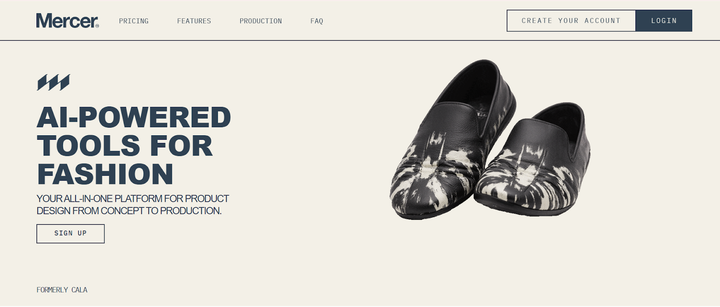
Think AI product design and creation, but for fashion design. With the tool, you can generate garments, patterns, and mockups, building a consistent process from concept to production. You can train your AI model to your unique brand styles, and visualize your products from materials to fit simulation
Pros
- Useful for fashion DTC brands wanting to speed up design cycles.
- The tool has strong garment realism
Cons
- Its niche use case makes it suitable for only a close group of users.
- The tool has a complex UI for beginners
5. Krea

Krea AI is one of the popular Pebblely alternatives for e-commerce brands and creative teams exploring brand campaign visuals. It is known for its AI art creation & diffusion-based imaging. It has live prompt rendering, and custom style training that allows you to fine-tune your results over time to suit your brand-specific needs.
Pros
- Great for experimentation
- Very artistic and powerful style control
Cons
- Not product-photo oriented
- Product outputs can be inconsistent across results.
- Advanced learning curve, especially for beginners.
To Recap: How To Pick Your Perfect Pebblely Alternative
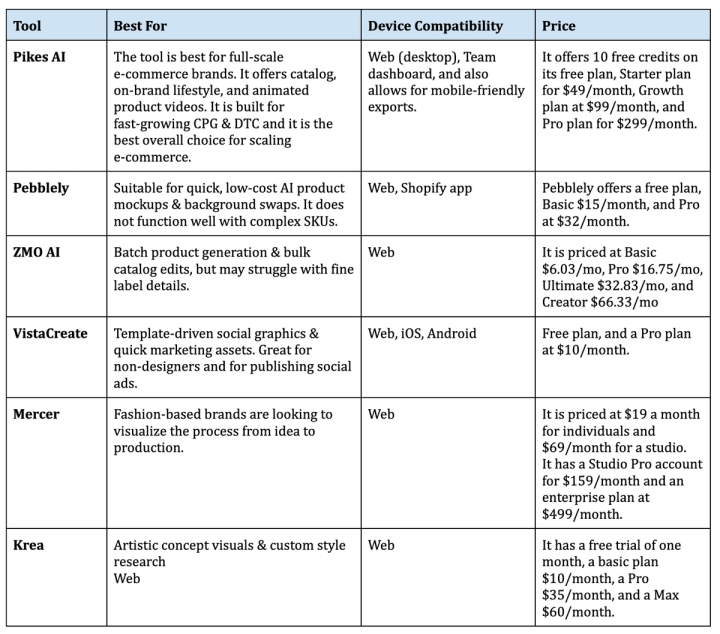
Conclusion
Creating marketing product images today isn’t just rinse and repeat. And this is where AI product photography comes in, with numerous tools that make your job faster, easier, and seamless without giving up on creativity. Pebblely is one of those tools, but in light of its limitations, Pikes AI stands out as one of the smartest, most reliable, and most affordable alternatives for modern brands.
Pikes AI combines speed, realism, customization, and unbeatable value, making it the best fit for Shopify sellers, Amazon merchants, and fast-growing e-commerce brands. So if you want a Pebblely alternative for studio-quality photos, flexible pricing, and advanced creative control, then choose Pikes AI today!
Frequently Asked Questions
Are there cheaper alternatives to Pebblely for product photography?
Yes, there are several tools that cost the same or less than Pebblely and may even offer better value depending on your needs. Alternatives like PhotoRoom, StudioShot, ZMO AI, and Booth AI are relatively low-cost or budget-friendly. Note that this does not guarantee quality, and you may want to invest in more robust solutions like Pikes AI in the long run.
What are Pebblely alternatives for Shopify brands?
Shopify sellers typically need clean product photos, lifestyle mock-ups, and occasional social media visuals. Good alternatives to Pebblely for Shopify brands include PhotoRoom for fast background removal, Flair AI for branded, stylized product visuals and lifestyle scenes, and Pikes AI for brands that want a unified solution of catalog photos, lifestyle/ad images, custom brand styling, and multichannel exports.
What are Pebblely alternatives for Amazon sellers?
Sellers on Amazon need compliant, clean, white-background product photos. For this, you can use Booth AI and ZMO AI if you have multiple SKUs and need quick batch processing. If you want higher brand polish, lifestyle photos, or even product animations, then use Pikes.AI. It supports product detail fidelity and multi-format exports, which is important for Amazon, ads, and social.
What are the best Pebblely alternatives for e-commerce brands?
Depending on your brand's needs, there are various options available to you. For scaling brands with many SKUs, mixed needs for both catalog, marketing, and ads, Pikes.AI is the most complete alternative. Other alternatives include PhotoRoom, StudioShot, ZMO AI, or Booth AI.
Is there a cheaper alternative to Pebblely?
Yes. Tools such as PhotoRoom, StudioShot, ZMO AI, Booth AI, and even budget-friendly tier plans of others can be cheaper than Pebblely while delivering acceptable results, especially for basic product photos or small catalogs.
However, cheaper often means limited features, inconsistent output, or less polish. If your brand depends on high-quality imagery (for Amazon, ads, or brand identity), investing a bit more upfront usually pays off.
Does Pebblely have competitors for product photography?
Absolutely. Pebblely is just amongst numerous available product photography tools for e-commerce brands. Alternatives include Pikes AI, PhotoRoom, StudioShot, ZMO AI, Booth AI, Flair AI, Designify, etc. Many of these tools target different niches: small catalogs, stylized social commerce, large-scale catalog management, or brand-level creative consistency.

Written by
Mike Lehman
Mike Lehman is a senior content strategist at Pikes. Before joining Pikes, Mike spent nearly a decade working with Glossier, Haus, and Athletic Brewing, leading campaigns that blended storytelling and data.