

Mike Lehman
Claid AI vs Kive AI: Feature, Pricing & Output Comparison
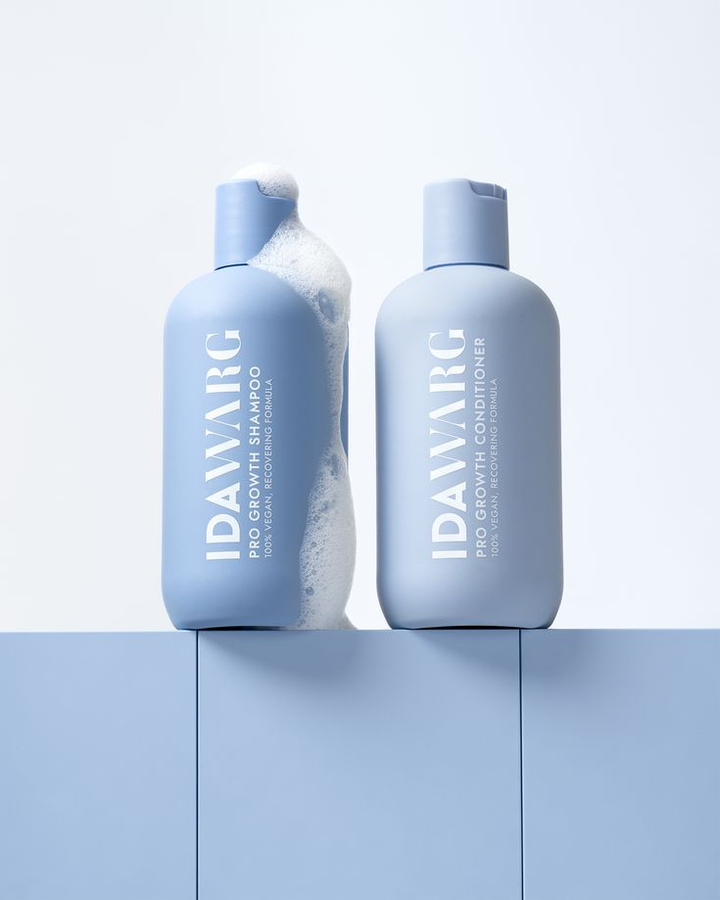
If you go to Google and search “options for AI photography tools,” you’ll get different results. They all promise the same thing: to make product photography easier for individuals, creators, and businesses.
But when you properly check them out, you’ll notice something interesting. While many of these tools want to solve the same problem, their features, pricing, processes, and outputs can be very different.
Some of them focus on editing and enhancing existing images. Some others are designed to generate fresh visuals. Some are specifically for e-commerce product photos, while others are best for creative platforms.
Among the many options we have, Claid.AI and Kive AI are two of the popular tools that many businesses use to create AI product images. And even though they both help you avoid the stress of traditional photoshoots, they’re different.
In this blog, we’ll explain how Claid AI and Kive AI compare in terms of features, pricing, processes, and output quality. We’ll also look at Pikes AI, a tool loved by many e-commerce brands for how easy and efficient it is.
Claid.AI: Features, Pricing, & Output
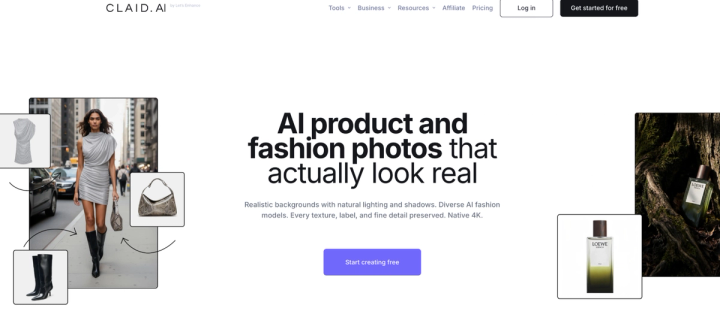
With Claid.AI, you can generate different product photos and change the background of existing ones. One good thing about Claid AI is how realistic the lighting and shadows look. It doesn’t give off “this-is-clearly-AI,” which can repel people. It’s one tool that many businesses use to skip the physical studio stress.
Key Features
AI Photoshoot
One of Claid’s best features is AI Photoshoot, which allows you to generate complete product scenes from a simple product image. You only have to take a simple, basic picture of the product with your phone. Then you upload it to Claid.AI and you can create multiple scenes (including lifestyle scenes).
This is very useful for e-commerce brands that need large volumes of product images for online stores, ads, and marketplaces like Amazon.
It also saves you cost because if you had to do all this in a physical studio, your account balance would feel it. This includes having to hire models for lifestyle shoots.
AI Background Generation
One of the things people struggle with when using AI to generate product photos is the background. Some tools generate unrealistic backgrounds that just give the whole thing away. But with Claid, you get realistic backgrounds using prompts or templates. This means a simple white-background product photo can become a lifestyle scene, such as:
- A model wearing a cap
- A skincare shelf
- A vanity table setting
- A seasonal campaign background
This helps you create multiple marketing visuals from just one product image.
Apart from generating new backgrounds, you can also remove existing backgrounds with this tool. You’re free to customize so you can maintain consistency across your images. And if the images are tricky, you can use “Guided Mode” to control the output.
Image Enhancement & Upscaling
Claid.AI has built-in AI enhancement features to improve your image quality. These features can:
- Sharpen blurry product images
- Boosting resolution
- Adjust lighting and colors
- Fix noisy photos with a few clicks
Claid’s upscaling feature is very top-notch; no wonder brands like the tool.
AI Fashion Models
Fashion brands, especially clothing brands, don’t have it too easy finding and paying the right models. But Claid.AI can help you generate clean, professional-looking models, and nobody would guess it’s AI. It can do face swap on models, replace backgrounds, finetune, etc.
These images can be used for ad campaigns, lookbooks, and marketplaces.
AI Videos
Sometimes you need videos for social media. Claid.AI helps you turn still images into good video clips. And yes, you’re able to move things around and edit as you like. For example, you can do “zoom in/out,” “cinematic push-in,” and so on.
Pricing
You can start with a free plan, but you need a paid plan to access all the features. Claid.AI uses a credit-based pricing system where every action costs a specific number of credits.
They include:
Free Trial
- 50 credits
- Access to standard tools/features
- 50 API credits to access Claid API
- Good for testing the platform
Essentials ($9/ month)
- 500 credits for any operation
- Standard resolution (up to 2K)
- Great Toolset for your product image editing
Pro ($35/ month)
- Best for upgraded editing and customizations
- 2000 credits
- 3x history preservation
- Has up to 64 MP upload limits
Business (Custom/ month)
- You enjoy advanced API workflows
- Dedicated support and onboarding
- Custom SLAs and setup
- You get early access to beta tools
You’re allowed to pay either on a monthly or yearly basis.
Output Quality
The quality of product photos you get from Claid.AI is studio standard and very realistic. The tool is trained specifically on product photography, which helps it preserve important details such as logos, textures, and packaging shapes.
This makes Claid.AI particularly useful for:
- E-commerce stores
- Marketplace sellers
- Large product catalogs
- Advertising creatives, etc.
Overall, some users have complained about how the results from Claid.AI can be inconsistent sometimes, among other issues like lighting mismatch and limited text generation.
Kive AI: Features, Pricing, & Output
Kive AI is a broader AI-powered creative platform designed to help teams generate, manage, and organize visual assets.
While it includes product photography capabilities, Kive goes beyond that by offering tools for content generation, asset management, collaboration, and brand workflows.
This makes it popular among creative teams, marketers, and design departments.
Key Features
AI Product Shots
Kive allows users to transform simple product images into studio-standard visuals using its AI Product Shots feature. This way, you don’t have to do a physical photoshoot.
Once the product is uploaded, Kive creates a model of the item so it can be placed into different environments and styles while keeping the product recognizable.
The process would usually involve:
- Uploading a product image
- Training the product model
- Selecting a studio preset or style
- Generating new visuals
After this process, Kive produces a set of product images placed in different environments, such as lifestyle scenes, studio setups, or campaign-style visuals.
Product Accuracy
One of the biggest concerns with AI-generated product visuals is whether the product still looks accurate. Kive addresses this by training a model on the uploaded product image so the AI understands the product’s shape, colors, and key details.
This helps the generated visuals maintain important details like logos, packaging structure, and textures.
The images may still require review before publishing, but this approach helps ensure the product remains recognizable across different generated scenes.
Brand Consistency
Kive also has tools that help teams maintain a consistent visual style across campaigns.
Users can create reusable presets and trained product models that define lighting, composition, background styles, and overall visual direction. These presets can then be applied repeatedly when generating new product visuals.
You can:
- Train models based on specific product styles
- Save custom visual presets
- Reuse the same styles across multiple campaigns or product launches
Batch Creation
Kive supports batch creation, which allows users to apply the same settings to multiple product images at once.
Instead of generating visuals one by one, users can save their preferred presets and apply them across an entire group of images. This significantly speeds up the content creation process.
For example, a brand launching a new product line could generate marketing visuals for the entire collection using the same lighting style, background, and composition.
If your brand produces large volumes of product images consistently, this feature is great for you.
AI Video
In addition to image generation, Kive also generates AI videos that allow you to turn visual concepts into short video content.
You’re able to generate video clips from prompts or adapt existing visuals into motion content suitable for social media, ads, or campaign materials.
Pricing
Kive AI also starts with a free plan, but just like any other tool, you need a paid plan to really enjoy it.
Free Plan
- You can browse inspiration
- There’s limited generation
- 5 boards
Basic ($15/ month)
- You get 1,000 credits per month
- AI image and video generation
- Up to 3 users can access the tool
- 10,000 library items
Pro ($75/ month)
- 5,000 credits per month
- 50,000 library items
- Unlimited AI products
- 5x usage
- You can train your brand style (helps maintain consistency)
- Up to 10 users
Enterprise (Custom/ month)
- You get everything in Pro
- Custom AI presets
- Custom limits
- Personal, tailored onboarding
- Dedicated customer support
- Advanced security and controls
You can also pay monthly or yearly, with a 25% discount if you pay yearly.
Output Quality
Kive is designed to generate high-end marketing visuals and creative campaign assets.
Because it integrates multiple generation models, the platform can produce a wide variety of styles, from studio product shots to campaign visuals.
This makes Kive very useful for:
- Marketing teams
- Creative agencies
- Social media campaigns
- Branding content
- Marketplace content
However, some users may find that the outputs require more prompt refinement compared to specialised product photography tools like Pikes AI.
Pikes AI: Tested & Trusted Alternative for AI Product Photography
Yes, Claid.AI and Kive AI are good. But when it comes to the visuals you use for your e-commerce brand, you need something built specifically for it. That’s where Pikes AI comes in.
It goes a step further by combining product visuals, video generation, and marketing workflows in one platform. That’s why it’s very useful for brands that need a steady stream of content for product pages, social media, and paid ads. The outputs are high-quality, ready-to-use, and consistent.
One thing many users have attested to liking Pikes AI for is how easy it is to use. There are ready-to-use templates for product visuals, so you don’t always need to write detailed prompts just to get good results. You can upload your product image, choose a template that fits your style, and generate clean marketing visuals in just a few steps. For busy e-commerce teams, this can save you a lot of time compared to tools that rely heavily on prompts.
Pikes has also recently introduced chat mode, which makes the platform more intuitive. Instead of manually prompting every image, you can interact with the tool like you’re chatting with a friend to generate visuals and refine them. On top of that, Pikes integrates with Claude, which allows you to generate or improve visuals through Claude directly within the platform.
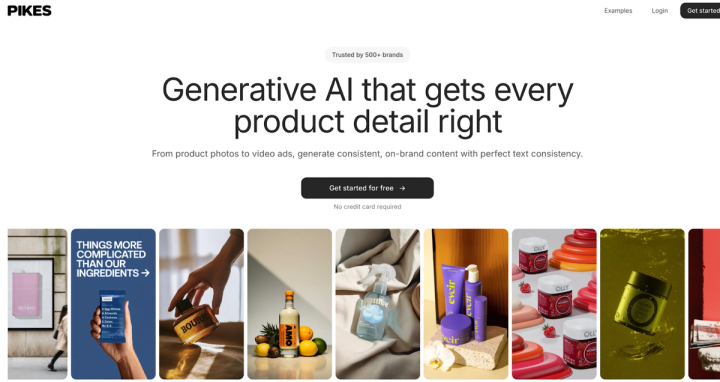
Another area where Pikes stands out is performance marketing. It has an ad search feature that lets you explore high-performing competitor ads. Once you find visuals that work well in your niche, you can recreate or adapt similar styles inside Pikes for your own campaigns. This is very helpful for brands running Meta ads or other paid campaigns that require constant creative testing.
Pikes also combines top-tier image models with strong video generation tools. So you’re able to create both static visuals and short marketing videos from the same product assets. For e-commerce brands, this means you won’t need to jump between different AI tools just to produce campaign content.
Lastly, in terms of pricing, Pikes AI has a free plan for testing the platform. Paid plans start at $40.83 per month, and you can generate up to 325 brand assets.
Conclusion
AI has made product photography much more accessible for e-commerce brands than it used to be. Instead of booking expensive studio shoots, brands can now generate high-quality product photos with just a few clicks.
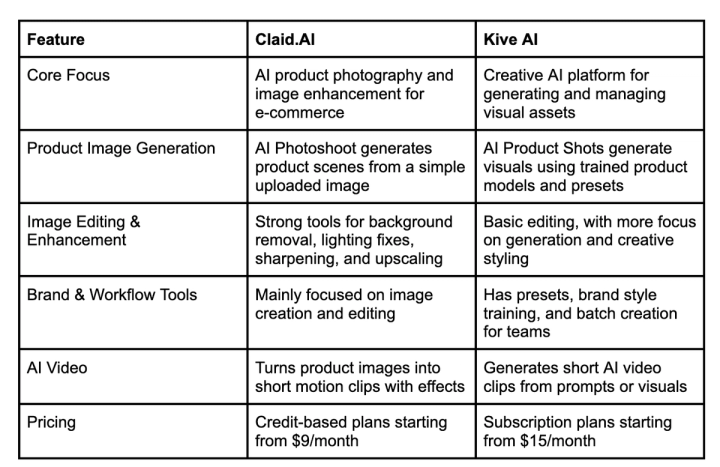
Claid.AI and Kive AI both help simplify this process, but they serve slightly different purposes. Claid focuses mainly on product image enhancement and scene generation, while Kive has a broader creative platform for generating and managing visual assets.
The right choice depends on how your team creates content and how many creative assets you need.
For e-commerce brands that need a faster and more streamlined workflow, platforms like Pikes AI are way better. By combining product visual generation, marketing templates, video creation, and competitor ad insights in one place, you’re able to produce consistent marketing visuals without juggling multiple tools. Sign up on Pikes AI to start exploring.
Frequently Asked Questions
How Much Does Claid.AI Cost Monthly?
Claid AI has a credit-based pricing system. You can start with a free trial that includes 50 credits to test the platform. Paid plans begin at $9 per month for the Essentials plan, which gives you 500 credits and access to standard editing tools. Higher plans like Pro ($35/month) come with more credits, higher upload limits, and advanced editing features. Brands that need large-scale workflows can also request custom enterprise pricing.
What’s the Best AI Product Photo Tool for E-Commerce Brands?
The best tool usually depends on what your brand needs. If your focus is editing and enhancing existing product images, Claid.AI gives strong background generation and image enhancement features. If you need a broader creative platform with collaboration tools, asset libraries, and campaign workflows, Kive AI may be the option for you.
However, many e-commerce brands prefer platforms like Pikes AI because they are built specifically for product photography workflows. Tools like templates, chat-based generation, and integrated video creation make it easier to produce consistent visuals for product pages, ads, and social media without struggling between multiple platforms.
Can AI Product Photography Replace Traditional Photoshoots?
Not necessarily “replace”. AI product photography can reduce the need for traditional photoshoots (which it’s already doing), especially for brands that need large volumes of product images quickly.
But traditional photoshoots are still useful for highly detailed campaigns, luxury branding, or situations where complete creative control is required. That’s why many brands use a hybrid approach where they combine real photography with AI photography to scale their visual content faster.

Written by
Mike Lehman
Mike Lehman is a senior content strategist at Pikes. Before joining Pikes, Mike spent nearly a decade working with Glossier, Haus, and Athletic Brewing, leading campaigns that blended storytelling and data.