

Mike Lehman
Gemini AI Review for Product Photography (2026)
Creating product visuals for e-commerce brands is not what it used to be. Things have changed a lot because of AI tools. Brands no longer need to organize a traditional photoshoot each time they have a new product coming into the market. They can simply generate quality visuals for their products with AI tools like Gemini.
This tool provides you with the visuals you need for your product without the long wait or high costs associated with traditional shoots.
But while Gemini is powerful for writing, researching, and even generating images, the big question is whether it’s actually good for product photography. Can it help brands generate accurate, consistent, and real-world-ready images for their products?
This review will take a closer look at Gemini AI, helping you find all the answers you need concerning using the tool for product photography.
What Is Gemini AI?
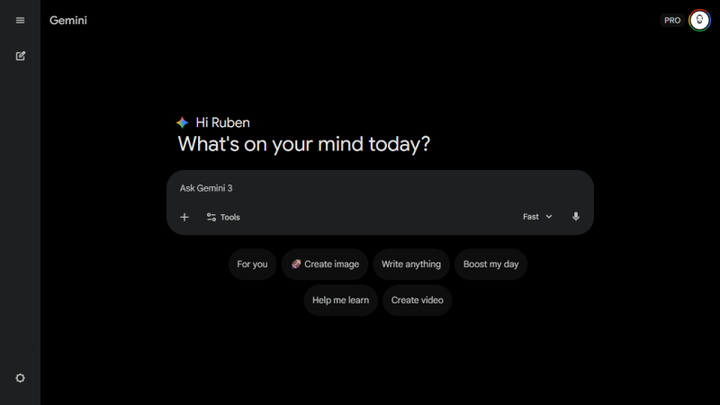
Gemini is an AI platform developed by Google. The tool is designed to be a general-purpose AI assistant that helps with different tasks, such as writing, researching, or generating images and videos.
And since Gemini is also deeply connected to Google’s ecosystem, it makes it super easy to work with tools like Gmail, Google Docs, and Drive. So, if your team already relies on those platforms for their daily work, you will find the tool especially useful.
However, if you’re considering the tool for generating e-commerce product visuals, Gemini may not live up to your expectations. While the tool is great for handling creative tasks and generating images, it’s not specifically built for the e-commerce landscape. Its main purpose is to serve as a broad AI assistant, not a dedicated product image generator.
Key Features of Gemini AI
Gemini is built as a broad AI platform, so it comes packed with a wide range of features that make it flexible to carry out that function. Here are some of its key features:
- Multimodal Capabilities: Apart from just text, Gemini can also understand and generate a range of content types, including images, audio, and videos. This means you can upload any type of input and expect useful outputs without jiggling tools.
- Image and Video Generation: With its built-in image generation tools, you can easily generate quality images and videos.
- Massive Context Window: The AI tool can process very large amounts of information at once. You can upload long documents, videos, or datasets, and it can still understand and extract useful insights. This is particularly helpful for research tasks and analyzing reports.
- Real-Time Web Access: Unlike many AI tools that rely only on training data, Gemini can access live information from the web. This allows it to pull up-to-date data and provide more accurate responses.
- Gems (Custom AI Workflows): Gemini allows users to create “Gems,” which are custom setups for repeated tasks. For example, you can create a Gem that acts as a brand voice writer or a marketing assistant. This saves time by avoiding the need to repeat instructions every time you start a new task.
Pros and Cons of Gemini AI
Gemini is a powerful and flexible AI tool, but like most general-purpose platforms, it comes with trade-offs, especially when used for product photography. Let’s quickly consider some areas where it performs well and where users have reported issues.
Pros of Gemini AI
- Strong multimodal capabilities that allow it to handle text, images, video, and audio in one place.
- Deep integration with the Google ecosystem
- Gemini’s large context window allows it to process long documents, videos, and datasets without losing track of details.
- Real-time information access – Gemini can pull live data from the web for more up-to-date responses.
- Flexible use cases - it can be used for writing, research, content generation, and basic visual creation.
Cons
While Gemini is powerful, user feedback highlights several limitations, especially when it comes to consistency and visual generation.
- Inconsistent outputs – Gemini doesn’t always handle prompts consistently.
- Image quality and distortion issues, including incorrect details and misspelled text within images.
- Limited resolution for generated images
- Gemini sometimes produces outputs that feel too generic or overly cautious, especially for more advanced or creative tasks.
- Feature limitations on the free plan
- Requires a bit of a learning curve to get the best results.
Gemini AI Pricing (2026 Breakdown)
Gemini’s pricing can feel a bit different compared to most AI tools. Instead of being a simple standalone subscription, it’s bundled into Google’s ecosystem, often alongside cloud storage and Workspace features.
This can be a good thing if you already use Google tools, but it can also make pricing slightly confusing at first.
Here’s a clear breakdown.
Free Plan
Gemini offers a free tier that gives users access to basic features. Here, you get:
- Access to the Gemini Flash model
- Limited access to more advanced models
- Basic image and content generation
- Limited use of research and video features
- 15GB of Google Drive storage
This plan is useful for testing the platform, but it comes with noticeable limitations in usage and capabilities.
AI Plus – $7.99/month
This is the first paid tier, and it gives you:
- Higher usage limits compared to the free plan
- Integration with Google Workspace tools (Docs, Gmail, Sheets, etc.)
- 200GB of cloud storage
AI Pro – $19.99/month
This is the most practical plan for regular users. It’s suitable for users who rely on Gemini more heavily for work tasks. What you get here includes:
- Even higher usage limits
- Access to more advanced Gemini features
- 2TB of Google Drive storage
- Improved research capabilities
AI Ultra – $249.99/month
This is the highest-tier plan designed for power users and businesses.
What you get:
- Maximum usage limits
- Access to experimental and advanced features
- 30TB of cloud storage
- Additional perks like YouTube Premium
While powerful, this plan is significantly more expensive and may not be necessary for most users.
How Gemini Pricing Works in Practice
Unlike tools that charge per image or credit, Gemini’s pricing is tied to usage limits and ecosystem access.
This means:
- You’re paying for a combination of AI capabilities and storage
- Higher plans unlock more advanced features and higher limits
- Value depends on how much you use Google’s ecosystem
Major Limitations of Gemini for Product Photography
It is undisputable that Gemini is a powerful general-purpose AI tool. But when you narrow the focus to product photography, several limitations become clear. If you’re thinking of using it for generating visuals for your products, you should pay attention to these downsides.
1. Inconsistent and “Hallucinated” Visual Outputs
Gemini isn’t designed specifically for product imagery, so it can sometimes generate visuals that don’t match reality. This might include altered product colors, missing or incorrect details, and added elements that shouldn’t be there.

2. Lack of Visual Consistency Across Images
Maintaining a consistent look across multiple product images is essential for branding. However, Gemini often produces variations in:
- lighting
- backgrounds
- angles
- color tones
Even when using similar prompts, results can differ noticeably. For e-commerce brands trying to maintain a clean and uniform product catalog, this can be a huge challenge.
3. Not Built for High-Volume Production
Gemini works well for generating a few images, but it isn’t optimized for large-scale product image creation.
If you have multiple SKUs, ongoing campaigns, or frequent product launches, generating visuals one by one can quickly become time-consuming. This makes it less suitable for brands that need to produce images at scale.
4. Resolution and Format Limitations
Some users report that generated images are limited in resolution and may not match standard e-commerce requirements. This may mean you have to start editing and resizing outputs, which can add extra steps to the workflow and slow down production.
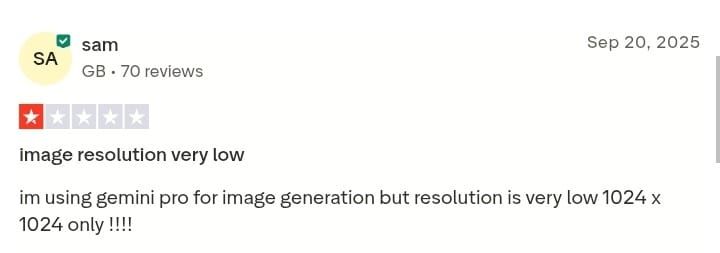
For instance, one user noted that image generation is capped at around 1024 × 1024, which may not be ideal for high-quality product images or large-scale marketing use.
5. Not Designed for E-commerce Workflows
Gemini is built as a general AI assistant, not a product photography tool. This means it lacks features like:
- bulk product image generation
- marketplace-ready templates
- product-focused editing controls
- structured workflows for SKU-based production
For brands managing product catalogs, this limitation becomes more noticeable over time.

6. Generic or Repetitive Outputs
According to feedback from platforms like G2, Gemini sometimes produces outputs that feel too generic or overly cautious, especially for more advanced or creative tasks. This can make it harder to create unique, standout visuals for branding or advertising.
Where a Dedicated Product AI Tool Performs Better
Do these limitations mean Gemini isn’t useful? Of course not. It simply means it wasn’t built for this specific use case. E-commerce brands that need accurate, consistent, and scalable product visuals may need to consider alternative tools like Pikes AI.
These types of tools are designed specifically for product photography, so their focus is not mainly on flexibility but on delivering quality, ready-to-use product visuals. Here, you don’t need manual adjustments or additional tools because that’s what they are made for.
Pikes AI: The Best Alternative to Gemini for Product Photography
You already know that using a dedicated tool is far better than Gemini AI when it comes to generating product photos. So how do you know which one to opt for?
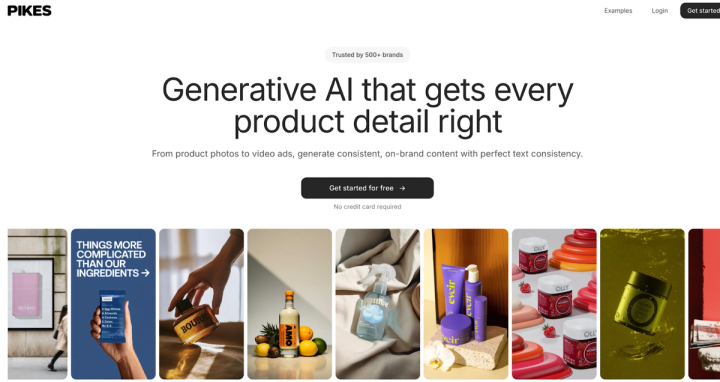
From experience and reviews from thousands of e-commerce brands, we can confidently recommend Pikes AI as a good Gemini alternative to consider.
Unlike Gemini, which is designed as a general AI assistant, Pikes is built with one clear purpose: helping brands create high-quality product visuals at scale. Let’s see where the tool stands out for product photography.
1. Pikes X Claude Integration
How much better can it get? Pikes gives ecommerce brands an extra edge with its Claude integration, making product photography faster and easier. With this feature, brands can use Claude directly within Pikes to generate high-quality product images, whether it’s clean studio shots, lifestyle scenes, or different backgrounds. It simplifies the entire process, helping you create professional visuals quickly, consistently, and at scale.
2. Accurate Product Representation
Gemini can sometimes alter product details or generate inconsistent visuals. That’s a problem when customers rely on images to make buying decisions.
But Pikes is designed to preserve product details exactly as they are, including labels, colors, and packaging. This makes the images suitable for real-world use on product pages and marketplaces.
3. Consistent Visuals Across Your Catalog
If you will be building a strong brand, it’s important that you find a way to maintain a consistent look across all your product images. And with Pikes, you can generate multiple images while keeping lighting consistent, backgrounds aligned, and product positioning uniform. This helps create a clean, professional product catalog without manual adjustments.
4. Built for High-Volume Image Generation
Gemini works best for generating a few images at a time. But e-commerce brands often need dozens or even hundreds of visuals for different products and campaigns.
Pikes is built for this kind of workflow. You can generate multiple variations quickly, making it easier to keep up with product launches and seasonal campaigns.
5. Ready for Marketplaces and Ads
Another key advantage is that Pikes focuses on real e-commerce use cases. You can generate visuals tailored for:
- Amazon listings
- Shopify product pages
- Meta and TikTok ads
- landing pages
Instead of spending the bulk of the time resizing or editing images, you will be creating ready-to-use creatives in minutes.
6. Trusted by Many E-commerce Brands
Pikes may not be as popular as Gemini, but it’s also a tool that has made a name for itself in the space. It’s currently being used by more than a thousand e-commerce and consumer brands to improve their product visuals and streamline their creative workflows.
With this level of adoption, it’s obvious the platform isn’t just theoretical; it’s being used in real-world e-commerce environments, where quality and speed matter.
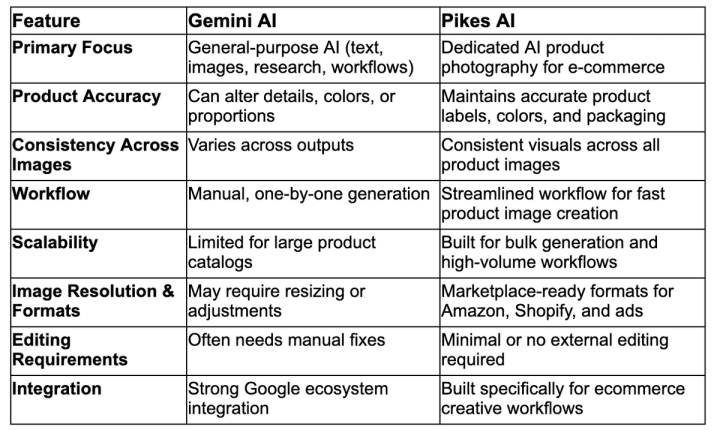
Gemini vs Pikes: Quick Comparison
Final Verdict
If you’re looking for a flexible and powerful AI tool, Gemini is a top choice. Many people rely on it for creating content, researching, and for general business workflow. However, for people looking for a tool they can rely on for product photography, Gemini may not be the best choice on the rack.
Limited control, inconsistent visuals, lack of product-focused features, amongst many limitations, make it pretty hard to rely on it for e-commerce use. If your priority is to generate accurate, consistent, and scalable product images, then you will need to consider a dedicated solution like Pikes AI.
Pikes AI is built specifically for this purpose, and we already showed you how much of a help it can be for e-commerce teams.
FAQs
Is Google Gemini free?
Yes, Gemini offers a free plan with basic features. However, it comes with limitations in usage, access to advanced tools, and output quality. You’ll need to upgrade to a paid plan like AI Plus or AI Pro for more advanced capabilities.
Which AI tool is best for product photography?
General AI tools like Gemini can help with basic visuals, but they are not built specifically for product photography. Dedicated platforms such as Pikes AI are often a better choice, as they focus on creating accurate and marketplace-ready product images.
Who is Gemini best for?
Gemini is best for marketers, researchers, and teams using Google Workspace who need help with writing, analysis, and general content creation. It’s a strong all-in-one AI assistant, but not specialized for product visuals.
What’s the best alternative to Gemini?
If your goal is e-commerce product photography, tools like Pikes AI are a strong alternative to Gemini. They are designed specifically for generating high-quality product images at scale, which Gemini doesn’t focus on.

Written by
Mike Lehman
Mike Lehman is a senior content strategist at Pikes. Before joining Pikes, Mike spent nearly a decade working with Glossier, Haus, and Athletic Brewing, leading campaigns that blended storytelling and data.