

Mike Lehman
Midjourney Review (2026): Is It Worth It for Product Photography?
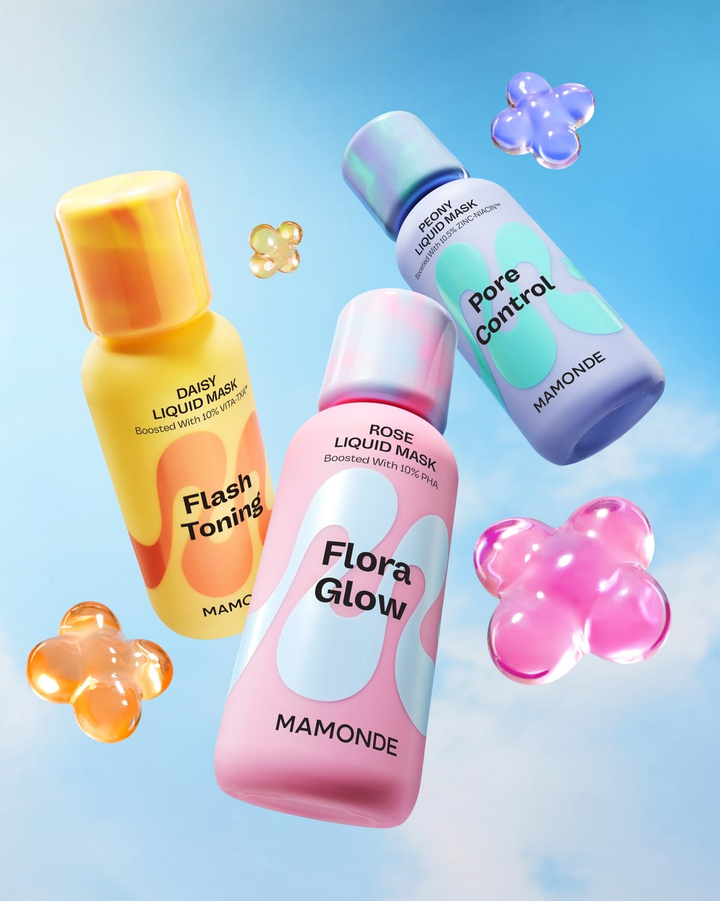
Midjourney has made quite a name for itself among AI tools for visuals. It’s been the favorite tool of many creators, especially those who enjoy generating highly creative, almost cinematic images from text prompts.
But for ecommerce brands, creating images goes beyond just aesthetics. They need accurate, consistent images that drive sales. So for them, the real question is: Is Midjourney actually good for product photography?
So, in this guide, we will take a closer look at Midjourney so you can understand how it really works, its features, pricing, and whether it actually cuts it for product photos.
What Is Midjourney?
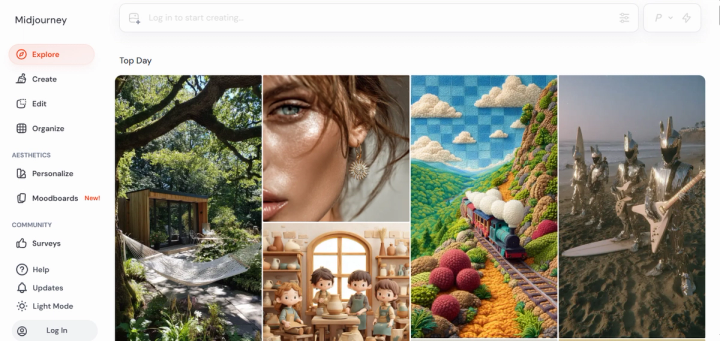
Midjourney is an AI-powered image generation tool that allows you to generate highly detailed visuals from simple text prompts. Launched in 2022, the tool has become one of the most popular in the market for creating concept designs, digital arts, and marketing visuals.
Unlike many other tools in the space, Midjourney operates through Discord. That means users enter prompts into a chat, and the AI uses the description to create multiple images. The outputs can be further refined or used to create new variations.
If there is anything that makes Midjourney so popular, it will be the visually striking and stylized images. These images often look more like digital artwork than real-world photography. And that makes the tool incredibly useful for creative projects and social media visuals.
Key Features of Midjourney
Midjourney is packed with lots of amazing features that set the tool apart for generating unique and appealing content. Some of them include:
- Text-to-Image Generation: This is the primary feature of the platform. It allows users to generate images by describing what they want in simple text prompts. The AI takes the description provided and produces multiple variations within seconds.
- Style Control and Personalization: Midjourney offers strong control over visual styles. You can make changes to the outputs by adding style keywords to your prompts. You could include terms like cinematic, minimalist, or studio lighting in your prompts to further personalize them.
- Image Upscaling and Refinement: The platform also includes built-in tools that let users easily refine the generated image. You can create strong or subtle variations. You can adjust the compositions or resolutions of the images.
- Variations and Remixing: Midjourney lets users generate multiple versions of the same concept. If you like a particular output, you can make simple tweaks and let the tool create multiple variations of the idea.
- Video Generation: The recent version of Midjourney now includes basic video capabilities that let you turn static images into short animated clips. They are great for adding subtle motion effects to your work.
Midjourney for Product Photography: What You Can Actually Do
For people pressed for time, let’s quickly address this before going further to review Midjourney. There’s no disputing it: Midjourney is an incredible tool for generating creative visuals. But when you try to use it for product photography, things become much more complicated.
Most ecommerce users don’t use Midjourney to generate full product images from scratch. Instead, they typically use it to create backgrounds, scenes, or concepts, and then combine those outputs with real product photos using tools like Photoshop or other editors.
For example, you might generate a lifestyle scene, such as a skincare product on a marble bathroom counter, and then manually place your product into that scene. While this can work, it introduces extra steps:
- matching the lighting between the product and the background
- adding realistic shadows and reflections
- adjusting perspective and proportions
Without proper editing, the final result often looks like a cut-and-paste composition rather than a natural product photo.
The biggest challenge here is even scalability. Creating one or two product visuals this way might be manageable. But for brands with multiple products, campaigns, or ad variations, this process quickly becomes time-consuming.
There’s also an accuracy problem. Midjourney struggles with precise product rendering. If you try to generate a product image directly using prompts, you’ll often notice issues such as:
- distorted logos or text
- incorrect product proportions
- unrealistic packaging details
For ecommerce, these details matter. Customers rely on product images to understand what they’re buying, so even small inaccuracies can reduce trust.
Pros & Cons of Midjourney
As you can see so far, Midjourney is a powerful AI image generator. But like any tool, it comes with both strengths and limitations, especially when viewed through the lens of ecommerce product photography. Here’s a quick but balanced look at what it does well and where it falls short.
Pros
- The tool is known for producing high-quality and visually striking images
- Allows users to generate unique artistic styles – whether it’s minimalist, futuristic, or highly detailed.
- Users can quickly generate multiple image variations, making it perfect for testing ideas and exploring creative directions.
- Powerful refinement tools
- Backed by a large and active Discord community
Cons
- Discord-only interface
- Poor prompt accuracy
- Learning curve
- Customer support could be improved
- No free tier
- Anyone can see images unless you use stealth mode
- No API
Major Limitations of Midjourney for Product Photography
To further explain the cons listed above, let’s take a much closer look at some areas where Midjourney is truly limited based on real-world experiences of people who have tried the tool for product photography.
1. Poor Prompt Accuracy
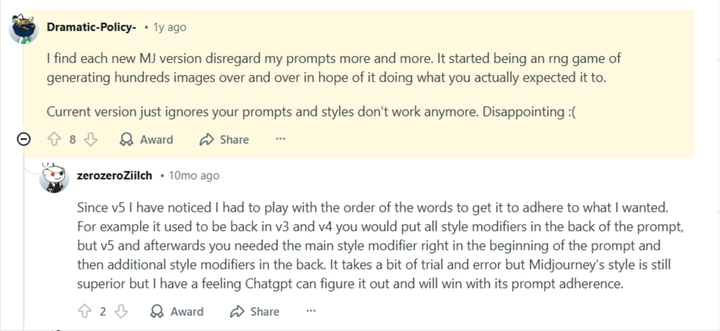
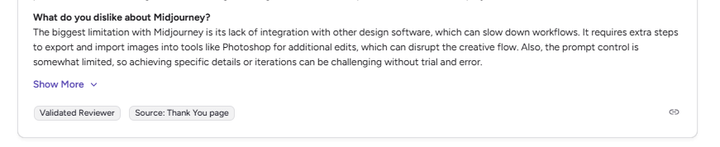
Midjourney doesn’t always follow prompts precisely, especially when specific details are required. For example, a photographer on G2 noted that:
“The prompt control is somewhat limited, so achieving specific details or iterations can be challenging without trial and error.”
Similarly, a Reddit user mentioned that newer versions sometimes “disregard prompts more and more,” making it harder to get consistent results.
2. Distorted Product Details
Midjourney is not so good with fine details, including texts, logos, and packaging accuracy. Users have made several complaints stating that the tool usually struggles to replicate their product features exactly as they are. For ecommerce brands, this is a major drawback as product details need to be accurate and trustworthy.
3. Overly Artistic Outputs
Most people love the tool because of its artistic style. But for ecommerce brands, that can be a huge limitation. When images look too stylized or polished, they become unrealistic and exaggerated, which is often the case with images generated by Midjourney.
4. Discord-Based Workflow Can Be Clunky
Midjourney operates primarily through Discord, which is not a traditional design interface. For many users, this can bring a lot of confusion and make them less productive. The challenge becomes even more glaring when it involves managing multiple projects or generating large volumes of images.
5. No API for Workflow Integration
Midjourney does not offer a public API. This often limits its ability to integrate into ecommerce workflows. If your brand is looking to automate image generation or manage large product catalogs, this can be a significant limitation.
6. Public Visibility of Images
By default, images generated on Midjourney are publicly visible unless you’re on higher-tier plans with stealth mode. It goes without saying that this can be a concern for brands working on private campaigns or unreleased products.
Midjourney Pricing (2026 Breakdown)
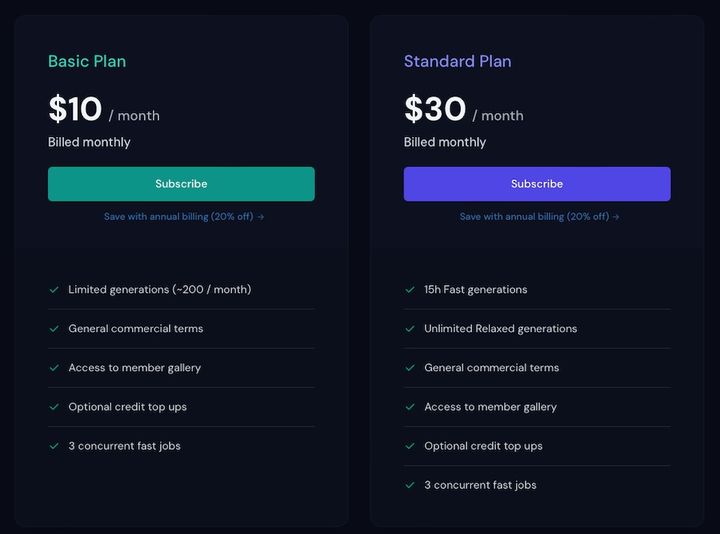
Midjourney operates on a subscription-based pricing model, with plans designed around GPU usage rather than a traditional credit system. Instead of paying per image, you’re essentially paying for generation time, which can feel simpler. However, this still comes with limits, depending on how heavily you use the tool.
Let’s break the plans down, so you know what you’re actually getting.
Basic Plan – $10 per Month
The Basic plan is the entry-level option. Here, you get:
- About 3.3 hours of Fast GPU time per month
- Access to image generation features
- Standard Discord-based workflow
This plan is best for casual users who want to experiment with the platform, but it can feel restrictive if you generate images frequently.
Standard Plan – $30 per Month
The Standard plan is the most popular option, and comes with:
- 15 hours of Fast GPU time
- Unlimited Relax mode (slower generation speed)
- Full access to core features
Pro Plan – $60 per Month
The Pro plan is designed for professionals and small teams. Here, you get:
- 30 hours of Fast GPU time
- Unlimited Relax mode
- Access to Stealth Mode (private image generation)
Stealth Mode is particularly useful for businesses that don’t want their generated images to be publicly visible.
Pikes AI: Best Alternative to Midjourney for Product Photography
The limitations we saw earlier don’t make Midjourney a bad tool. They simply show that it wasn’t built for product photography.
If your goal is to create accurate, scalable, and ready-to-use product images, you need a dedicated product AI tool. We’re talking about platforms like Pikes AI.
Unlike Midjourney, which focuses on creativity and artistic output, Pikes is designed specifically for ecommerce. It helps brands generate consistent product visuals, lifestyle scenes, and ad creatives without needing external tools or manual editing workflows.
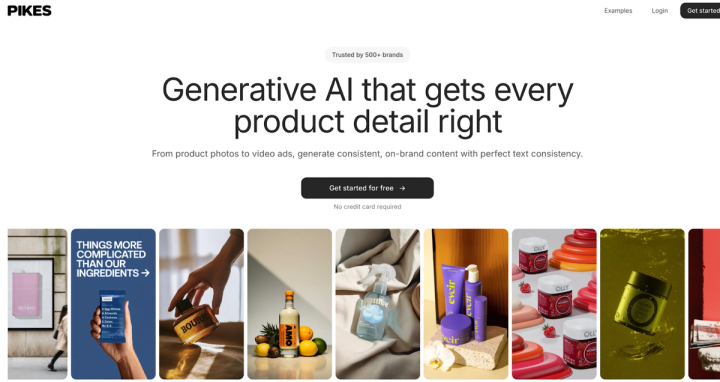
Let’s take a closer look at where Pikes stands out:
1. Accurate Product Representation
Midjourney often struggles with logos, text, and packaging details. This can lead to images that look impressive but aren’t usable for product listings. But Pikes is built to preserve your product exactly as it is. With Pikes, labels, shapes, and colors remain consistent across generated images, making them suitable for product pages, marketplaces like Amazon, and paid ads.
2. No Need for Manual Editing
With Midjourney, creating a product photo often requires a long process. Many users will need to first generate backgrounds and then use editing tools to manually place their products. This makes things more complex while slowing down production.
Pikes removes that extra step. You only need to upload your product once, and you can generate complete, ready-to-use visuals without the need for external tools whatsoever. This makes the workflow simpler and easier to scale.
3. Built for High-Volume Image Generation
Ecommerce brands rarely need just one image. They need multiple variations for ads, product listings, social media, and seasonal campaigns. With Pikes, brands can quickly generate multiple product images. That makes it easy to test different angles, backgrounds, and creative styles without having to start from scratch each time.
4. Designed for Marketplace and Ad Creatives
Another key difference is how the outputs are used. Midjourney creates artistic images while Pikes creates conversion-focused visuals that are meant for real ecommerce platforms.
You can generate images tailored for Amazon listings, Shopify stores, Meta and TikTok ads, and landing pages. This makes it easier to move from creation to publishing without additional adjustments.
Who Is Midjourney Best for?
As we mentioned earlier, Midjourney has its perks – it’s just not suited for all use cases. The tool seems to perform better for users who need creative and visually striking images. However, it is not meant for ecommerce brands looking for precise product visuals.
It works particularly well for:
- Digital artists into creating illustrations or concept art
- Content creators in need of eye-catching images for social media posts or vlogs
- Graphic designers exploring ideas or generating creative assets
- Social media managers who need striking visuals to create engaging posts and campaigns
But for ecommerce brands that need accurate and consistent product images, a platform like Pikes will do so much better. The tool is currently used and trusted by more than 1,000 consumer brands because of its effectiveness in generating ready-to-use product images at scale.
FAQs
Can I use Midjourney for free?
No. Currently, Midjourney does not offer a free plan. You’ll need to subscribe to one of its paid plans to use it. The basic plan starts around $10 per month.
Which AI tool is best for product photography?
The best AI tools for product photography are platforms built specifically for ecommerce, such as Pikes AI. They are generally better for product photography because they offer more accurate, consistent, and scalable image generation for online stores.
Can I use Midjourney product photos commercially?
Yes, Midjourney allows commercial use of generated images, depending on your subscription plan.
Who is Midjourney best for?
Midjourney is best suited for artists, designers, content creators, and marketers who need creative visuals. It’s particularly strong for concept art, social media graphics, and branding ideas.

Written by
Mike Lehman
Mike Lehman is a senior content strategist at Pikes. Before joining Pikes, Mike spent nearly a decade working with Glossier, Haus, and Athletic Brewing, leading campaigns that blended storytelling and data.