

Mike Lehman
Why Midjourney Isn’t Ideal for Product Photography (And What Works Better)

No doubt, Midjourney has helped countless brands generate good AI-generated images. Some e-commerce brands even started with the tool for their product photography without having to book studio sessions.
It’s quite creative, cost-effective, and fast. But over time, the limitations of MidJourney became more obvious. While it has its advantages, product photography isn’t just about creating attractive images. There needs to be precision, consistency, and accurate representation of the product itself.
Customers don’t want to see an image and receive a product that doesn’t look exactly like it. And that’s where Midjourney struggles. You could say it wasn’t specifically designed for e-commerce photography.
In the next section, we’ll look at the most common limitations that make MidJourney not ideal for your product photography. Then we’ll explore some alternatives that make your product photography stand out.
4 Major MidJourney Limitations for Product Photography
We’ve put together some of the limitations that MidJourney users have complained about. They include a lack of control, little to no consistency, inaccurate product details, and failure to follow prompts.
1. Lack of Control
Lack of control is one major challenge that MidJourney users face. It relies entirely on prompts to generate images, and that’s a problem.
While prompts can guide, they don’t give users full control over how the final images look. MidJourney decides how to interpret the prompt, which means camera angles, lighting direction, and composition can vary.
For product photography, where brands often need very specific visuals, this lack of control can be frustrating to say the least.
2. Little to No Consistency
One important thing about the product visuals on your listings or pages is consistency. The moment they begin to lack consistency is the moment people start to lose trust. In other words, consistency is essential for product catalogs.
When you generate multiple images with Midjourney, the results often look different even when using the same prompt. Backgrounds change, lighting isn’t the same, and the product may appear at slightly different angles.
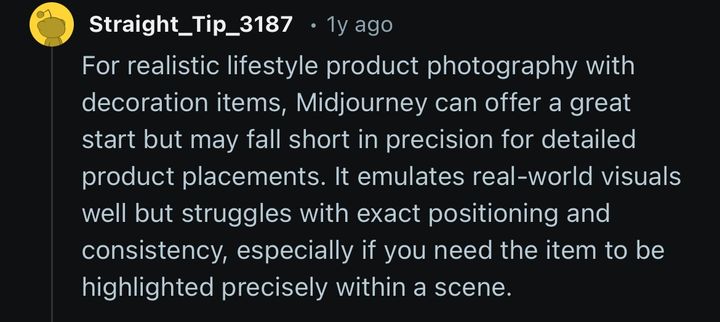
If you’re managing large product catalogues on platforms like Amazon or Shopify, this makes it difficult to maintain a cohesive visual style. It’s dangerous for your business.
3. Inaccurate Product Details
Imagine you give an AI tool a prompt, expecting an image exactly like you described. Only for it to come out with some details lost, altered, or tweaked as the AI feels like. Sometimes, it even adds details you didn’t ask for. MidJourney does this a lot, and it frustrates users.
Logos may become distorted, product shapes can slightly change, and textures may not match the real item. These changes might look minor, but the negative effect on the brand isn’t minor at all.
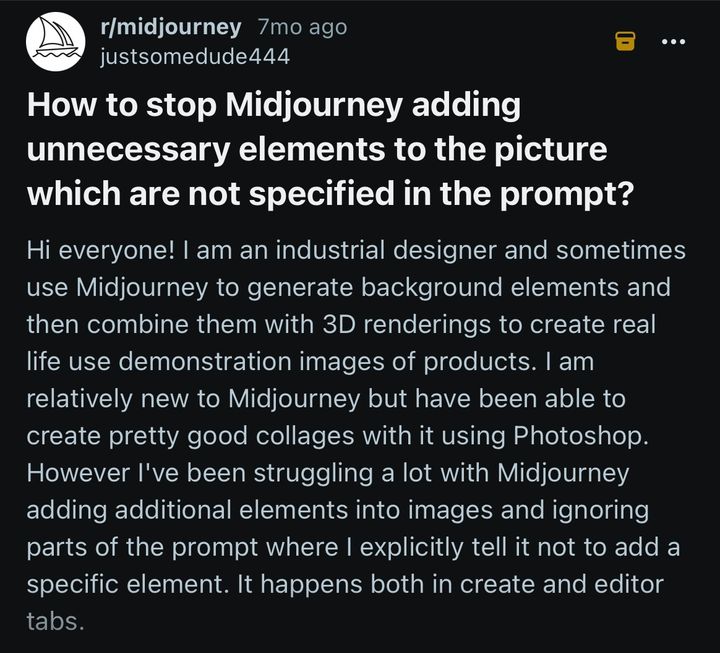
For e-commerce brands, accuracy is too important to overlook. Customers rely on product images to understand exactly what they’re buying.
4. Not Following Prompts
This is a little similar to the last limitation, but the twist is that sometimes the tool doesn’t even follow prompts at all. Apart from details like logos and texts, it sometimes generates images very different from the prompt. Even detailed prompts don’t always produce the exact image you expect.
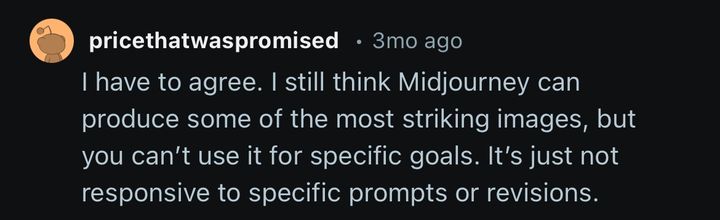
Midjourney prioritises generating visually appealing images rather than strictly following instructions. For brands trying to produce precise marketing visuals, this lack of control can slow down the workflow.
5 Best Alternatives to MidJourney for Product Photography
Now is the time to talk about the solution to these limitations. Brands need to look for better alternatives to MidJourney, especially tools that were built specifically for product photography.
These tools focus on maintaining product accuracy, generating consistent visuals, and helping businesses scale their marketing content. They include Pikes AI, Flair.ai, Nightjar, Claid.ai, and Flux.
1. Pikes AI: Best for Consistent High-Quality Images
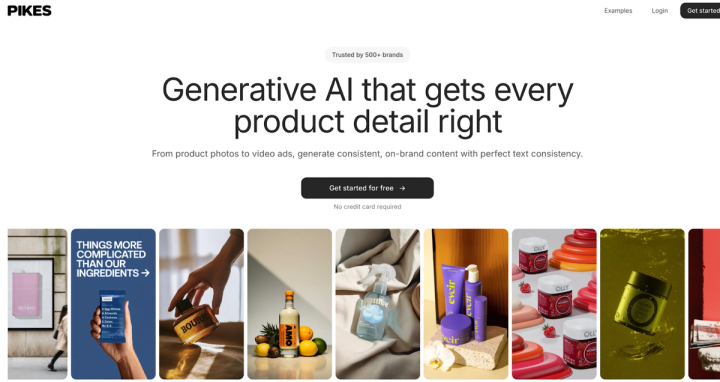
Among the growing number of AI product photography tools, Pikes AI stands out for many reasons. One of which is that it prioritises accuracy and consistency. Unlike tools like Midjourney, which generate products from scratch, Pikes AI keeps your original product image intact and builds realistic scenes around it.

This means its shape, texture, and branding remain unchanged, and this makes the images reliable enough for real product listings.
Another major advantage of using Pikes AI is its consistency. It allows you to generate multiple images with the same lighting, angles, and overall style. This is essential for clean, professional-looking product catalogues.
Pikes AI is also built for scale with the “Bulk Mode” feature. Instead of creating one image at a time, you can generate several variations from a single product image. On top of that, the visuals are marketing-ready. The images can be used across different channels without needing additional edits or reshoots.
So if you’re a brand that cares about accuracy, consistency, and speed, Pikes AI is one of the most practical alternatives available. It’s safe to say it’s an all-around product photography tool because you can also generate realistic lifestyle product images with it.
2. Flair.ai: Best for Social Media Images
Flair.ai is a popular AI product photography tool, especially among brands creating content for social media.

What sets it apart is its robust visual scene builder. Instead of relying only on prompts, you can drag and drop elements like backgrounds, props, lighting effects, and shadows to design your product scenes. This helps with more hands-on control over how the final image looks.
This flexibility makes Flair.ai a good choice for brands that want more creative direction in their visuals, particularly for ads and social content. However, compared to Pikes AI, it often needs more manual effort to maintain consistency across multiple images, especially when you’re working with large product catalogues.
3. Nightjar: Best for Studio-Style Images
Nightjar creates realistic, premium-looking product visuals. It’s popular for its studio-style output: clean lighting, natural shadows, and polished reflections that closely resemble professional photoshoots. This makes it great for brands that want high-end, visually striking images.
For this reason, Nightjar is particularly useful for products where presentation matters a lot, such as luxury or lifestyle items.
At the same time, while the image quality is impressive, the workflow is generally better suited for creating standout marketing visuals rather than producing large, consistent product catalogues at scale. Especially when you compare it to tools like Pikes AI.
4. Claid.ai: Best for Highly Realistic Images
Claid.ai comes up a lot in conversations about AI product photography because it’s a good tool. It allows you to generate highly realistic product images while also improving the quality of existing ones.
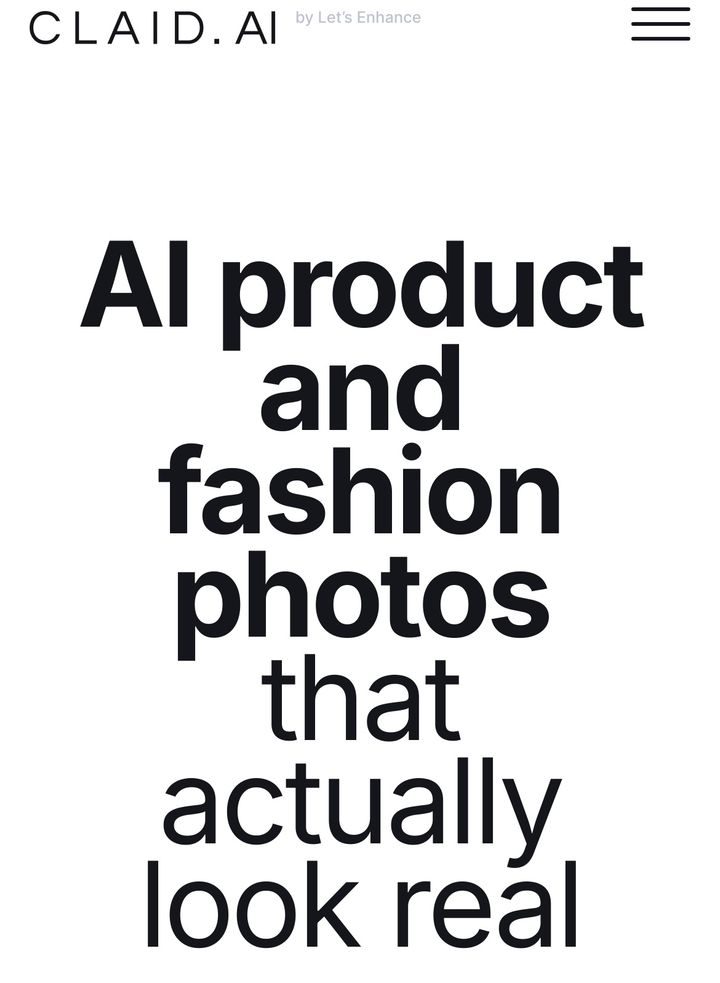
Instead of relying purely on prompts, Claid.ai uses your original product image as a base and creates new variations by changing backgrounds, adjusting lighting, and refining the entire image quality.
Because of this, Claid.ai is a strong option for brands that want clean, realistic product images without starting from scratch.
5. Flux: Best in Adhering to Prompts
Remember what we said about MidJourney not adhering to prompts? Flux adheres to whatever prompts you give it. It generates accurate results according to what you want, and this makes your process easier.

It’s also known for producing highly realistic images. That’s why some brands use it for product-related content, especially when they need more control over the output.
However, like Midjourney, Flux is still a general-purpose image generator. It isn’t specifically built for product photography, which means it can still struggle with product accuracy and maintaining consistent branding across multiple images.
How to Use Pikes AI for Product Photography
It’s quite easy to use Pikes AI for product photography. The workflow is relatively simple, and you can generate professional-looking visuals in just these few steps: upload your product image, add a clear prompt, tweak as you like, export & use.
1. Upload Your Product Image
You need to first upload your base image, i.e, the basic product image you took with your smartphone or camera. You must use natural lighting for this base image.
This is what Pikes AI will use as the base reference for generating new images. Pikes also allows you to turn images into videos.
2. Add a Clear Prompt
You alone know the vision you have for the product photos you want to generate. The AI cannot tell unless you explain to it. This is where you describe and explain it in clear detail for Pikes AI to give you just that. You have to take your time here so you’re as clear as possible.
For example, if you’re a brand selling shoes, you may want images that show models wearing the shoes. It could also be that you want the images to look a certain way; feel free to chat with the AI so it gives you what you want. The good thing is that Pikes AI has chatbots that can help you refine your prompts.
3. Tweak as You Like
Even with the right prompts, AI images sometimes do not come out perfectly. It means you may have to edit and refine some of them where necessary.
Do simple tweaks that match the exact thing you’re looking for.
4. Export & Use
Now you’re able to export your images and use them across various channels. These channels are mostly e-commerce product listings, social media platforms, landing pages, or even promotional campaigns
Because the images maintain consistent lighting and composition, they integrate well across these different platforms.
Conclusion
AI has really changed how brands create visual content. Tools like MidJourney make it easy to generate impressive images, but when it comes to product photography, it’s not the most ideal choice.
That’s why specialised platforms like Pikes AI, Flair.ai, Nightjar, Claid.ai, and Flux are important. But Pikes AI stands out by keeping your product true to life while placing it in realistic, marketing-ready scenes. It makes creating professional, consistent product visuals faster and easier, especially if you’re a past-paced brand.
If you’re looking to scale product photography without compromising on quality, you should sign up on Pikes AI today.
Frequently Asked Questions
What are the Challenges of Using AI for Product Photography?
Although AI tools can be very useful for generating creative visuals, they come with limitations in the aspect of product photography. General-purpose AI generators, including MidJourney, often struggle with accuracy, consistency, and control. Product details like logos, textures, colours, and proportions can end up distorted.
Also, outputs can vary between image generations, making it difficult to maintain a consistent visual style. For e-commerce brands, these challenges can affect customer trust and lead to misrepresentation of the product. That’s why relying solely on generic AI tools for professional product visuals isn’t the best.
What is the Best AI Tool for Product Photography?
The best AI tools for product photography are built specifically to create accurate, consistent, and scalable product images. Platforms like Pikes AI allow brands to preserve product details while generating realistic scenes that are marketing-ready.
It saves time, energy, and costs compared to traditional photoshoots, while still maintaining visual uniformity across platforms. If you’re a brand looking to scale your product visuals without sacrificing quality, AI product photography platforms like Pikes AI is the way to go.
Why Isn’t MidJourney Ideal for Product Photography?
While MidJourney is great at creative and artistic image generation, it is not designed for precise product photography. It often alters product details, produces inconsistent outputs, and doesn’t fully follow prompts, making it difficult to maintain a professional and uniform catalogue.
For e-commerce, where an accurate representation of products is important, these limitations reduce customer trust. Brands that rely on MidJourney for product images often find themselves re-generating visuals multiple times. But specialised tools like Pikes AI are better for producing consistent, accurate, and scalable product photography.

Written by
Mike Lehman
Mike Lehman is a senior content strategist at Pikes. Before joining Pikes, Mike spent nearly a decade working with Glossier, Haus, and Athletic Brewing, leading campaigns that blended storytelling and data.