

Mike Lehman
How to Take Product Shots of Clothing: 4 Methods Compared
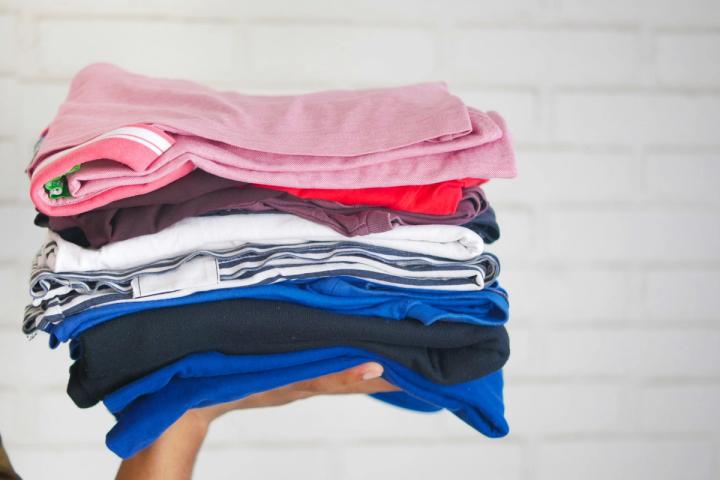
There are four ways to shoot a garment: flat on a surface, on a hanger, on a mannequin, or on a live model. For adult clothing on Amazon, only one of them is legal as your main image. Amazon's clothing guidelines require the main image to be photographed on a model, and separately prohibit folded products, hangers and visible mannequins.
That single rule decides most of the shoot. The other three methods are not wasted, though: you get up to eight alternate slots per SKU, and that is where flat lay and detail shots do their real work.
Everything below is from Amazon's own Image guidelines for clothing and Product image guide, checked 5 August 2026.
What are the four ways to photograph clothing?
Flat lay. The garment laid on a surface and shot from directly overhead. It is the cheapest and most consistent method across a range, because one camera position and one light setup cover hundreds of pieces. It shows print, color and cut, and nothing about how the garment hangs on a body.
On a hanger. Faster than styling a flat lay and shows drape at the shoulder. It also puts a hanger in frame, which is a problem on marketplaces.
Mannequin, including ghost mannequin. A mannequin gives you body shape without a booking. The ghost-mannequin technique composites the inside of the collar back in so the garment appears to hold its own shape. It is the standard for apparel at catalog volume.
Live model. The most expensive method, and the only one that answers what a clothing shopper wants to know: how the piece looks on a person.
Which method does Amazon allow as a main image?
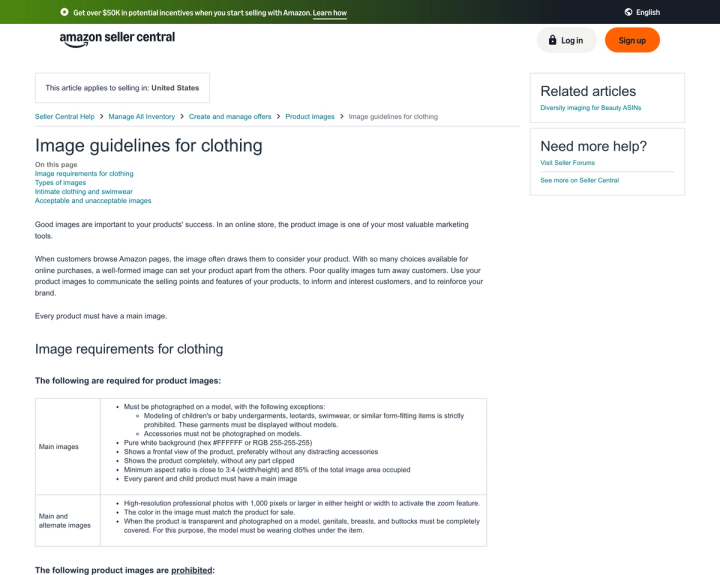
Only the live model, for adult clothing. Amazon's clothing guidelines state main images "must be photographed on a model," with two named exceptions covered in the next section.
The prohibited list closes the alternatives explicitly. Amazon bans these from clothing main images:
- Product shown on a visible mannequin, hanger, or holder
- Folded products
- Product shown as a "selfie," in black and white only, or with the model lying down or kneeling
- Multiple product views or multiple colorways, unless sold together as a multi-pack
- Borders, logos, watermarks, text, color blocks, inset images
- Visible packaging, certificates, tags, or brochures
- Distracting accessories, for example large earrings, bags, or sunglasses
Ghost mannequin sits in an awkward spot. Nothing is visible, so it does not trip the mannequin rule, but it is also not a model, so it does not satisfy the requirement either. We worked through that in detail in our guide to ghost mannequin photography: compliant in the alternate slots, not compliant as an adult-apparel main image.
When is a model prohibited rather than required?
The two cases invert here, and a lot of published advice gets it wrong.
Amazon's exceptions to the on-a-model rule are narrow:
Modeling of children's or baby undergarments, leotards, swimwear, or similar form-fitting items is strictly prohibited. These garments must be displayed without models.
and
Accessories must not be photographed on models.
Guides routinely paraphrase the first one as "all kids' and baby clothing must be shot flat." Amazon's own page does not say that. The prohibition covers undergarments, leotards, swimwear and similar form-fitting items. A children's coat, a kids' t-shirt or a toddler dress is not in that list, so the default on-a-model requirement still applies to them.
So the decision runs three ways. Adult clothing needs a model, children's form-fitting items must not have one, and accessories must not be on one. Kids' outerwear and general children's apparel fall back to the standard rule.
The same document adds a second requirement that is easy to miss. The model must be standing and presented plainly, and Amazon spells out what that means: "Legs must not be spread, eyes must be open, mouth must be closed, arms should be along the body."
What are the technical specs for clothing product shots?
The clothing guidelines add two constraints the general product-image guide does not:
| Requirement | Clothing main image | Notes |
|---|---|---|
| Background | Pure white, hex #FFFFFF / RGB 255-255-255 | Same as all categories |
| Frame fill | 85% of total image area | Clothing page also sets a minimum aspect ratio close to 3:4 |
| View | Frontal, product complete, nothing clipped | No distracting accessories |
| Zoom threshold | 1,000 px or larger on either height or width | This is what activates zoom |
| Color accuracy | "The color in the image must match the product for sale" | Stated for main and alternate images |
| File size | 500 px minimum, 10,000 px maximum on the longest side | From the general Product image guide |
| Format | JPEG recommended; PNG, TIFF and GIF optional | GIF non-animated only |
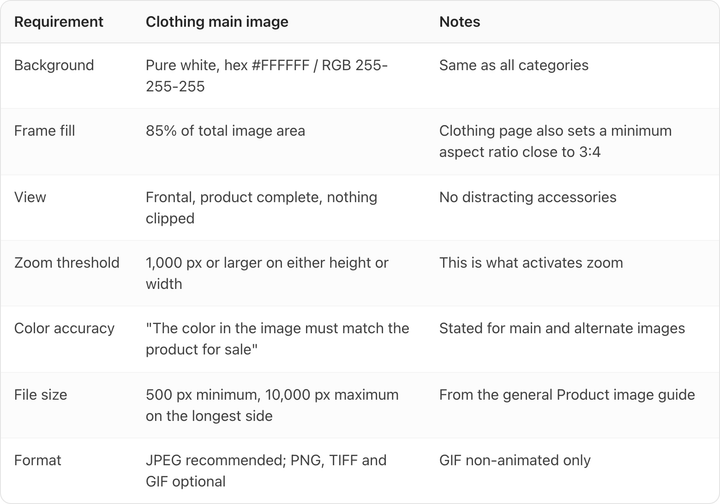
The 3:4 minimum aspect ratio is clothing-specific and catches people out. A square crop that works for a jar will not necessarily clear it for a garment.
Children's wear images below 1,000 pixels are prohibited outright rather than discouraged, and Amazon states separately that a listing with no compliant main image may be suppressed from search.
How many clothing images do you actually need?
Amazon's Product image guide is direct: "Every product requires at least one compliant main image. We recommend that you upload at least six additional images and one video." That is eight assets per product.
Then the clothing page multiplies it. Every parent and child product needs a main image, and you must supply a child main image for every color you sell. A shirt in five colors is therefore five main images before a single alternate, and the alternate ceiling is eight per parent or child SKU.
A five-color shirt done to Amazon's own recommendation is therefore five main images plus up to forty alternates plus video. We ran the arithmetic on what that does to a catalog in how many product photos you need per SKU, and apparel is the category where it escalates fastest.
That volume is the practical case for flat lay in the alternate slots. Overhead flats are the only method you can produce at that scale without booking a model for every colorway.
What should go in the eight alternate slots?
A working shot list for one garment, in order of usefulness:
- Back view on the model
- Flat lay of the full garment, laid out rather than folded
- Fabric detail at close range: weave, knit, pile
- Hardware and closures: zips, buttons, drawcords
- Neck label and care label, legible
- Scale reference or a fit note in frame
- On-model detail crop of the fit at the shoulder or waist
- Lifestyle or in-context shot
Note the wording on item two. "Folded products" is banned from the main image specifically, so a folded flat lay is allowed in an alternate slot. An unfolded, fully laid-out garment reads better in either position and costs the same to shoot.
Where does AI fit into apparel photography?
Generated backgrounds behind a garment are easy. Generated garments on generated bodies are where things go wrong, because apparel has the least tolerance for drift of any category. A knit turns to noise, a seam wanders, a printed logo becomes an approximation of itself.
The test to run on any tool is the one that matches Amazon's own requirement that image color "must match the product for sale." Generate your hardest piece, open it at 100%, and check the weave, the seam line and the label. If the fabric has become a texture rather than a fabric, the image cannot carry a listing.
That fidelity problem is why we built Pikes AI to generate from a brand's real SKUs and hold a persistent brand profile across a range, rather than re-guessing the product on every generation. The check itself is tool-agnostic, and worth running before you commit to anything.

Two rules stay constant whatever you use. Color must match the product for sale, which Amazon states as a requirement rather than a preference. And if an image contains a photorealistic AI-generated person, Amazon requires you to tag it. We covered the metadata and the platform-by-platform differences in are AI-generated product images allowed.
For the wider category context, including lighting, styling and the shot types that convert, our guide to fashion product photography covers ground this piece deliberately does not.
Frequently asked questions
Can I use a flat lay as my Amazon main image for clothing?
Not for adult clothing. Amazon requires the main image to be photographed on a model and separately prohibits "folded products." Flat lay belongs in the eight alternate slots, where it is both allowed and useful.
Are mannequins allowed in Amazon clothing photos?
Not in the main image. "Product shown on a visible mannequin, hanger, or holder" is on the prohibited list. Alternate images are the place for mannequin and ghost-mannequin shots.
Does Amazon require kids' clothing to be shot without a model?
Only for specific items. Amazon prohibits modeling of "children's or baby undergarments, leotards, swimwear, or similar form-fitting items." Other children's apparel falls under the standard requirement to photograph the main image on a model.
What resolution do clothing product shots need?
At least 1,000 pixels on the longer side to activate zoom, within the general Amazon range of 500 to 10,000 pixels on the longest side. Children's wear images below 1,000 pixels are prohibited outright.
How many images should a clothing listing have?
Amazon recommends one main image plus at least six additional images and one video. For apparel, that main image is required per color variation, and you can add up to eight alternates per SKU.
Do I need a different main image for every color?
Yes. Amazon states you must supply a child main image for every color you sell, so a five-color style needs five compliant main images before you add a single alternate.

Written by
Mike Lehman
Mike Lehman is a senior content strategist at Pikes. Before joining Pikes, Mike spent nearly a decade working with Glossier, Haus, and Athletic Brewing, leading campaigns that blended storytelling and data.