

Mike Lehman
Kive AI vs Flair AI: AI Product Photography for Creative Brands Compared
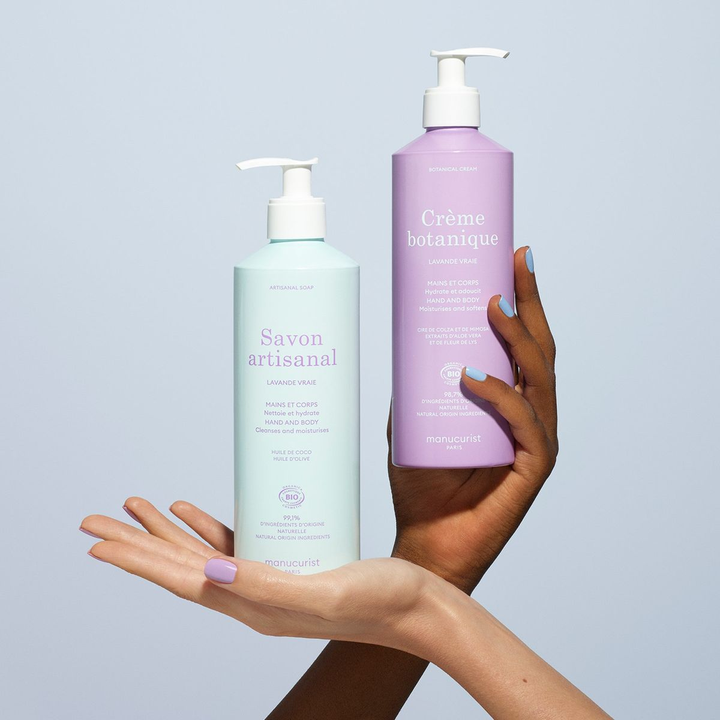
Product photos are no longer just about looking good; they also need to sell. That’s why tools like Kive AI and Flair AI are getting so much attention. If you have been in the market looking for AI tools for product photography, chances are that you have come across the two.
Both promise to help brands create high-quality product visuals faster, without the cost of traditional photoshoots. However, the challenge is knowing which one fits your workflow better.
While one leans more toward creative workflows, the other focuses on quick product image generation. In this guide, we will carefully compare the two tools, so you can decide which is best for you – and where other tools might do a better job.
Quick Overview: Kive AI vs Flair AI
Before we go deeper, let’s first understand what each tool is built for. Yes, they both help with product photography, but they don’t approach it the same way.
Kive AI
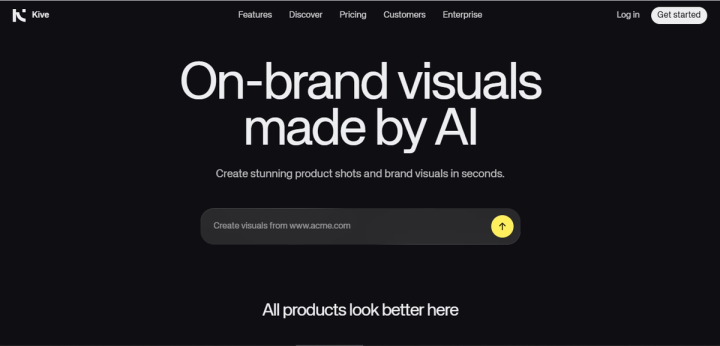
Kive AI is more than just an image generator. It’s designed as a creative hub where teams can generate visuals, organize assets, and build campaigns.
The tool includes features such as AI-generated product shots and automatic asset tagging. Kive is built for teams that want to manage their entire creative process in one place. That makes it especially useful for agencies and marketing teams working on multiple campaigns.
Flair AI
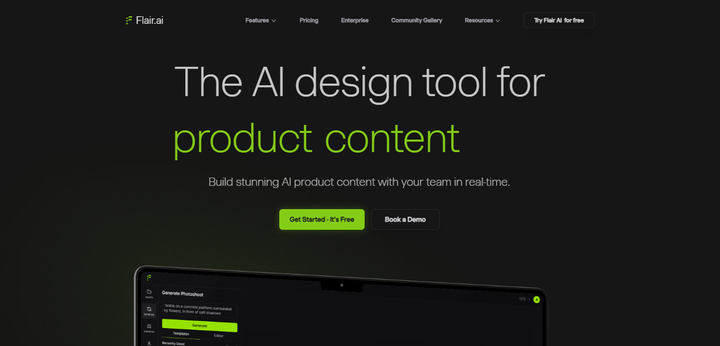
On the other hand, Flair AI is more focused on creating product images quickly and easily. It runs entirely in the browser and is designed to feel like a lightweight product photography studio.
Its core features include:
- background removal and replacement
- scene generation with templates
- AI-generated product visuals with or without models
- drag-and-drop editing canvas
Flair is generally easier to get started with, especially for users who want quick results without diving too deep into complex workflows.
Core Features Compared
Both Kive AI and Flair AI offer tools for creating product visuals, but they approach it differently. Kive delivers well when it comes to creative control and workflow, while Flair focuses on speed and simplicity.
Here’s how their core features compare.
Product Image Generation
Kive AI generates product visuals through its Product Shots feature, allowing you to place products into different scenes while maintaining brand context. It’s flexible, but sometimes requires more setup and direction.
Flair AI, on the other hand, is built for quick scene generation. You upload a product, choose a template or prompt, and it generates a complete image. The results are usually close to what you asked for, though occasional inconsistencies may require regeneration.
Background Removal & Scene Creation
When it comes to background removal and replacement, Flair seems to have that area covered well. It automatically removes the background as part of the workflow and gives you multiple scene options right away.
Kive also supports scene generation, but it’s more focused on creative flexibility rather than quick replacements. You may need to spend more time refining outputs.
Templates & Ease of Use
Flair is all about templates. You just need to upload your product, and you will get a range of preset scenes you can apply instantly. Because of this, the tool is especially useful for beginners.
Kive offers templates, too, but it’s not as template-first. The platform expects users to explore and build within its broader creative system.
AI Models for Product Visuals
Both tools allow you to generate images with human models, especially useful for fashion or lifestyle products.
Flair has a strong focus here, making it easy to create visuals where models interact with products. Kive supports similar functionality but within a broader creative workflow.
Video Capabilities
Kive offers more advanced video features, including integrations with high-quality AI models for generating dynamic content. Flair includes basic video generation, typically short clips with simple camera movements.
Asset Management & Workflow
This is where Kive stands out. Kive includes AI-powered asset organization, automatic tagging, and moodboards and presentations.
Flair, by comparison, has limited asset management features. It focuses more on generating visuals than organizing them.
Pros and Cons
Both Kive AI and Flair AI have their strengths, but they also come with trade-offs, especially when used for e-commerce product photography. Here’s a clear breakdown to help you weigh both sides.
Kive AI Pros
- All-in-one creative platform: Kive combines image generation, asset management, and collaboration in one place.
- Strong asset organization: Features like automatic tagging and search make it easy to manage large libraries.
- Flexible creative control: You can generate, refine, and experiment with visuals across different styles.
- Useful for teams and agencies: Moodboards and presentation tools help streamline collaboration and client work.
Cons
- Learning curve for new users: The platform can feel overwhelming at first because of how many features it includes.
- Performance can be inconsistent: Some users report lag, especially when collaborating in real time.
- Not fully optimized for product photography: While it supports product visuals, it’s not built specifically for ecommerce workflows.
- Requires time to get the best results: Compared to simpler tools, it may take longer to generate usable outputs.
Flair AI Pros
- Easy to use and beginner-friendly: The workflow is simple. All you have to do is upload a product and start generating visuals.
- Strong background removal and templates: Makes it quick to create clean, styled product images.
- Good for fast product scene generation: You can produce usable visuals in a short time.
- Browser-based tool: No installation needed, works directly online.
Cons
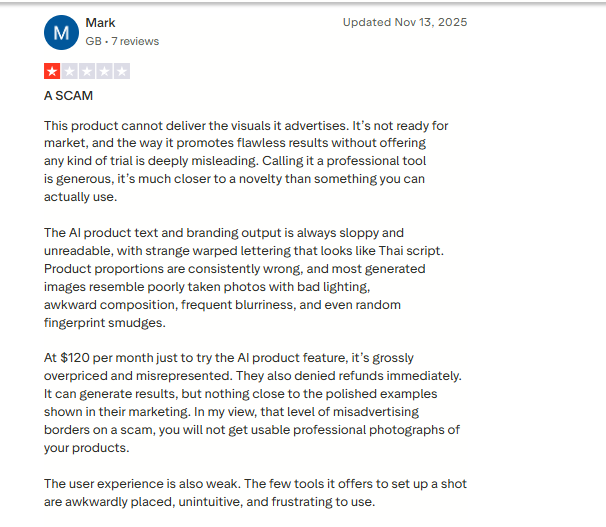
- Generation failures reported by users: Some users mention frequent failed outputs, even when prompts are correct.
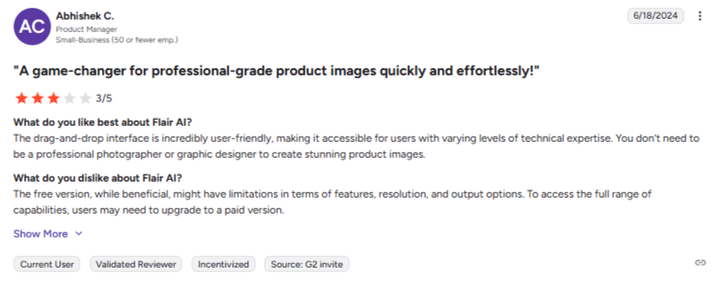
- Credits deducted even when images fail: According to user feedback, credits may still be used even if no image is produced.
- Inconsistent image quality: Some outputs may require regeneration or manual fixes.
- Interface can feel confusing in advanced features: The drag-and-drop canvas is not always intuitive.
- Performance issues: Users report slow loading times and occasional downtime.
Pricing Comparison
Kive AI Pricing
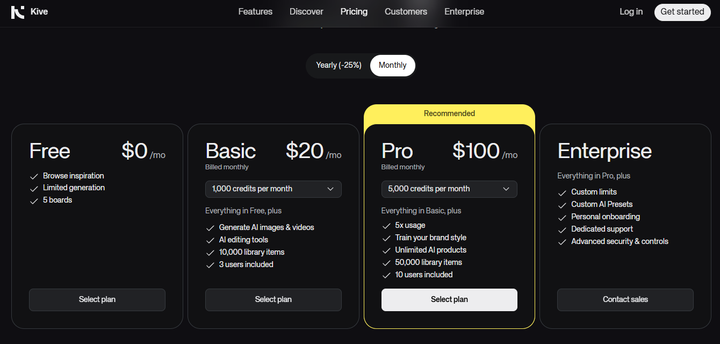
Kive offers a structured pricing model based on features, storage, and team usage. Its tiers include:
Free Plan
- Limited library (around 300 items)
- Basic access to features
- Good for testing the platform
Basic Plan – $20/month
- 1,000 credits
- AI image and video generation
- AI-organized library
- Up to 3 users
- 10,000 library items
Pro Plan – $100/month
- 5,000 credits
- Full access to advanced features
- Product Shots (key feature for ecommerce)
- Video uploads and advanced tools
- Up to 10 users
- 50,000 library items
Key takeaway: Kive is more expensive, but you’re paying for a complete creative system, not just image generation.
Flair AI Pricing
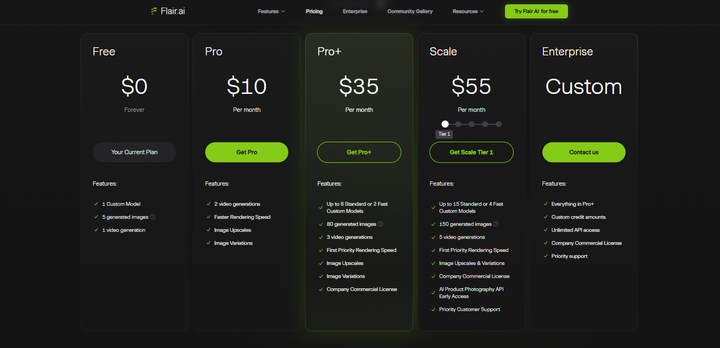
Flair takes a more lightweight approach, with lower entry pricing but fewer features at the base level. It offers:
Free Plan
- Around 5 free image generations
- Limited access to features
- Basic testing only
Basic Plan – $10/month
- Limited image and video generation
- Access to core features
- Some restrictions on usage and editing
Pro+ Plan – $35/month
- Access to advanced models
- AI image editor
- Model training
- Higher generation limits
Key takeaway: Flair is more affordable upfront, but the lower tiers can feel limited. You may need to upgrade quickly to access meaningful features.
Product Photography – Where Both Tools Fall Short
Kive AI and Flair AI approach product photography from different angles. But when you step back and look at how e-commerce brands actually work, they share a few key gaps. So, let’s take a moment to see the areas where both tools are limited, especially as your needs grow.
1. Not Built for Performance Marketing
Both tools help you create product visuals, but they don’t focus on what happens after. There’s little support for:
- creating ad-specific creatives
- testing variations for campaigns
- understanding what actually performs
So while you can generate nice-looking images, turning them into high-converting ads still requires extra tools and effort.
2. Limited Support for Bulk Production
E-commerce brands rarely work with just one product. You often need multiple images for: different SKUs, seasonal campaigns, and A/B testing.
Both Kive and Flair can handle small batches, but scaling up becomes slower and more manual. You’ll spend more time managing outputs than actually producing them.
3. Inconsistent Outputs at Scale
Consistency becomes a bigger issue as you generate more images. Across both tools, you may notice variations in lighting, angles, product positioning, and overall style. Maintaining a uniform look across your catalog often requires extra adjustments.
4. Workflow Still Requires Manual Effort
Even with AI, both platforms still rely on user input at multiple stages. You’ll often need to:
- tweak prompts or templates
- regenerate outputs
- adjust final images
- manage assets manually
This slows things down, especially for teams working with large volumes.
5. Limited Focus on E-commerce-Specific Needs
At their core, both tools are built for creative generation, not full e-commerce workflows. They don’t fully address needs like:
- marketplace-ready image formats
- consistent branding across SKUs
- fast turnaround for campaigns
- seamless scaling across products
This means that while Kive AI and Flair AI are both useful tools, they stop at image creation. But that’s not all an e-commerce brand needs. They actually need to create consistent, scalable, and performance-driven visuals that can be used across listings and ads.
As your brand grows. You will see the need for more specialized tools if you are using just Kive or Flair AI.
Better Alternative for E-commerce Brands
Like we already pointed out, both tools are great for helping you create product visuals. But as we’ve seen, they stop short when it comes to scaling, consistency, and performance-driven creatives.
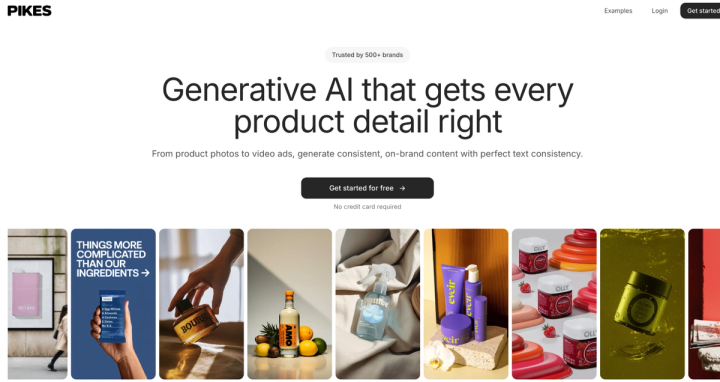
Because of that, you will need a more focused tool like Pikes AI. This is a platform built specifically for e-commerce brands that want to move beyond just “creating images” to actually producing high-performing product visuals at scale.
Instead of trying to do everything, Pikes focuses on solving the exact problems e-commerce teams face. Below are some ways Pikes stand out for this purpose.
Faster Workflow
Kive can feel complex, and Flair can require multiple retries. But Pikes simplifies the process with ready-to-use templates and a chat-based creation flow. This means you can generate product visuals quickly without spending time tweaking prompts or managing complex tools.
Built for Performance, Not Just Design
Most tools focus on making images look good. Pikes goes a step further by helping you create visuals designed to perform in ads. It includes:
- tools to explore high-performing competitor creatives
- the ability to recreate similar styles
- support for ad-ready formats
This helps brands focus on results, not just aesthetics.
Scales Easily Across Products
Unlike credit-heavy or manual workflows, Pikes is designed for high-volume generation. You can create multiple variations per product, visuals for different platforms, and images for entire catalogs without slowing down your workflow.
Consistent Product Accuracy
One of the biggest challenges with AI tools is maintaining product accuracy. Pikes is built to keep:
- product details intact
- lighting consistent
- outputs aligned across images
This makes it easier to maintain a clean, professional brand look.
Combines Image and Video Creation
Instead of switching between tools, Pikes brings together image and video generation in one place. This allows you to create product images, lifestyle visuals, and short-form video creatives from the same workflow.
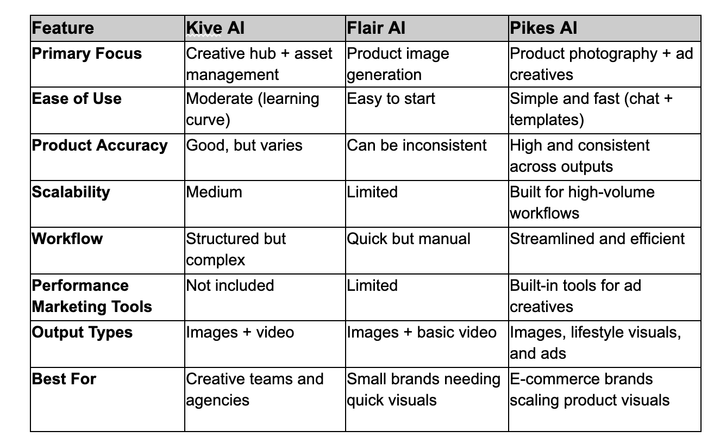
Kive vs Flair vs Pikes: Quick Comparison
Final Verdict
Both Kive AI and Flair AI are great tools. They help you generate quality images for your products without the need to organize a photoshoot. But as your brand grows, you will gradually notice its limitations.
For e-commerce teams that need consistent, high-quality, and conversion-ready visuals, a dedicated platform like Pikes AI is often the more practical long-term choice.
FAQs
Is Kive AI better than Flair AI?
This all depends on your needs. While Kive is great for creative workflow and team collaboration, Flair excels at quick product image generation. Also, if you need control and structure, go for Kive. But if it’s speed and simplicity you need, Flair is better in that area.
Which tool is easier to use, Kive or Flair?
Flair AI is generally easier to use. With its template-driven workflow and user-friendly dashboard, the platform is far easier to use than Kive – even though it has more features.
Can Flair AI generate product images with models?
Yes, Flair AI can generate product images with human models. If you own fashion and lifestyle products, this will be very helpful – it helps you see how your products will look in actual use.
Which AI tool is best for product photography?
Tools like Kive and Flair can help with product visuals, but they each have limitations. For e-commerce brands that need consistent, scalable, and performance-ready images, platforms like Pikes AI are often a better fit.

Written by
Mike Lehman
Mike Lehman is a senior content strategist at Pikes. Before joining Pikes, Mike spent nearly a decade working with Glossier, Haus, and Athletic Brewing, leading campaigns that blended storytelling and data.