
The short version
| Your job | Model |
|---|---|
| The pack has to be readable | Consistency Pro |
| A hero or lifestyle shot | Creativity Pro |
| Trying 20 ideas before picking a direction | Creativity Fast |
| Almost every ad clip | Veo 3.1 Fast |
| The one hero cut | Veo 3.1 |
| Long clips and multi-shot sequences | Seedance 2.5 |
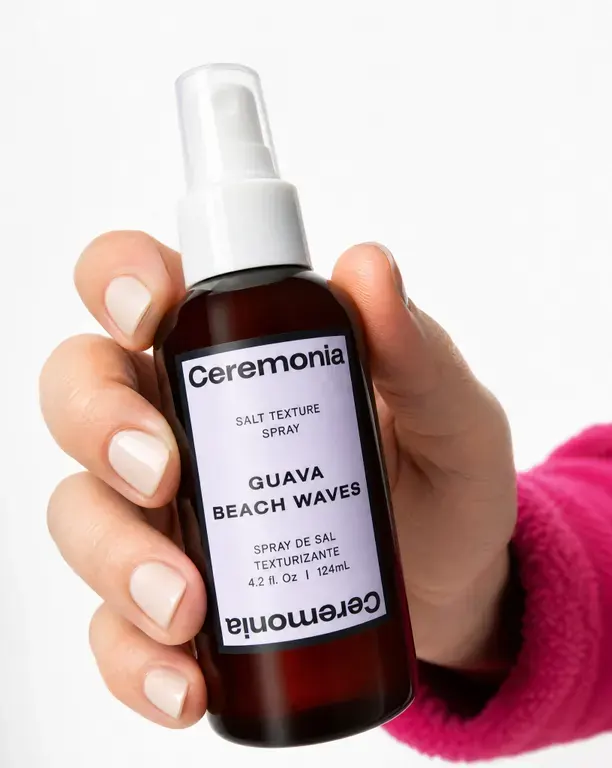
Consistency Pro. A starting point for readable labels; check the result against your pack.
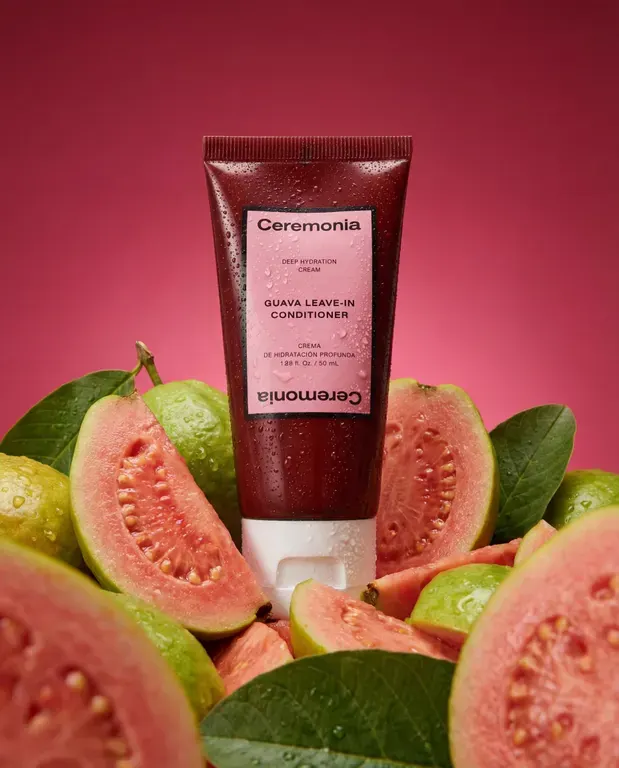
Creativity Pro. A richer scene; check the label and proportions.
Image models
| Model | Strength | Weakness | Best for |
|---|---|---|---|
| Consistency Pro Pick | Prioritizes label text, logos and packaging detail | Flatter lighting and styling than Creativity Pro | Product shots where the pack has to be readable |
| Creativity Pro Pick | Strong scene styling and product placement | Text consistency and product proportions | Hero and lifestyle shots |
| Creativity Fast | Cheapest and fastest | Weak text, loses fine product detail | Trying 20 ideas before picking a direction |
| Lifestyle | Lifestyle photography and poster content | No image input, so it can't use your product as a reference | Lifestyle photography |
| Expand | Reformats to a new ratio without redoing the image | No control over the new edges; it guesses them | One asset into every placement size |
| Remove background | Fast, clean cutout | Struggles with hair and soft edges | Prepping a packshot for compositing |
Video models
| Model | Strength | Weakness | Best for |
|---|---|---|---|
| Seedance 2.5 Pick | Most capable. Up to 30 seconds, holds a product consistent across shots, 1080p output, takes images, video and audio as inputs | Costly at high resolution, slow to render | Long clips and multi-shot sequences |
| Veo 3.1 Pick | Sharper motion and cleaner audio than Fast | Twice the price, same 8-second limit | The one hero cut, after testing on Fast |
| Veo 3.1 Fast | Best all-rounder: real motion, sound, start and end frames, cheap | Max 8 seconds, only 16:9 and 9:16 | Almost every ad clip |
| Seedance 2.0 | Most shape options, including square and 4:3. Up to 15 seconds | Expensive for a 720p output | Square placements that run longer than 8 seconds |
| Gemini Video Edit | Restyles a video you already have, keeping the scene | Can't change voices or motion | Style variants of a clip that already works |
| Kling 3.0 Pro | Smoothest transition between two frames, matches your image's shape | Motion can float rather than feel physical | Reveals and transformations from 4:5 or 1:1 sources |
| Seedance 1.5 Pro | Cheapest per second, about a third of Veo Fast | 720p only, weakest motion quality | Testing lots of variants cheaply |
| Seedance 2.0 Reference | The only way to get 4K video | 4K is very expensive; 2.5 is better for everything else | When the deliverable has to be 4K |
| Sora 2 | Best at following a written scene, works from text alone | Only in the video editor, not available to the AI agent | Script-led scenes built by hand |
Three habits that save credits
- Explore on Creativity Fast, then move to a Pro model once you have a direction.
- Test clips on Veo 3.1 Fast, then render only the hero cut on Veo 3.1.
- Keep your original packshot as a reference when iterating. Use a previous output for composition when useful, and recheck product detail after each edit.
Questions
Which Pikes model keeps label text readable?
Start with Consistency Pro when small label text matters. Compare the result with your source packshot: no model guarantees exact text, logos or proportions.
How long can a Pikes video be?
Up to 30 seconds on Seedance 2.5 and up to 15 seconds on Seedance 2.0. Veo 3.1 and Veo 3.1 Fast cap at 8 seconds.
Can Pikes make 4K video?
Yes, with Seedance 2.0 Reference, the only 4K option. It is very expensive, so use it only when the deliverable has to be 4K.
Run one packshot through every model
Same product, same prompt, compare the results on one canvas.
Get started for free