

Mike Lehman
Best Canva Alternatives for Product Photos in 2026
How much AI does Canva actually give you for product photos?
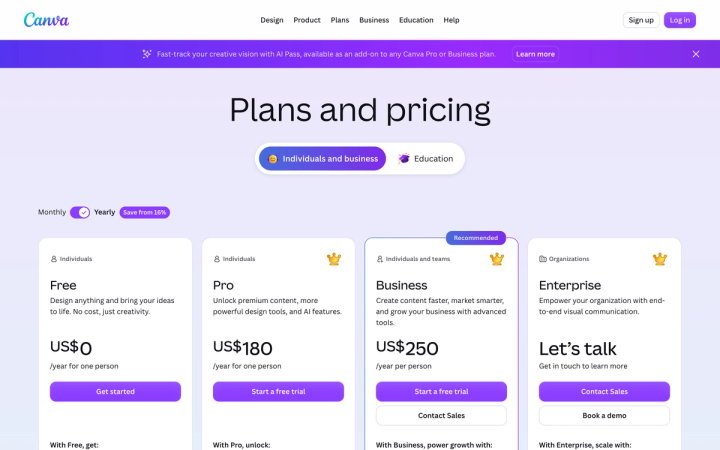
Canva Pro gives you up to 200 premium AI generations a month, and as few as 20 if the tool you're using runs on Canva's Ultra tier. That is the real ceiling on a US$180/year plan. If you shoot a catalogue you will hit it, and the only lever Canva offers is a US$100 per person, per month add-on.
That ceiling is not on the pricing page. The pricing page describes paid AI in multiples: Pro gets "10x more AI than Canva Free," Business gets "20x more." The absolute numbers live in the Help Centre.
Canva's published monthly allowance, verified 4 August 2026:
- Canva Free — up to 200 Standard AI uses, or up to 20 Premium AI uses. No Ultra access.
- Canva Pro / Teams — up to 2,000 Standard, or up to 200 Premium, or up to 20 Ultra.
- Canva Business — up to 4,000 Standard, or up to 400 Premium, or up to 40 Ultra.
- Canva Enterprise — same as Business.
The word doing the work there is or. It is one shared pool. And "Create an image with Canva AI" appears under both the Premium and the Ultra tier, so a single product shot might cost you 1/200th of your month or 1/20th of it, depending on which model Canva routes you to.
Canva is upfront that these are best-case figures. Its own note says the ranges assume you use one tool type only, with simple prompts, on the least demanding tool in that category, and that heavier use "will typically be on the lower end of the estimated ranges."
Two more details catch brand teams out. The allowance resets monthly on your billing date even if you pay yearly, so you cannot bank three quiet months and spend them on a launch. And on Teams and Business, "each member has their own allowance. Allowances aren't shared or pooled across the team or organization." If one person does your catalogue work, everyone else's allowance sits unused.
What does Canva's AI Pass cost, and when do you need it?
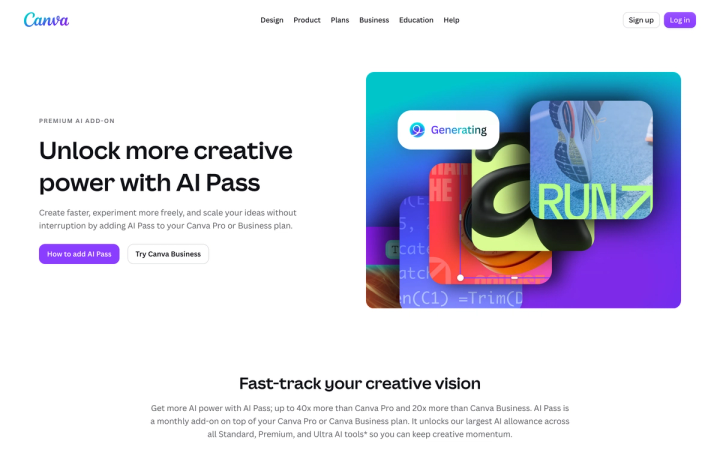
Canva's Help Centre puts it at "USD $100 globally per person, per month."
It buys allowance rather than capability. Canva says AI Pass "doesn't unlock additional features, it gives you access to Canva's largest AI allowance." Pro and Teams subscribers get 40× their normal allowance; Business subscribers get 20×.
Run the arithmetic on one person doing product imagery:
- Canva Pro alone: US$180/year, up to 200 premium generations a month.
- Canva Pro plus AI Pass: US$1,380/year, up to 8,000 premium generations a month.
There is nothing between those two numbers. So the question is not whether Canva is expensive; it is whether a step between 200 and 8,000 exists for how you work. For most brands it doesn't, and the jump costs 7.7× the price of the plan.
Per generation, AI Pass is cheap if you use all of it. The catch is the structure. It is charged per seat, and it is unavailable on Canva Free, Education, Enterprise, free trials, prepaid plans, and subscriptions billed through the Apple or Google app stores. On Teams and Business only owners and admins can buy it, so a designer who runs out has to file a request.
Which Canva alternatives are worth comparing for product photos?
Every tool below was checked on its own pricing page on 4 August 2026, with both billing states toggled where the page has a toggle. Read the billing column carefully. Four of these five default to annual pricing, so the number on the card is not what you pay month to month.
| Tool | Entry plan for real volume | What that buys per month | Page default |
|---|---|---|---|
| Canva Pro | US$180/year for one person | Up to 200 Premium AI uses, or 20 Ultra | Yearly, "Save from 16%" |
| Canva Business | US$250/year per person | Up to 400 Premium AI uses, or 40 Ultra | Yearly |
| Photoroom Max | $20.99/mo billed yearly ($34.99 monthly) | 25,000 credits, 3,000 exports | Yearly, "Save 33%" |
| Claid Pro | $35/mo billed yearly ($49 monthly) | 2,000 credits, 2K/4K output, 64 MP uploads | Yearly, "Save $120" |
| Kive Basic | $15/mo billed yearly ($20 monthly) | 1,000 credits, 3 users included | Yearly, −25% |
| Pebblely Pro | US$39/mo billed monthly | 500 finished images | Monthly |
| Pikes AI | Free to start, no credit card | Generation from your own SKUs | — |
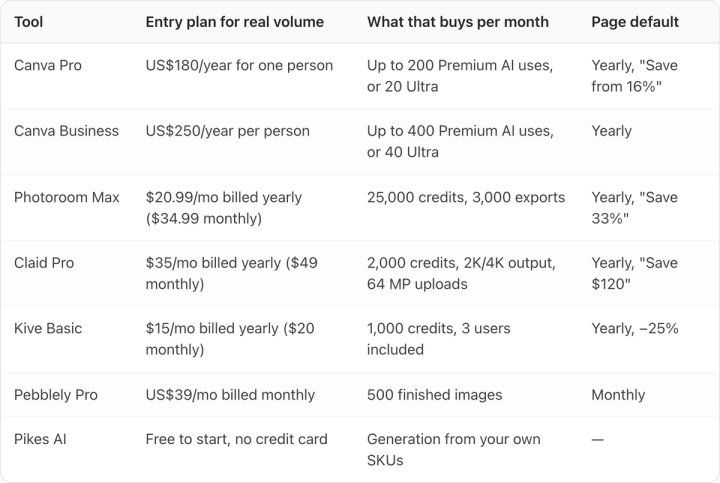
One warning before you compare those numbers across columns. A credit is not an image, and no two vendors spend credits at the same rate. Photoroom's 25,000 credits and Claid's 2,000 credits do not describe the same amount of work. The only row in that table denominated in finished images is Pebblely's.
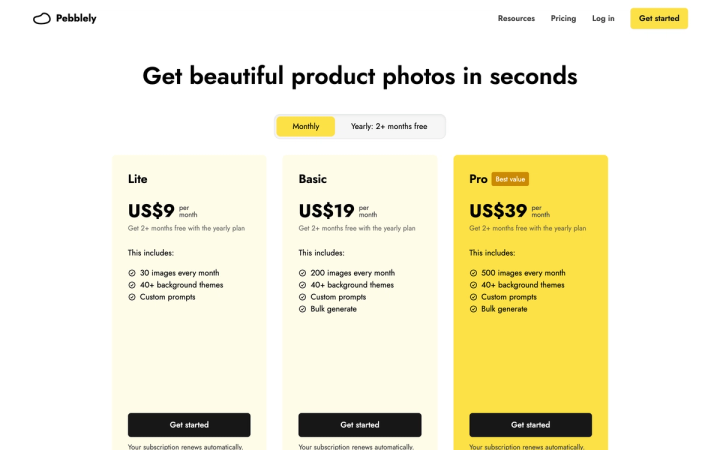
That makes Pebblely easy to reason about. US$39/mo billed monthly for 500 images is 7.8 cents an image, and you don't need a conversion table to know what you bought. Pebblely offers "2+ months free with the yearly plan," but it is the only page in this set that opens on Monthly rather than Yearly.
Photoroom is the volume answer. Max at $20.99/mo billed yearly works out to $251.88 a year, about 40% more than Canva Pro's US$180, and it carries 3,000 exports a month against Canva Pro's 200 premium AI uses. Per finished image that is roughly 0.7 cents against 7.5 cents, so you pay 40% more and get an order of magnitude more output. Its free tier is the weak spot: the pricing page documents no credit count, no export count and no watermark policy for it, so you cannot tell what you are getting until you sign up. We broke the tiers down in our Photoroom pricing guide.
Claid is the one to look at if output resolution matters. Pro at $35/mo billed yearly includes 2K and 4K generation and raises the upload ceiling to 64 MP, which decides whether an image survives a zoom crop on a listing page. Its free trial is the most specific of any here at 50 credits plus 50 separate API credits. The Claid pricing breakdown has the full plan comparison.
Kive is the cheapest entry at $15/mo billed yearly and includes three users, which matters because Canva's allowances are per seat and never pooled. Kive's free tier is the vaguest of the group: the card says "limited generation" with no number attached, while the paid cards carry explicit credit figures. Our Kive pricing guide works through what a credit costs there.
If budget rather than volume is the binding constraint, the free tiers are a separate comparison. We went through what each one includes in the best free AI product photography tools.
What is Canva still the right tool for?
Plenty, and most comparison pages won't say so.
If you have no design resource, Canva is the easiest product in this category by a wide margin, and nothing below it competes on templates, brand kits, or getting a non-designer to a finished social post. If your AI use is occasional, a background swap here and a seasonal banner there, 200 premium generations a month is more than enough and you should not move.
Canva is also the only tool here that covers the whole downstream job. The alternatives generate images. Canva generates the image and then lays out the carousel, the deck, and the packaging mockup around it.
The case for moving is narrow: you are producing product imagery at catalogue volume, the per-seat allowance is what's blocking you, and product fidelity (label text, material, exact brand colour) is the thing you keep fixing by hand. We wrote separately about where Canva's product photo tools stop.
What should a consumer brand actually pick?
Start by working out which unit you are buying. If you can't say how many finished product images your plan gives you this month, fix that first. It rules out more tools than price does.
Then run one test on your own worst SKU, the one with small legal text on a reflective surface. Generate ten variations and look at all ten at 100% zoom. Count how many have readable label text and correct brand colour. That number, not the credit allowance, is your real cost per usable image.
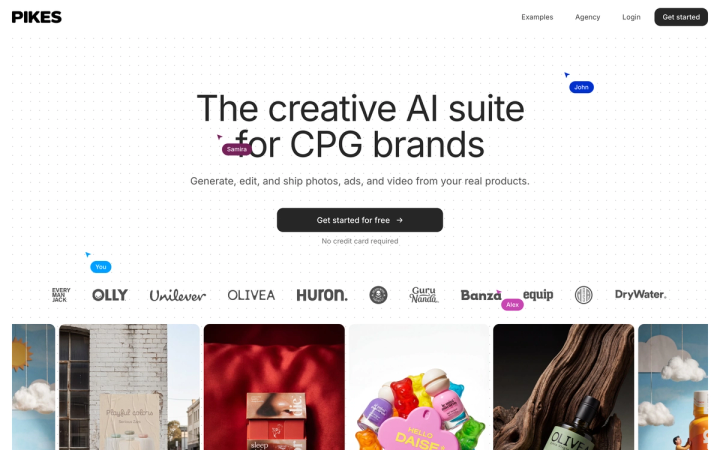
That test is why we built Pikes AI to generate from a brand's actual SKUs rather than from a text description of them. Holding label detail and packaging colour steady across many products and many outputs is the specific thing general-purpose design tools drift on. It is free to start and needs no credit card.
Whatever you land on, apply the same two checks. Make the vendor tell you how many finished images you get per month, and make the tool prove it can hold your label at full zoom.
Frequently asked questions
Does Canva Pro include unlimited AI image generation?
No. Canva Pro includes up to 200 Premium AI uses a month, or up to 20 Ultra AI uses, from a single shared allowance. The allowance resets monthly on your billing date, including on annual plans.
How much is Canva's AI Pass?
USD $100 per person, per month, as stated on Canva's Help Centre on 4 August 2026. It gives Pro and Teams subscribers 40× their normal AI allowance and Business subscribers 20×. It is not available on Canva Free, Education, Enterprise, free trials, prepaid plans, or app-store-managed subscriptions.
Can a team share one Canva AI allowance?
No. Canva states that on Teams, Business, Nonprofits, Education and Enterprise, "each member has their own allowance. Allowances aren't shared or pooled across the team or organization." A team of five where one person does all the imagery cannot move the other four allowances to that person.
What is the cheapest Canva alternative for product photos?
The two cheapest paid entry points are Claid Essentials at $9/mo billed yearly ($15 monthly, 500 credits) and Pebblely Lite at US$9/mo billed monthly (30 images). Kive Basic at $15/mo billed yearly ($20 monthly) costs more but includes three users, and Photoroom Max at $20.99/mo billed yearly ($34.99 monthly) carries far more output for the money. All verified on the vendors' pricing pages on 4 August 2026.
Which tool tells you how many product images you actually get?
Pebblely. Its plans are stated in finished images: 30, 200 and 500 a month on Lite, Basic and Pro. Photoroom states credits and exports separately, Claid and Kive state credits, and Canva states a multiple of its free tier.
Is it worth paying annually for these tools?
Usually, but check the discount per tier rather than trusting the badge. Photoroom advertises "Save 33%" across the page, yet on 4 August 2026 the actual saving was 42% on Pro ($12.99 to $7.50), 40% on Max ($34.99 to $20.99) and 17% on Ultra ($99 to $82.50). The tier a real catalogue buys has by far the worst annual discount. Note the direction of the default too: Canva, Photoroom, Claid and Kive all open on annual pricing, so the figure on the card is the discounted one. Pebblely opens on monthly.

Written by
Mike Lehman
Mike Lehman is a senior content strategist at Pikes. Before joining Pikes, Mike spent nearly a decade working with Glossier, Haus, and Athletic Brewing, leading campaigns that blended storytelling and data.