
Pontus Karlsson
The 5 Best Claid AI Alternatives for Consumer Brands in 2026
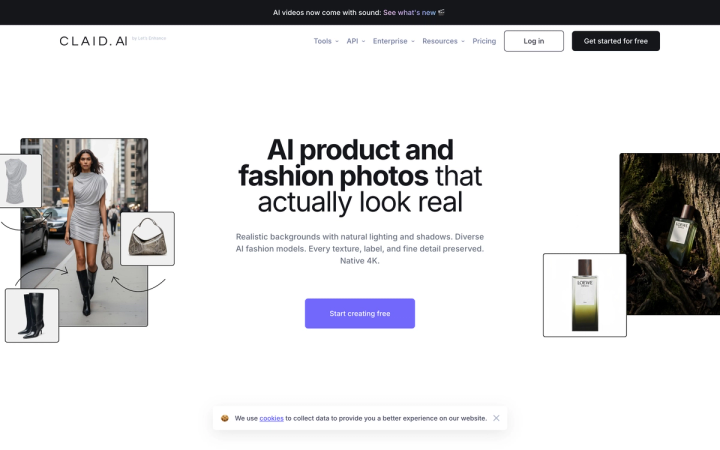
The best Claid AI alternatives in 2026 are Pikes AI for product fidelity across a large catalog, Photoroom for high-volume editing, Pebblely for the cheapest entry point, Kive AI for creative teams, and Soona if you want real photographs. Claid's entry plan costs $15 per month billed monthly, not the $9 its pricing page shows by default.
Why do brands start looking for a Claid alternative?
Claid.ai, built by Let's Enhance, is a capable product-photo suite. Most brands that go looking for something else are pushed by one of three things.
The first is credit math. Claid sells credits, not images, and every operation draws from the same pool. A background swap, an upscale and a resize on one SKU can consume several credits, so a 500-credit plan does not mean 500 finished photos.
The second is label fidelity. If you sell supplements, beverages or grooming products, the text on your packaging is the product. General-purpose image models tend to soften, warp or invent label copy at small sizes, and that is the failure mode that sends a shot back to the queue.
The third is how Claid presents its pricing.
What does Claid actually cost in 2026?
Claid's pricing page loads with the billing toggle already set to Billed yearly. The prices you see first are annual rates.
| Claid plan | Billed monthly | Billed yearly | Credits |
|---|---|---|---|
| Free trial | $0 | $0 | 50 credits + 50 API credits |
| Essentials | $15/mo billed monthly | $9/mo billed yearly | 500 credits |
| Pro | $49/mo billed monthly | $35/mo billed yearly | 2,000 credits |
| Business | Custom | Custom | Custom |

Verified on claid.ai/pricing, 29 July 2026, by switching the toggle to both states.
Credit allowances do not change between billing cycles. Only the price does. That works out to $0.030 per credit on Essentials billed monthly and $0.018 billed yearly. On Pro it is $0.0245 billed monthly and $0.0175 billed yearly, so Pro is roughly an 18% per-credit discount over Essentials if you pay month to month.

None of this makes Claid expensive. It does mean that if you compared Claid's $9 against a competitor's month-to-month price, you compared an annual commitment against a monthly one. Our breakdown of Claid AI pricing goes through the credit costs per operation in more detail.
Which Claid alternatives are worth considering?
Every price below was checked on the vendor's own pricing page on 29 July 2026, with the billing cycle stated.
| Tool | Best for | Entry price | Billing cycle shown by default | Allowance |
|---|---|---|---|---|
| Pikes AI | Product fidelity across a catalog | Free to start | No credit card required | — |
| Photoroom | High-volume editing and exports | $12.99/mo monthly, $7.50/mo billed yearly | Yearly | 8,000 AI credits, 1,000 exports |
| Pebblely | Cheapest way in | $9/mo billed monthly | Monthly | 30 images/mo |
| Kive AI | Creative teams and asset libraries | $20/mo monthly, $15/mo billed yearly | Yearly | 1,000 credits/mo |
| Soona | Real photography, not generated | $39 per photo | Per booking | $149 studio pass per booking |
| Claid | Editing suite with API access | $15/mo monthly, $9/mo billed yearly | Yearly | 500 credits |

Pikes AI
Pikes is built for consumer brands with a real SKU catalog rather than for one-off image editing. You upload your actual products once into a shared product library, set brand guidelines (colors, tone, style), and generate from those references, so output stays consistent across many SKUs and many rounds.
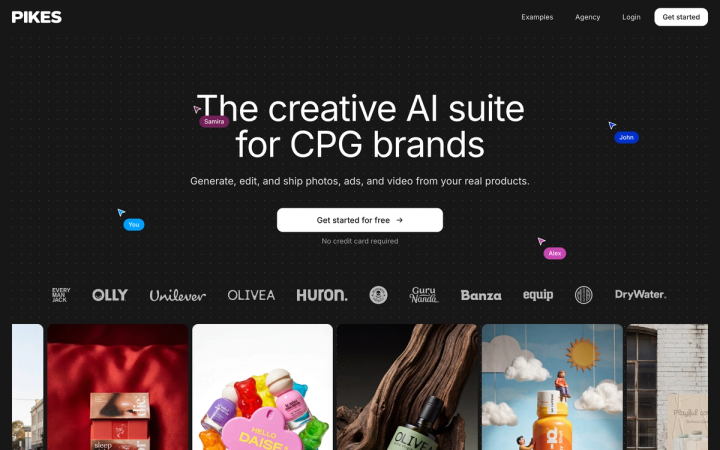
The differentiator is keeping label text, packaging detail and brand color correct across volume, which is where general-purpose models drift. Pikes also covers lifestyle scenes, ad creative with Meta ads integration, image-to-video, background removal and image expansion.
It is free to start and does not ask for a credit card. If your problem is one hero image for one product, this is more tool than you need.
Photoroom
Photoroom is the strongest option if your bottleneck is throughput. Pro is $12.99 per month billed monthly, or $7.50 per month billed yearly, and includes up to 8,000 AI credits and 1,000 exports. Max is $34.99 monthly or $20.99 billed yearly for 25,000 credits and 3,000 exports. Ultra is $99 monthly or $82.50 billed yearly for 75,000 credits and 10,000 exports.
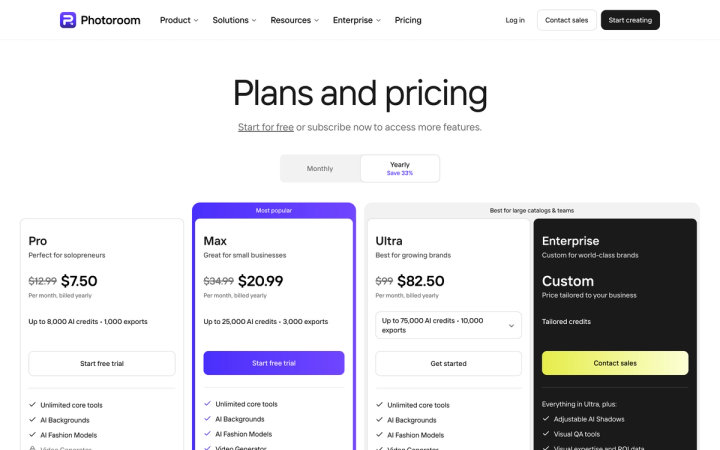
Note that Photoroom's page also defaults to Yearly, though it shows the monthly price struck through beside it, which is more transparent than most. Photoroom separates AI credits from exports, so read both numbers.
Pebblely
Pebblely is the cheapest genuine entry point and the only tool here that shows monthly pricing by default. Billed monthly, Lite is $9 per month for 30 images, Basic is $19 per month for 200 images, and Pro is $39 per month for 500 images. Yearly billing gives 2+ months free.
Pebblely counts in images, not credits, which makes budgeting far easier than credit systems. Thirty images a month is a small catalog, so plan on Basic if you have more than a handful of SKUs. See our Pebblely alternatives comparison for where it fits.
Kive AI
Kive leans toward creative teams that need an organized asset library alongside generation. Basic is $20 per month billed monthly or $15 billed yearly for 1,000 credits per month. Pro is $100 per month billed monthly or $75 billed yearly for 5,000 credits per month. There is a free tier with limited generation and 5 boards.
Kive's per-credit rate is flat across tiers. Moving up buys volume, not a discount: $0.020 per credit on both Basic and Pro, billed monthly. Claid's Essentials works out to $0.030 per credit billed monthly.
Those two numbers are not directly comparable, because the tools spend different numbers of credits on the same finished image. Our Kive AI pricing breakdown works through Kive's structure.
Soona
Soona shoots real photographs rather than generating them. It costs $39 per photo, $93 per video clip, and a $149 studio pass per booking. A Basic membership at $13 per month billed annually waives the studio pass; Standard is $49 per month billed annually.
If you need genuine texture, real models or a shot that has to be provably authentic, Soona is the better answer and no generator competes with it. It is also the most expensive path once you multiply $39 by a catalog. Our Soona alternatives guide covers the tradeoff.
How do you compare credit-based tools fairly?
Headline prices are not comparable, because a credit means something different in every product. Before you commit:
- Find the credit cost of one finished image, not one operation. Count the background generation, the upscale and any retries.
- Check whether the plan resets or rolls over. Kive and Pebblely allocate per month; unused allowance is usually lost.
- Multiply by your real catalog. Take your SKU count times the number of shots each needs. Amazon recommends seven images per listing.
- Run your worst SKU first. Small serif label text on a reflective surface breaks more tools than a plain jar does.
- Compare the same billing cycle. Four of the six tools here default to yearly.
Which alternative should you pick?
If you are leaving Claid over cost alone, Photoroom at $12.99 per month billed monthly gives you more headroom than Claid's $15 Essentials plan. If you are leaving over budgeting confusion, Pebblely's image counting is the simplest system on this list. If you need real photographs, Soona.
If you are leaving because label text and packaging detail drift once you scale past a handful of SKUs, that is the specific problem Pikes was built for — you can try it free at pikes.ai with your own products and see how it holds your labels before you move a catalog across.
For a closer look at Claid itself, read our full Claid AI review or the head-to-head Claid vs Kive comparison.
Frequently asked questions
Is Claid AI free?
Claid has a free trial with 50 credits plus 50 API credits and access to all Standard tools. It is a trial allowance rather than a permanent free tier, so it runs out.
Why does Claid show $9 when the price is $15?
Claid's pricing page loads with the billing toggle set to "Billed yearly". The $9 Essentials and $35 Pro figures are annual rates. Switch the toggle to "Billed monthly" and they become $15 and $49. Photoroom and Kive default to yearly as well.
What is the cheapest Claid alternative?
Pebblely's Lite plan at $9 per month billed monthly is the cheapest paid entry, though it caps at 30 images per month. Photoroom Pro at $7.50 per month billed yearly is cheaper still if you commit annually. Pikes is free to start.
Which Claid alternative is best for a large catalog?
Photoroom Ultra at $99 per month billed monthly carries the largest published allowance at 75,000 AI credits and 10,000 exports. For catalog work the harder constraint is usually consistency across SKUs rather than raw volume, which is what brand context and a persistent product library address.
Does any alternative offer an API like Claid?
Claid's API is one of its genuine strengths, and its free trial includes 50 API credits. If programmatic bulk processing is your main requirement, Claid is a reasonable place to stay.
Can AI product images be used on Amazon?
Yes, with one condition. If an image contains photorealistic AI-generated people, Amazon requires you to tag the file with the keyword contains-synthetic-performer in the dc:subject XMP field before uploading. Images with no people, or with real people, do not need the tag.