

Mike Lehman
Walmart Marketplace Image Requirements in 2026: Full Specs and Cross-Platform Fixes
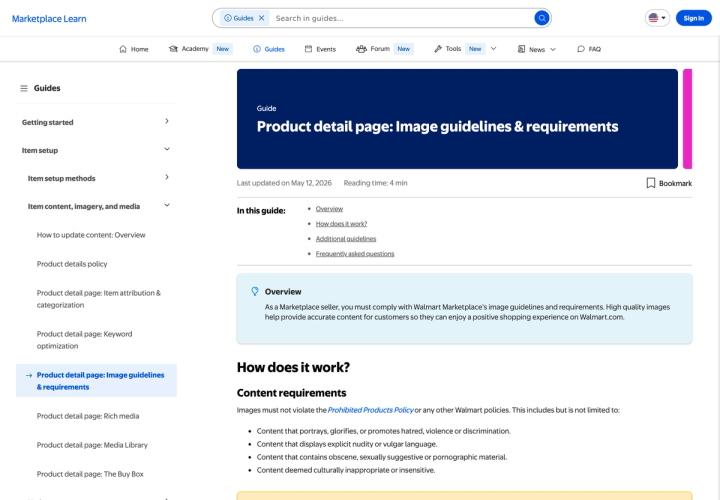
Walmart Marketplace requires product images at 2200 x 2200 pixels, 1:1 square, RGB, 8 bits per pixel, under 5MB, on a seamless white background of 255/255/255. Zoom needs at least 1500 x 1500. Walmart recommends a minimum of four images per listing. That 5MB ceiling is tighter than Google Shopping's 16MB, and Amazon's image guide publishes no file-size cap at all.
What are Walmart's exact image requirements?
Everything Walmart publishes as a hard spec, in one place.
| Requirement | Walmart's spec |
|---|---|
| Pixel dimensions | 2200 x 2200 px |
| Minimum for zoom | 1500 x 1500 px |
| Aspect ratio | 1:1 (square) |
| File size | 5MB or less |
| Bit depth | 8 bits per pixel |
| Colour format | RGB |
| File formats | JPEG, JPG, PNG, BMP (GIF not permitted) |
| Background | Seamless white, RGB 255/255/255 |
| Swatch images | 100 x 100 px |
| File name | Walmart recommends using the 14-digit GTIN |
| Images per listing | Minimum of four recommended |
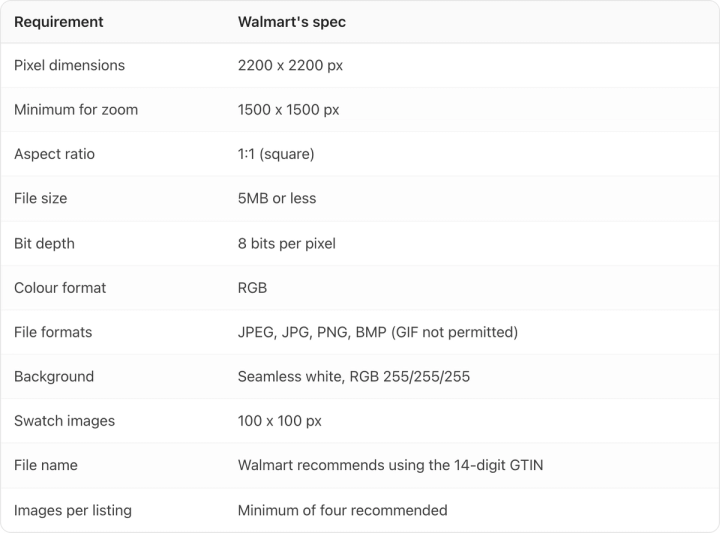
These come from Walmart's Marketplace Learn guide, last updated 12 May 2026 and read on 10 August 2026.
Two of those lines are easy to get wrong. Neither Amazon nor Google publishes a bit depth requirement, so a 16-bit export straight out of a raw workflow clears both and trips Walmart. And the 5MB cap is tighter than it sounds once you are exporting 2200 x 2200 files of detailed packaging.
Which Walmart image rule breaks most often?
The file size and the URL, and they fail in completely different ways.
File size. A 2200 x 2200 JPEG exported at maximum quality can comfortably clear 5MB, especially on packaging with fine type and texture. That file passes Google's 16MB ceiling and Amazon's guide, then bounces at Walmart. Dropping the JPEG quality setting a notch or two usually cuts the file substantially with nothing visible lost at product-page scale. Check the exported size per SKU rather than assuming it.
The URL. Walmart ingests images from a URL you supply, and the rules there are stricter than the file rules. The URL has to end in an image file extension. It cannot contain a query. It must use port 8080, 80, 443 or 8443. Dropbox links are explicitly unsupported, as are URLs that are not publicly accessible and URLs that resolve to HTML pages.
The no-query clause is the one that catches brands, because most modern image CDNs append parameters for resizing and cache-busting. A URL ending ?w=2200&v=3 ends in a query rather than an extension, and Walmart will not take it. Serve Walmart a plain versioned path instead, something like /images/00012345678905-main-v3.jpg.
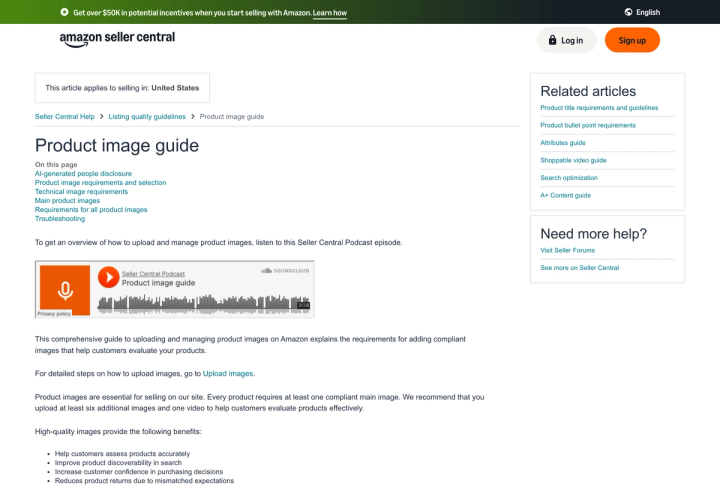
One useful shortcut: Walmart states that most Amazon image URLs are acceptable if they otherwise meet the guidelines. If your Amazon catalogue is already hosted and compliant, that is a head start.
What can't appear in a Walmart main image?
Two of Walmart's rules single out the main image. The rest apply to every image on the listing, which means they bind the main image as well.
Main image specifically:
- No watermarks, your name, or your logo
- No accessories that are not included with the item, and no crowding the frame with props
Every image on the listing:
- No claims or promotional language
- No Walmart or other retailer or eCommerce logos or names
- No languages other than English
- No imagery indicating a product is out of stock or sold out
- No duplicate images anywhere on the item page
- Only Walmart's designated placeholder image if a real photo is not ready, and the item will not publish until it is replaced
On framing, Walmart's instruction is qualitative: "Crop the item as close as possible to the image frame. Avoid excessive background space around the item. Don't resize smaller images to fill space, as this reduces image quality."
Main images need a seamless white background, though Walmart allows that images of larger items may show the item in an expected environment.
How do Walmart's rules collide with Amazon's and Google's?
This is the real problem for a consumer brand listing the same SKU in three places. The specs do not contradict each other outright, but they bind at different points.
| Spec | Walmart | Amazon | Google Shopping |
|---|---|---|---|
| Aspect ratio | 1:1 required | Not specified | Not specified |
| Frame fill | "As close as possible" | 85% of the image | 75% to 90% |
| Max file size | 5MB | Not published on the image guide | 16MB |
| Bit depth | 8 bits per pixel | Not specified | Not specified |
| Background | Seamless white 255/255/255 | Pure white 255/255/255 | White or transparent; lifestyle allowed |
| Packaging in main image | No restriction stated | "Don't include packaging, unless it's an important product feature" | Wants multidimensional packaging if packaging is shown |
| Formats | JPEG, JPG, PNG, BMP | JPEG recommended, TIFF optional | JPEG, WebP, PNG, GIF, BMP, TIFF |
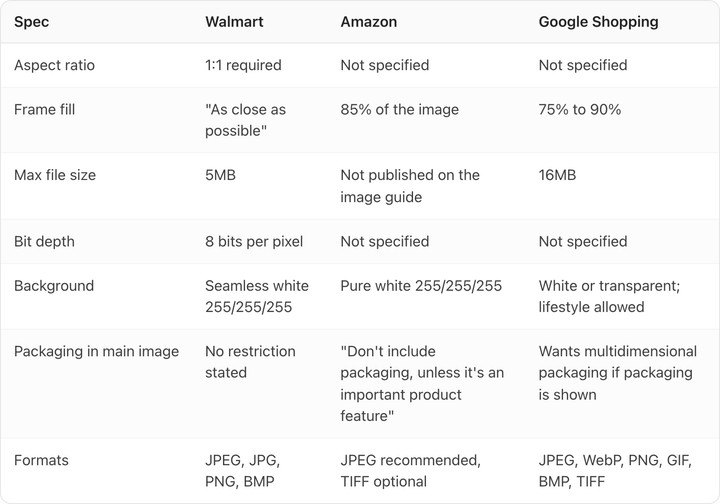
Walmart's and Amazon's figures were read from their live guides on 10 August 2026. Google's are from Merchant Center's image requirements, covered in full in our Google Shopping image requirements guide.
Three collisions are worth resolving deliberately.
Frame fill. Walmart says crop as close as possible and publishes no number. Amazon says exactly 85%. Google wants between 75% and 90%. Take Walmart's instruction literally and you can push past Google's ceiling. Shooting to 85% satisfies all three at once: it is Amazon's exact figure, it sits inside Google's band, and it is a fair reading of Walmart's wording.
File size. Walmart's 5MB is the binding constraint across all three. Build to it and the other two ceilings take care of themselves.
Bit depth. Of these three, only Walmart publishes one. Convert to 8-bit before export or the file passes two platforms and fails the third for a reason nothing in the error will make obvious.
What single export passes Walmart, Amazon and Google?
One master file covers all three:
- 2200 x 2200 px, 1:1 square
- sRGB, 8 bits per pixel
- JPEG, under 5MB
- Seamless white, RGB 255/255/255
- Product occupying roughly 85% of the frame
- Filename carrying the 14-digit GTIN
- Hosted on a clean URL ending in
.jpg, with no query string
Each constraint clears every platform. 2200px sits inside Amazon's 500 to 10,000 pixel range for the longest side and above Walmart's 1500px zoom minimum. At 4.84 megapixels the file is far under Google's 64MP cap. Under 5MB clears all three size ceilings. And 85% fill matches Amazon exactly while staying inside Google's band.
The one place a single file cannot serve everyone is packaging. Amazon asks you to leave packaging out unless it is an important product feature, Walmart states no such rule, and Google wants packaging shown from more than one dimension when it appears at all. For most consumer brands the pack is the product, so a three-quarter angle showing the front and one side reads as multidimensional for Google while staying a single unit for Amazon. If you are producing this across a large catalogue, our guide to product photography for large catalogs covers making that repeatable, and how many product photos you need per SKU covers the gallery beyond the main image.
What are the rules for AI-generated images on Walmart?
Walmart's rule is short: "Images generated by artificial intelligence must be truthful, accurate and not misleading." The guide separately notes that AI-generated content must be "accurate, truthful, rights-compliant, and aligned with Marketplace policies".
That is a content standard, and it is a different mechanism from the other two platforms.
- Walmart regulates what the image claims. No metadata requirement is published.
- Google regulates the file. AI images must carry IPTC DigitalSourceType metadata, and that metadata must not be stripped downstream.
- Amazon regulates a narrower case in the file: media containing an AI-generated person needs a
contains-synthetic-performerkeyword in the XMPdc:subjectfield.
The practical consequence is that the same generated pack shot can be fully compliant on Walmart and non-compliant on Google purely because a CDN resize stripped its metadata on the way out. We covered that failure mode in whether AI-generated product images are allowed.
For Walmart, "truthful and not misleading" is doing all the work. If a generated image shifts your product's colour, softens the label type, or shows a count or size you do not actually ship, it is misleading regardless of how it was produced.
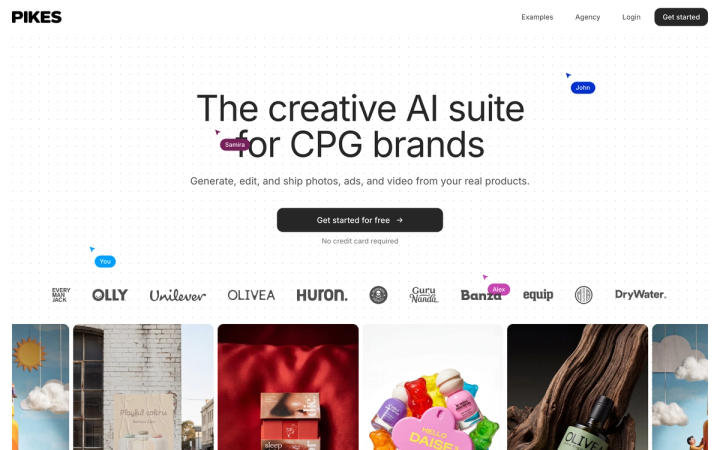
That is the standard we build to: generating from a brand's real product images rather than from a text description keeps the pack that ships and the pack on the listing the same object. If you are producing marketplace images at catalogue scale, Pikes AI is free to start. Whatever you use, zoom to 100% and read the label before anything goes live.
Frequently asked questions
What size should Walmart product images be?
2200 x 2200 pixels, square, with 1500 x 1500 the minimum for zoom to work. Files must be RGB, 8 bits per pixel, and 5MB or smaller.
Does Walmart require a white background?
Main images need a seamless white background at RGB 255/255/255. Walmart makes one allowance: images of larger items may show the item in an expected environment instead.
How many images does a Walmart listing need?
Walmart recommends a minimum of four per listing. Swatch images should be supplied where applicable, at 100 x 100 pixels.
Why isn't my Walmart image showing on the listing?
Start with the URL rather than the file. Check that it ends in an image extension, contains no query string, uses port 8080, 80, 443 or 8443, is publicly accessible, and is not a Dropbox link or a page that resolves to HTML.
Can I use the same image file on Walmart, Amazon and Google?
Yes. A 2200 x 2200 JPEG under 5MB, 8-bit sRGB, on white, with the product at roughly 85% of the frame, meets all three sets of published requirements. Packaging is the one rule where the three platforms actively pull in different directions.
Are AI-generated images allowed on Walmart Marketplace?
Yes. Walmart requires that they be truthful, accurate, not misleading and rights-compliant. Unlike Google, Walmart publishes no metadata requirement, so the obligation sits on what the image shows rather than what the file carries.
Create your next product image set
Use your product photos and brand context to create studio-style and lifestyle variations in Pikes.
AI product photography with PikesCompare plans and generation credits

Written by
Mike Lehman
Mike Lehman is a senior content strategist at Pikes. Before joining Pikes, Mike spent nearly a decade working with Glossier, Haus, and Athletic Brewing, leading campaigns that blended storytelling and data.