
Pontus Karlsson
Cleaning Product Photography: A Guide for Household Brands
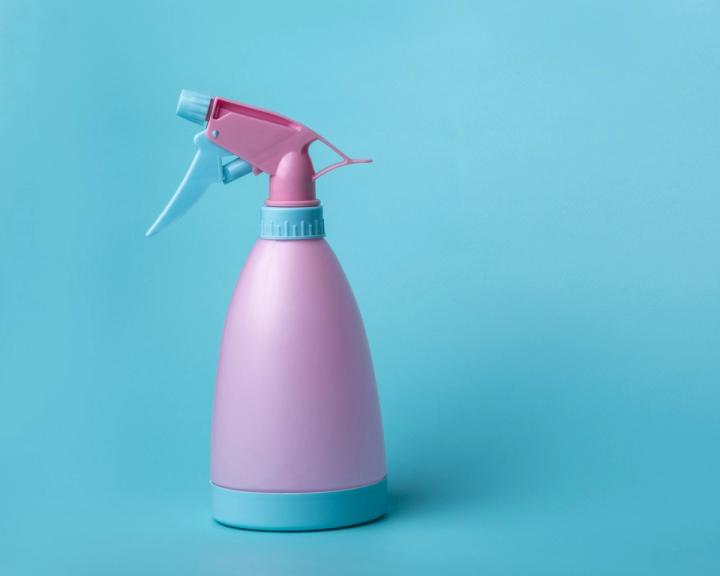
Cleaning products are the hardest consumer category to photograph well, because a single bottle stacks three problems at once: glossy curved plastic that mirrors the whole room, a transparent or tinted liquid that changes colour depending on where the light is, and a label carrying dense regulated copy that has to stay readable at full zoom.
Get those three right and the rest is straightforward. Below is how to solve each one, what Amazon actually requires for a household SKU's main image, and the shot list we would build for a single product.
Why are cleaning products harder to shoot than most CPG categories?
A serum jar is a small matte object. A spray bottle is a large, curved, high-gloss object with a mechanical trigger on top and liquid inside, and each of those adds a failure mode.
Gloss. A curved glossy surface acts as a convex mirror. It reflects the shape of whatever is emitting the light, compressed into a band down the side of the bottle. A bare strobe gives you a hard white hotspot that blows out the label underneath it.
Liquid. Colour in a bottle is transmissive, not reflective. Light it from the front and a blue cleaner reads grey and dull. It only reads as liquid when light passes through it.
Label copy. Cleaning labels carry more small type than almost any other consumer category: directions, precautionary statements, ingredient information. On Amazon that type is zoomable, so "close enough" is visible to the customer.
The trigger. A trigger sprayer sits proud of the bottle and throws a hard shadow diagonally across the top third of the label, which is usually where the brand name is.
What does Amazon require for a cleaning product's main image?
The rules are the same as any other category. Quoted exactly, from Amazon's Product image guide, checked 7 August 2026:
- Pure white background, RGB 255, 255, 255
- "Show the product as 85% of the image."
- Minimum 500 pixels and maximum 10,000 pixels on the longest side
- JPEG recommended; TIFF, PNG and non-animated GIF are optional
- No text, logos, borders, colour blocks, watermarks or other graphics, over the product or in the background
- The image must "accurately represent the real scale, quantity, and color of the product"
Two lines in that guide bite harder on cleaning products than on most categories.
The first: "Only show the product once in the image, for example, front only, and not both the front and the back in the same image." Household brands routinely want the front panel and the back-of-pack directions in one hero shot. You cannot do that on the main image. The directions have to live in an alternate slot, which makes those slots load-bearing rather than optional here.
The second: "Don't include packaging, unless it's an important product feature." For most categories the box is packaging. For a cleaning product the bottle is the product, because it is the dispensing mechanism the customer buys. Shoot the bottle, not the bottle plus a carton.
Amazon also states it recommends "at least six additional images and one video" beyond the main image, and that where no compliant main image exists it "may suppress the product listing from search." We worked through how that shot budget scales across a catalog in how many product photos per SKU.
How do you kill reflections on a glossy bottle?
Stop trying to remove the reflection and start controlling its shape. Three moves, in order of how much they change the result:
- Make the source bigger and closer. A 60×90 cm softbox two feet from a spray bottle produces a broad soft gradient down the shoulder. The same light six feet away produces a hard stripe. Size relative to the subject is what matters, not wattage.
- Flag the sides in black. Two black cards just outside frame, angled in, put a defined dark edge down each side of the bottle. That edge is what makes a transparent or white bottle read as a solid object instead of dissolving into the white background.
- Kill the trigger shadow with a fill card. A white card low and in front, angled up, lifts the shadow the sprayer casts across the brand name. It is the fault we see most often in self-shot household listings.
A polariser helps on flat label panels and does almost nothing on the curved shoulders, so treat it as a finishing tool rather than the fix.
How do you shoot a transparent or coloured liquid?
Light it from behind. Put a diffusion panel or a translucent white surface behind the bottle, light that, and let the light travel through the liquid to the camera. A blue surface cleaner that looked grey under front light becomes saturated and obviously liquid.
Then deal with the two things that make a liquid look wrong:
- Bubbles and foam. Surfactant-based formulas hold foam for a long time. Let a filled bottle stand for at least half an hour before shooting, or you will retouch every frame.
- The fill line. The meniscus reads as a hard horizontal line. Position it deliberately, usually below the label's top edge, rather than letting it land wherever the fill happened to stop.
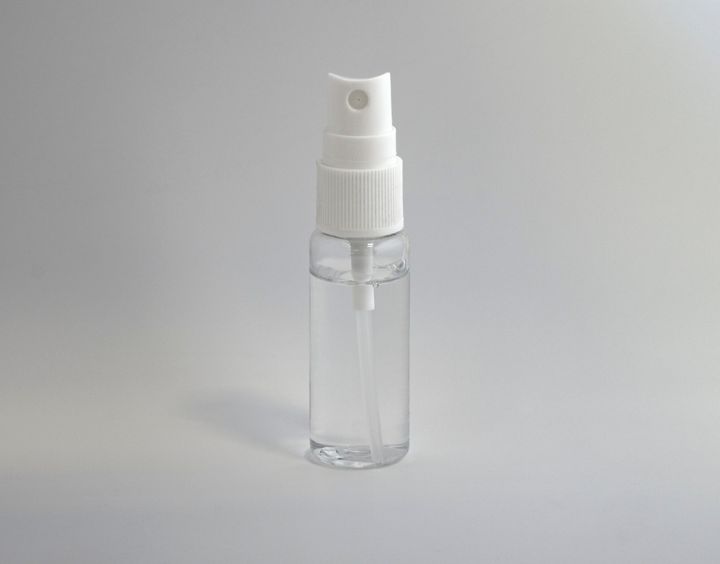
Expose for the label, not for the bottle. Household brands tend to use highly saturated brand colours that clip a channel before the exposure looks bright, and once the red channel clips, small type printed on that panel stops being legible at any zoom level.
Does the label copy actually have to be legible?
For a large part of this category, yes, and not only for conversion reasons.
Disinfectants and sanitisers are not regulated as ordinary cleaning products. The EPA treats them as antimicrobial pesticides, and states that "More than 4000 antimicrobial products are currently registered with EPA and sold in the marketplace." Labelling for registered products is governed by 40 CFR Part 156. Whatever your specific SKU carries, that copy is on the bottle because a regulator required it.
Amazon separately requires that an image "accurately represent the product that you're selling." Put those together and an image where the label is soft, warped or invented is a misrepresentation of a regulated product before it is a photography problem.
AI generation splits sharply here. A general-purpose image model asked for "a white spray bottle of surface cleaner on a kitchen counter" will produce a beautiful bottle that is not yours, with label copy that looks like type from three feet away and dissolves at 100% zoom. That output is fine for a moodboard and unusable on a detail page.
The test is quick and works on any tool, ours included: generate one image of your best-selling SKU, open it at full size, and read the label out loud. If you cannot, or it reads slightly wrong, it does not ship. That test is why we built Pikes AI to generate from a brand's real product images rather than from a text description of them. Where the label is legally specified, reproducing it exactly is the job.
Whichever route you take, keep the standard the same: the front panel in the finished image should match the physical bottle character for character. If you are weighing generation against a traditional shoot for a large household range, we put numbers on both in AI product photography cost per image and covered the operational side in product photography for large catalogs. Pikes AI is free to start if you want to run the zoom test on your own SKUs.
What's the shot list for one household SKU?
Amazon's recommendation of one main image plus at least six additional images and a video maps cleanly onto this category. A workable set:
- Main. Front panel, pure white background, product at 85% of frame, trigger shadow lifted, no carton.
- Back panel. Directions and precautionary copy, shot square-on and sharp enough to read at zoom. This is the slot the main image cannot be.
- Scale reference. The bottle beside a common object, or a hand holding the trigger, so the customer knows whether it is 16 oz or 32 oz.
- In-use. The spray pattern mid-trigger, or the product on the surface it treats.
- Texture or finish close-up. The nozzle, the trigger mechanism, or the cap, whatever the customer would inspect if the bottle were in front of them.
- Lifestyle context. The product where it lives: under the sink, on a worktop, in a caddy.
- Range or multipack. The rest of the line-up, if you sell more than one variant.
- Video. Fifteen to thirty seconds of the product being used. Amazon recommends one video per product.
Shoot the whole range in one session with fixed light positions and a locked camera height. The consistency across a shelf of variants is what makes a brand look like a brand, and it is nearly impossible to recover later if each SKU was lit separately.
FAQ
What background should a cleaning product's main image use?
Pure white, RGB 255, 255, 255, per Amazon's product image guide, with the product occupying 85% of the frame. That applies to cleaning products the same as any other category.
Can I show the front and back of the bottle in one image?
Not on the main image. Amazon's guide says to show the product once only: "front only, and not both the front and the back in the same image." Put the back panel in one of the additional image slots.
How do I stop the trigger sprayer casting a shadow on the label?
Add a white fill card low and in front of the bottle, angled up toward the trigger. It lifts the shadow without adding a second highlight to the bottle's shoulder.
Why does my blue cleaner look grey in photos?
It is being lit from the front. Colour in a transparent liquid is transmissive, so put a lit diffusion panel behind the bottle so light passes through the liquid, and the colour saturates.
Are cleaning products regulated differently from other CPG images?
The images are not, but the labels can be. The EPA regulates disinfectants and sanitisers as antimicrobial pesticides, with labelling governed by 40 CFR Part 156. Since Amazon requires images to accurately represent the product, distorted label copy on a registered product is a bigger problem than a soft photo.
Can AI generate cleaning product images that pass Amazon's rules?
It depends entirely on whether the tool works from your actual product. Text-prompted generation invents a similar bottle with invented label copy, which fails the accuracy requirement. Tools that generate from your real product photos can produce compliant images. Check the label at 100% zoom before you upload either way. We covered the platform rules in detail in are AI-generated product images allowed and the Amazon specs in Amazon product images in 2026.
Create your next product image set
Use your product photos and brand context to create studio-style and lifestyle variations in Pikes.
AI product photography with PikesCompare plans and generation credits